ARTURIA – SPARK CREATIVE DRUM MACHINE – USER’S MANUAL
Shuffle amount knob
(right-click: Swing range / Velocity emphasis)
Tempo For slower tempos turn this knob to the left; for faster tempos turn the
knob to the right.
Shuffle Sets the amount of shuffle applied to a pattern. Shuffle is a rhythmic
effect in which the duration of the first note in a series of two notes is
lengthened and the duration of the second note is shortened. This is also
known as setting the “swing amount.”
For a higher shuffle amount turn this knob to the right; for less shuffle
turn the knob to the left.
Right-click on the Shuffle knob to define the timing value on which the
shuffle will be applied (1/8, 1/16, or 1/32 note).
The right-click menu also shows the Velocity emphasis option, which
increases the dynamic range between the shuffled notes and ‘fixed’ notes.
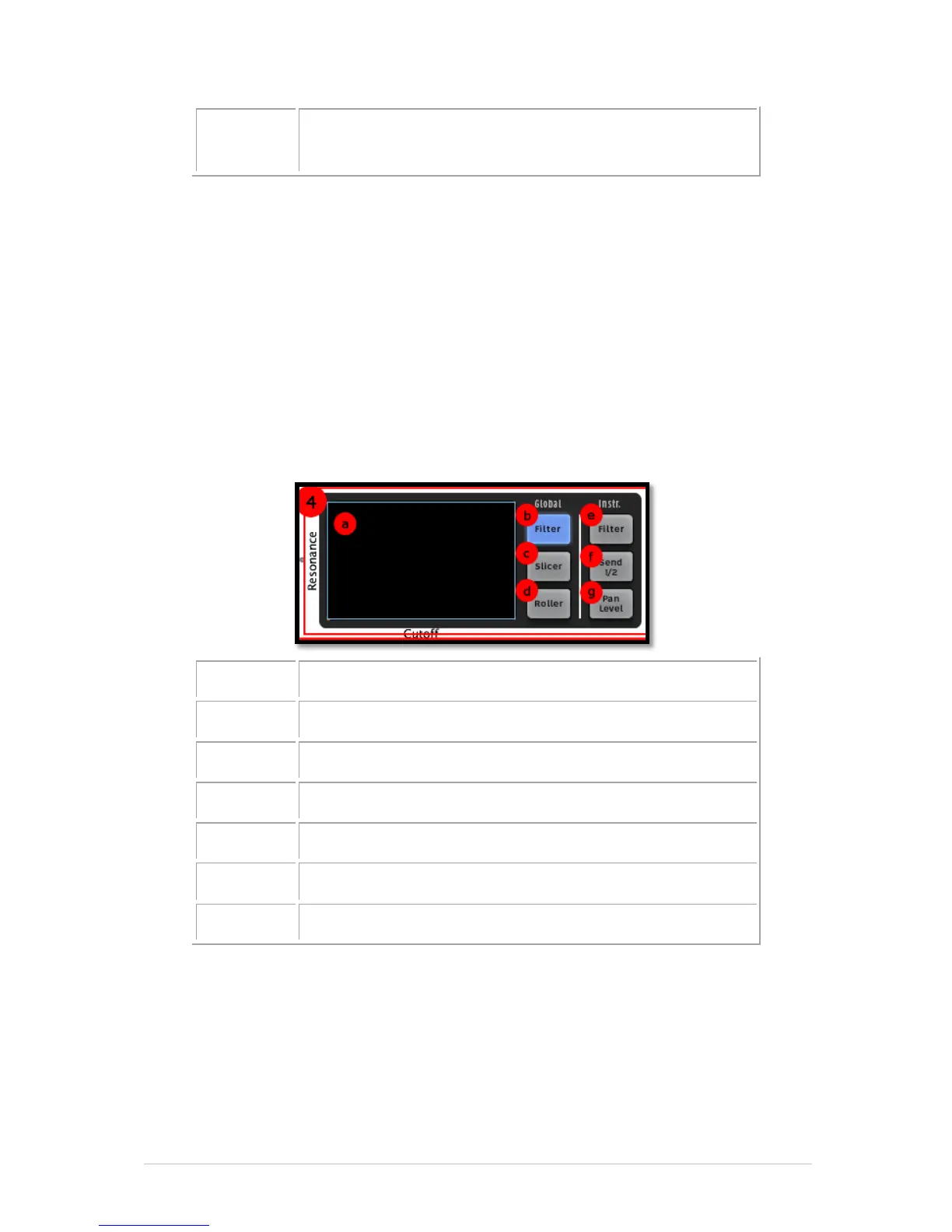
5.2.4 The FX Live pad and Effect buttons
FX Live pad (X/Y axis control surface)
Global Filter button (right-click: Latch or Touch operation)
Global Slicer button (right-click: Latch or Touch operation)
Global Roller button (right-click: Latch or Touch operation)
Instrument Aux Send 1 / 2 button
Instrument Pan / Level button
5.2.4.1 FX Live pad
The FX Live pad is an amazing performance tool that will apply real-time effects to your
song or patterns. It features three main effect buttons (Filter, Slicer and Roller) with an
amazing variety of options. When your cursor enters the FX Live pad area it becomes a
cross; click and hold the cursor and drag it around while a pattern is playing and you’ll
begin to get an idea of what this zone can do for your music.
By right-clicking any of the Global effect buttons you can choose between "Latch" or
"Touch" performance for that effect. "Latch" will hold the effect at its current value when



 To Next Page