5.9 THE LIBRARY
5.9.1 Library overview
In the Library tab, you will be able to load Projects, Kits and Instruments or to access a
Disk browser. The Project, Kit and Instrument browsers will display factory and user
elements. The Disk browser will let you find your samples via a file browser tree.
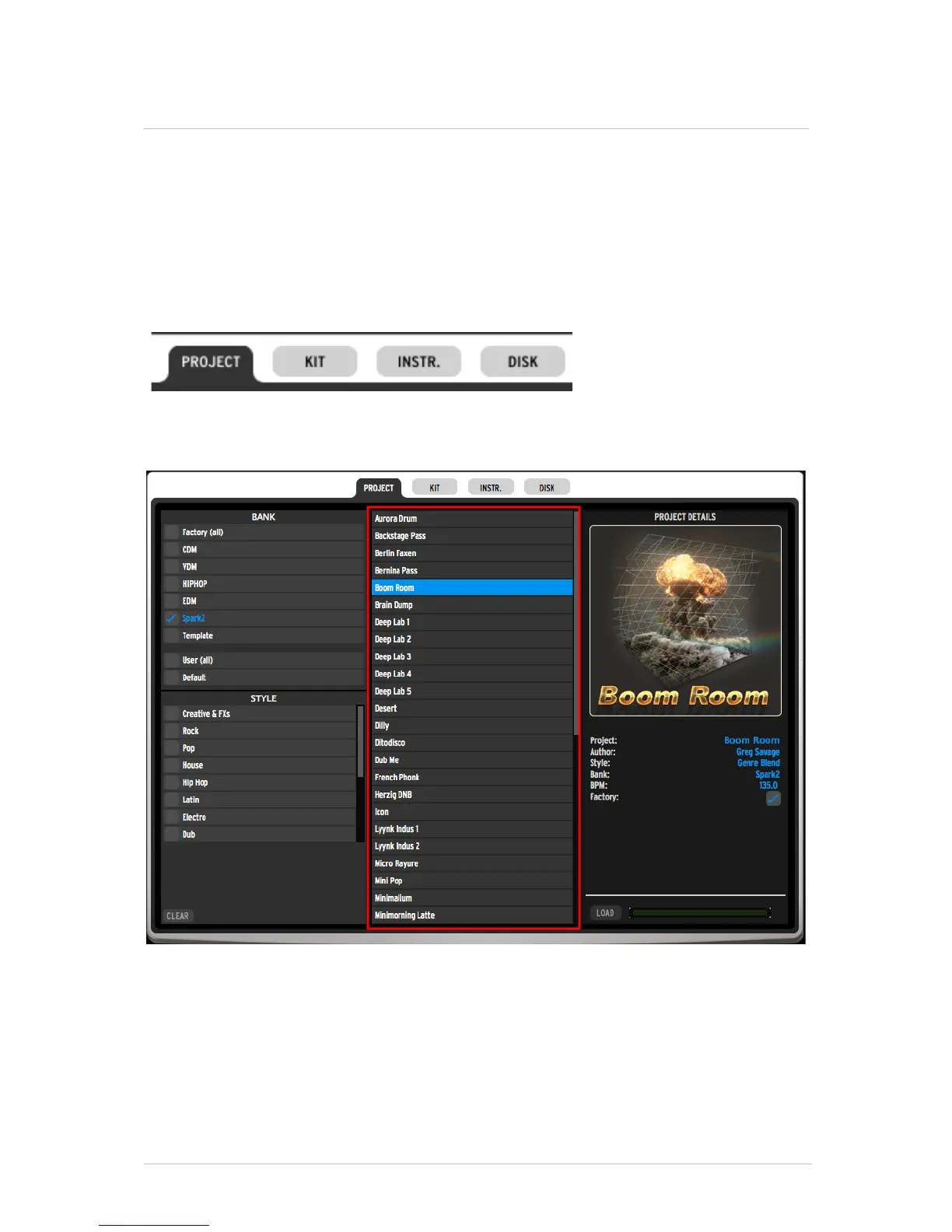
The top toolbar will let you access the different browsers :
The middle column will show the results list :
Click on an element to display related information in the right column; included fields are
Author, Genre, Bank, BPM for Projects and Kits. For instruments, you will have access to
the containing project, the musical genre, bank, the drum type and the sound engine
(Analog / Physical modeling / Sampling).
If you want to load an instrument, you can select the pad on which you want to load it.
You can also activate the “Auto Preview” feature, which will let you hear the instruments
automatically as you browse through the results list.



 To Next Page