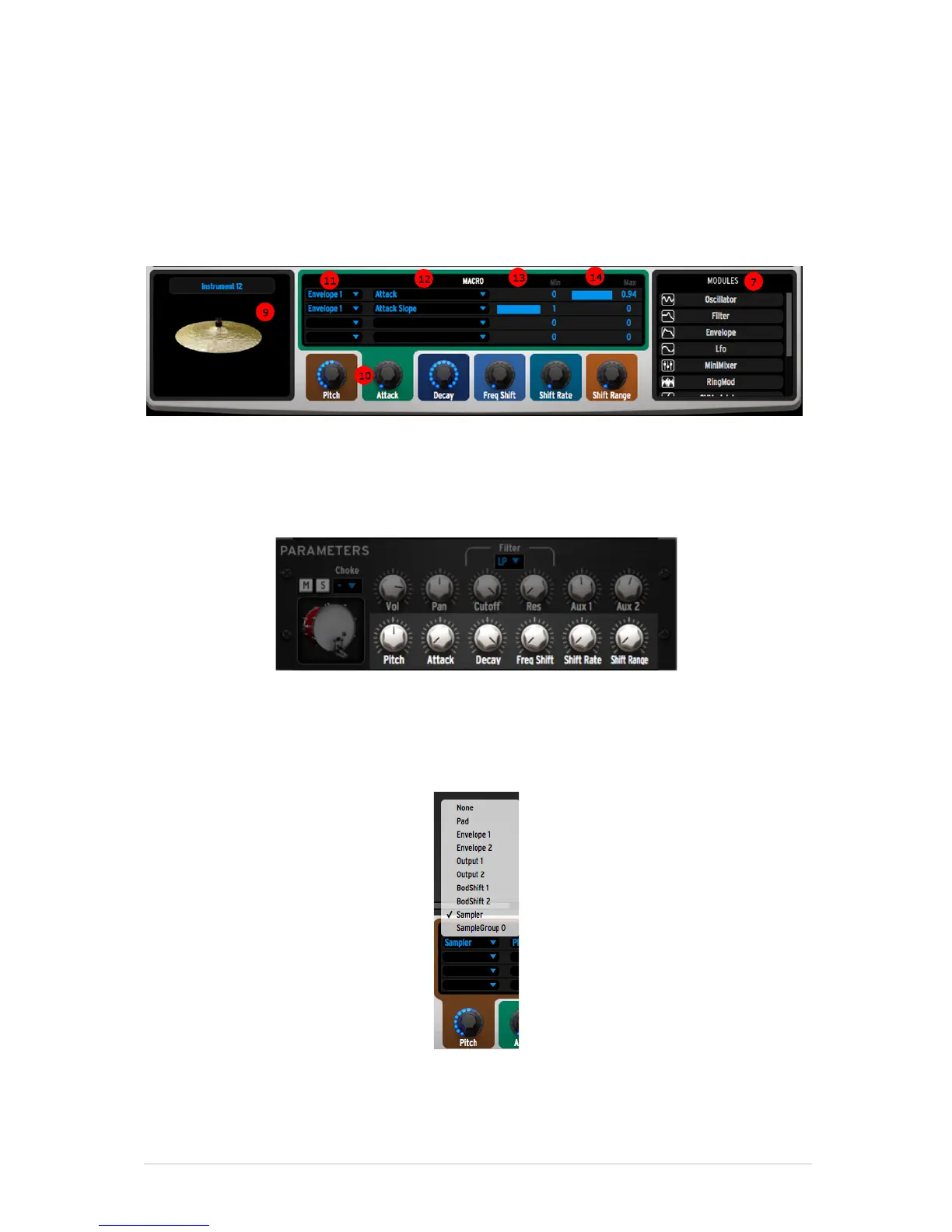
While building your patch, you can preview your instrument by clicking on the
instrument icon found in [9]
5.7.2 The instrument parameters area
Once you built your patch, you have the possibility to assign the parameters
found in the modules of your patch to 6 Macro knobs. These Macros are the ones
you can control elsewhere in the Spark project, for instance in the Studio:
Each Macro knob can control up to four of the parameters found in your patch.
To achieve this, you need to select which module you want to control, for
instance in [11] we control Envelope 1.



 To Next Page