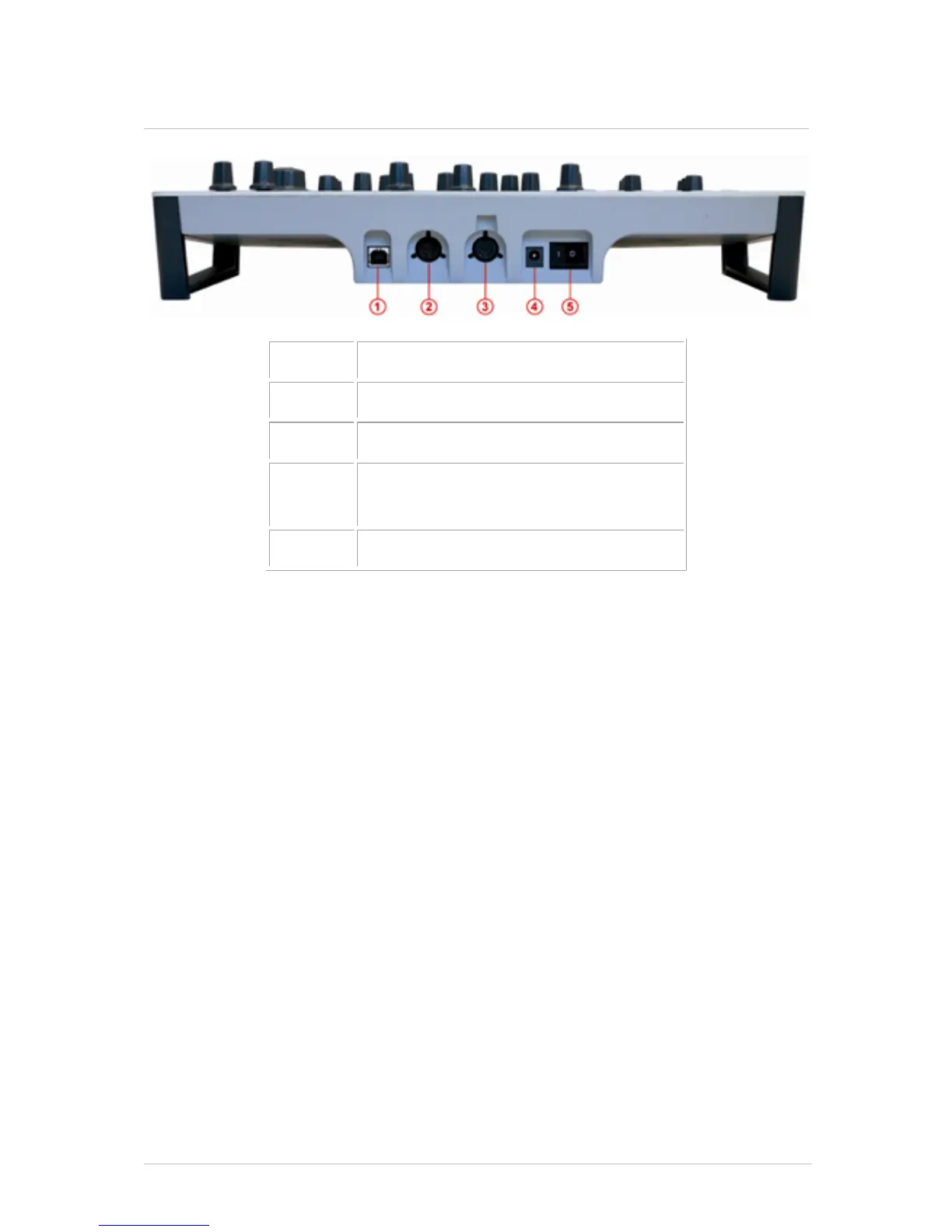
4.2.1 USB connector
This connects to your computer’s USB 2.0 port for the exchange of data and for electrical
power. In addition to allowing you to control the Spark Engine this port can also take
MIDI data from the outside world and feed it to your computer, and vice versa.
4.2.2 MIDI In port
Use this port to send MIDI data from an external device into your computer.
4.2.3 MIDI Out port
This port not only sends MIDI data from your computer to external devices, it allows you
to use the Spark Creative controller to control those external devices via MIDI.
4.2.4 Power supply (optional)
Connect the Spark controller to a powered USB 2.0 port. That will supply enough power
to run the controller.
Note: You should not use the controller with a non-powered USB hub.
If you prefer to power your Spark Creative controller with a separate power supply, plug
it in here. Be sure to use one with the right specifications, though: 9 volts DC, 800 mA,
and center positive.
4.2.5 Power on/off switch
Use this to toggle the Spark Creative controller on or off.



 To Next Page