ARTURIA – SPARK CREATIVE DRUM MACHINE – USER’S MANUAL
5.6 THE STUDIO
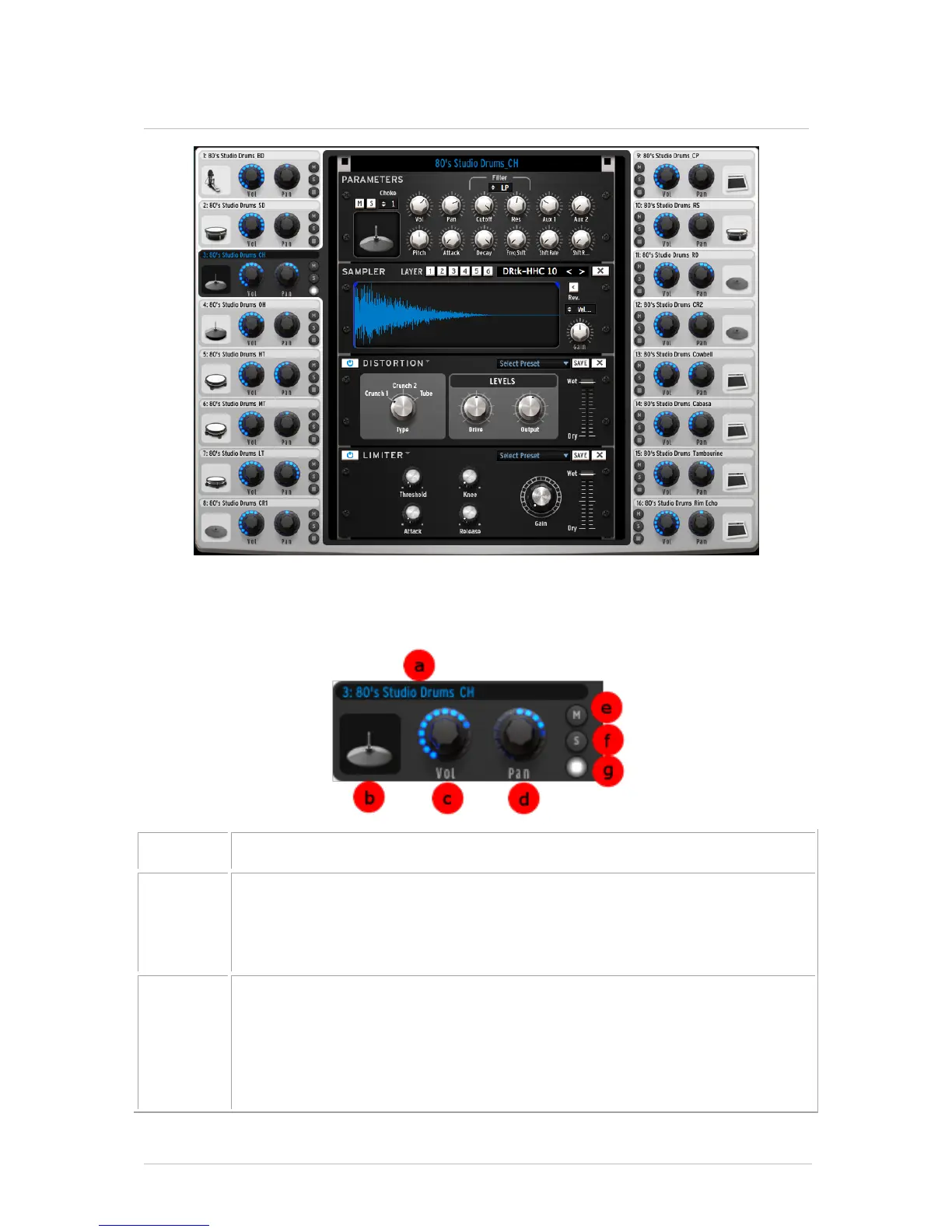
The studio panel displays all your 16 instruments as well as their parameters.
From here you can load instruments into slots, apply filters and effects, etc.
Let’s look at the Closed Hat window:
Instrument icon
Clicking on this icon will trigger the instrument's sound. You may drag the
icon to another instrument icon to make a swap operation or hold Ctrl +
drag it to another instrument icon to make a copy.
Set volume
Click and drag to set volume.
A small window appears next to the knob to let you know the amount and
direction of volume applied.
Double clicking the VOLUME knob will reset it to a default value



 To Next Page