- Check the ‘Device is online’ box
- Rename the first port to ‘Spark1 Midi OUT’. This is case-sensitive, so be sure to type
it exactly like that or it won’t work.
- Launch Logic and create a software instrument track
- Add the Spark LE plug-in by navigating to I/O > AU Instruments > Arturia > Spark
- Activate the Host and Tempo buttons in the Spark LE plug-in’s Tool bar window
- Open Window > Environment
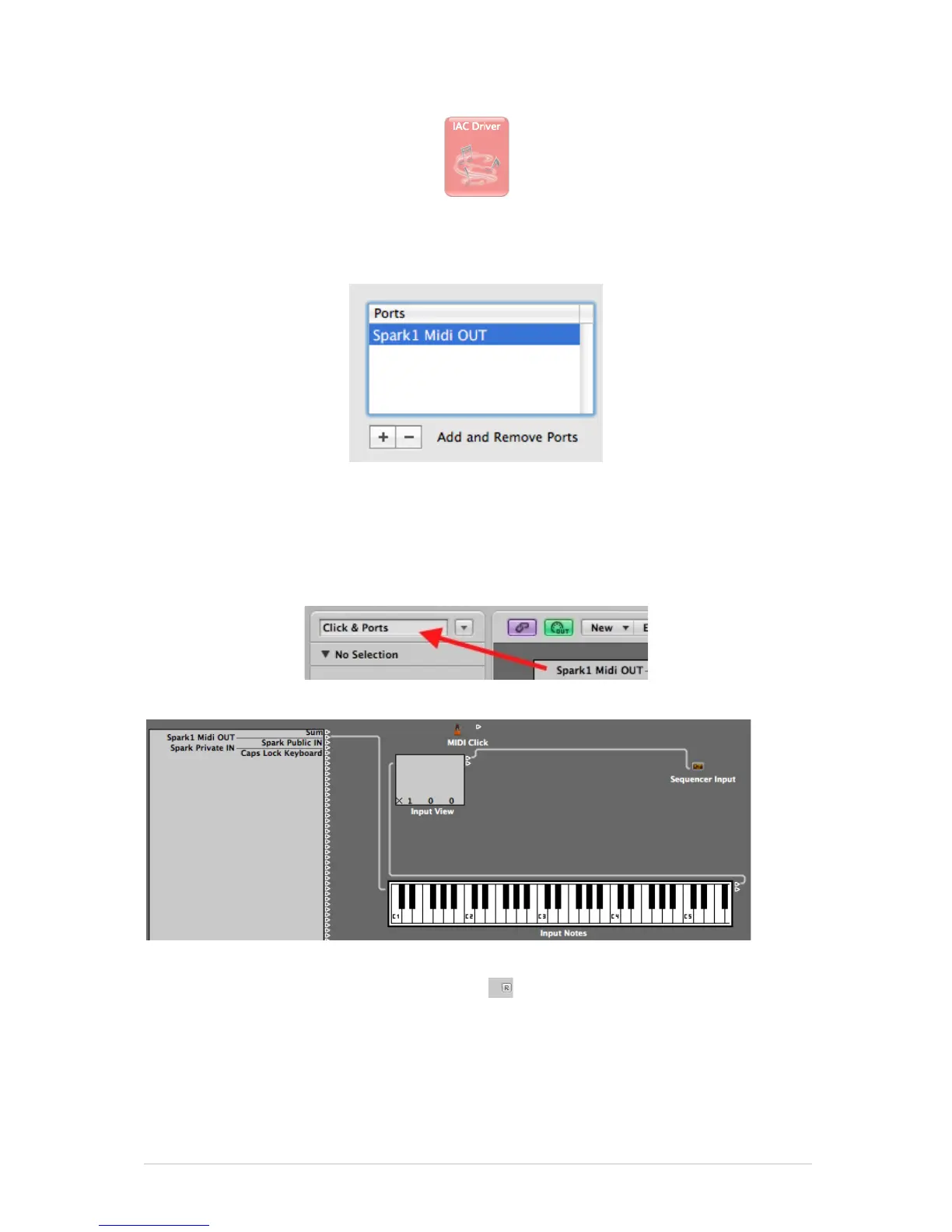
- Select ‘Click & Ports’ in the upper left menu
- In the Physical Input box, draw a cable from Spark1 MIDI OUT’ to Sequencer Input
- Select the Spark track
- Set ‘Record’ OFF on the Spark track in Logic (to prevent a MIDI echo)
- Deactivate the Host button the Spark LE plug-in window
- Press Record in Logic (hit the ‘R’ key)
- Play the Spark pattern



 To Next Page