23
c) Tighten the R.A. axis clutches so that the axis cannot be moved accidentally. Lightly tighten the Dec.
clutch knobs.
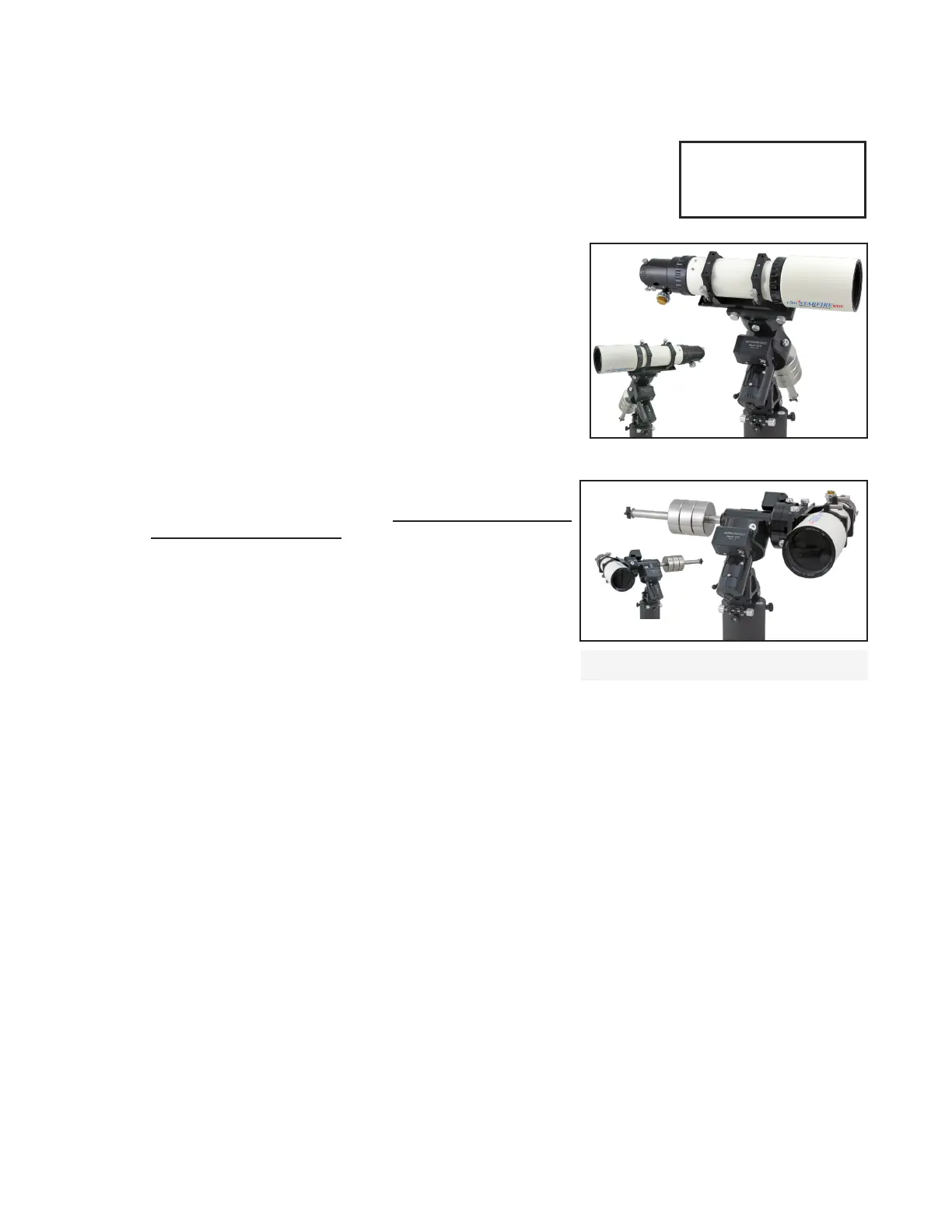
3. Set Park 2 position.
a) Your mount knows it is in the Park 4 position, and your Keypad screen should
look like the image at the right.
b) Press the MENU button once to resume from park and return to the SETUP’s
Park/ Mount Opt. Menu.
c) Press “2” for Park 2. Wait until the scope has slewed to the Park 2
position.
d) Using the bubble level, precisely level the tube manually with
your hands by turning the Dec. axis only. Do not move the R.A.
axis or use Keypad direction buttons.
e) Tighten the Dec. clutches fully so that the Dec. axis cannot be
accidentally moved.
f) Press MENU to resume from park.
4. Set Park 4 position and make altitude adjustments.
a) Press Park 4. Wait until the scope slews to the Park 4 position.
b) With the carpenter’s level, precisely level the scope tube using
the mount’s altitude adjuster. DO NOT move the axes by hand or
with the Keypad.
c) Press MENU to resume from park.
d) Optional. You may repeat the Park 2 / Park 4 procedure to improve
altitude accuracy.
5. Slew to an object and make azimuth adjustments as needed.
a) Scroll back to the Main Menu.
b) Enter Objects Menu and choose the object to which you want to slew. The mount will now slew to where the
object is, apart from the remaining error in the azimuth adjustment. These are some possible object choices.
i) Sun – The sun is the most visible choice, of course, but you must exercise extreme caution when using this
target. You must use a proper solar lter if you wish to image the sun in your eyepiece. Failure to do so may
damage your optics and your eyes!
ii) Bright star or planet - You may also choose a bright star or planet if the sun has already set or is low in the op-
posite side of the sky. (Remember that the bright stars can be seen in telescopes during the day!)
iii) Moon – BE CAREFUL OF THE SUN AROUND NEW MOON!
iv) If it is already dark, choose a star that is reasonably near the meridian and is in the northern or southern part
of the sky. Since you are likely to be off by as much as a degree or two in azimuth, choose a star that is bright
enough to nd easily if it doesn’t end up in the eld of view of your eyepiece.
v) Alt/Az coordinates – If you can see a distant TV tower or other landmark, then you can check Google Maps and
get an azimuth coordinate from your location and enter it into the Keypad for a Alt/Az GoTo slew.
c) Make azimuth adjustments as needed to center the object. If the scope is pointed left or right of the object,
simply turn the azimuth adjusters until the object is centered in the eld.
Pls wait till Scope
reaches park point
before power off
MENU to Resume
Mount Parking Screen
PARK 2
Northern
Hemisphere
Southern
Hemisphere
PARK 4
Northern
Hemisphere
Southern Hemisphere
Use Altitude Adjuster
to Level Tube



 To Next Page