Chapter 4 Digital Output Settings (DIGITAL OUTPUT)
150
4.6.6 Scanning direction image
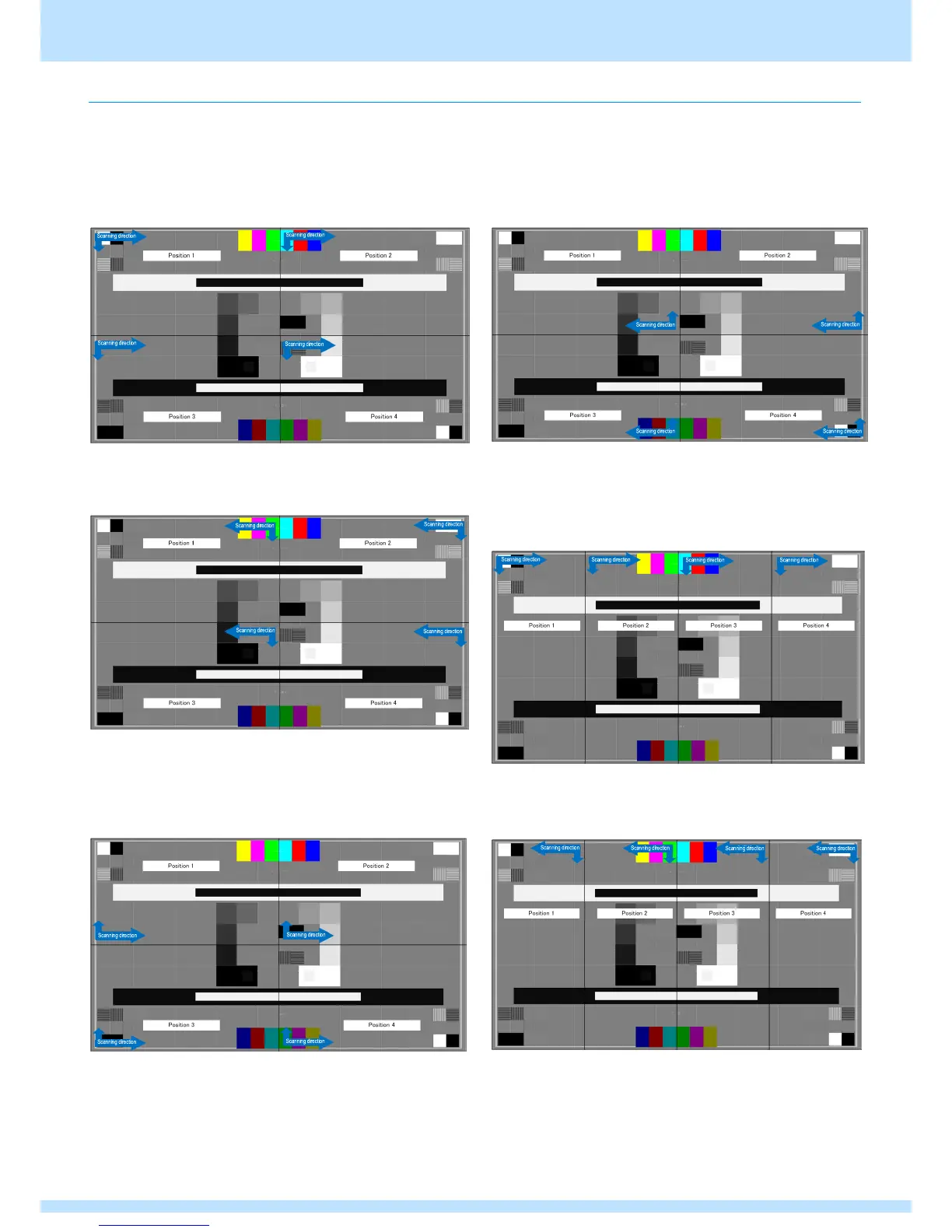
The scanning direction set in the Reverse Mode settings of Config is shown below.
An independent scanning direction can be set for each unit.
The following is the case when the same scanning direction is set for all four units.
● 《Multi VGMode = H2V2Div (4 quarter panes)》
● Reverse Mode = No Reverse
● Reverse Mode = Left Right
● Reverse Mode = Top Bottom
● Reverse Mode = LR & TB
● 《Multi VGMode = V4Div (4 panes vertical)》
● Reverse Mode = No Reverse
● Reverse Mode = Left Right



 To Next Page