Chapter 4 Digital Output Settings (DIGITAL OUTPUT)
65
4.2.4 DisplayPort data transfer method
Output from DisplayPort IF BOARD is switched depending on the DotClk Mode and Split Mode setting values.
The supported split settings are as follows. Also, the examples show the case when the resolution is 3840 x 2160.
* When DotClk Mode = 0 is set, automatic determination is performed from the DotClk frequency and output is with one of the
following.
* When DotClk Mode = 3 is set, the setting is not executed. (The state before setting is retained as is.)
* For details on DotClk Mode and Split Mode, refer to “2.1 ALL OUTPUT”.
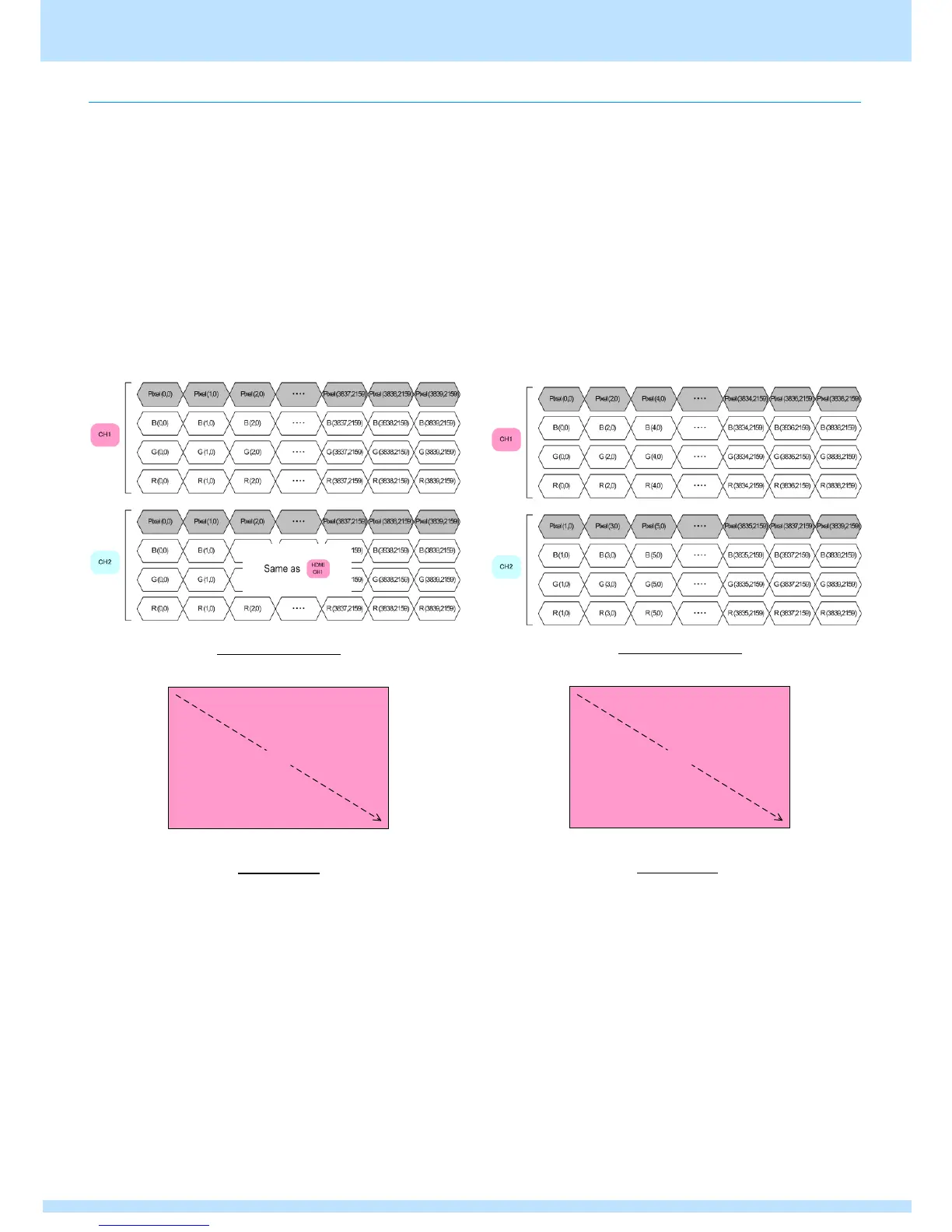
● 《Single clock mode(DotClk Mode = 1)》
* The Split Mode setting is not reflected.
The data is output with the same timing/pattern
from channel 1 and channel 2.
Data transfer method
Data transfer method
Screen panes
● 《Dual clock mode(DotClk Mode = 2) /
Split Mode4, 6 (no panes)》
The data is output with the same timing/pattern
from channel 1 and channel 2.
No Panes output (split mode = 4, 6) * Select any one of the
values on the left
Data transfer method
Screen panes



 To Next Page