SECTION 3
OPERATING THE ASTROJET M1
29
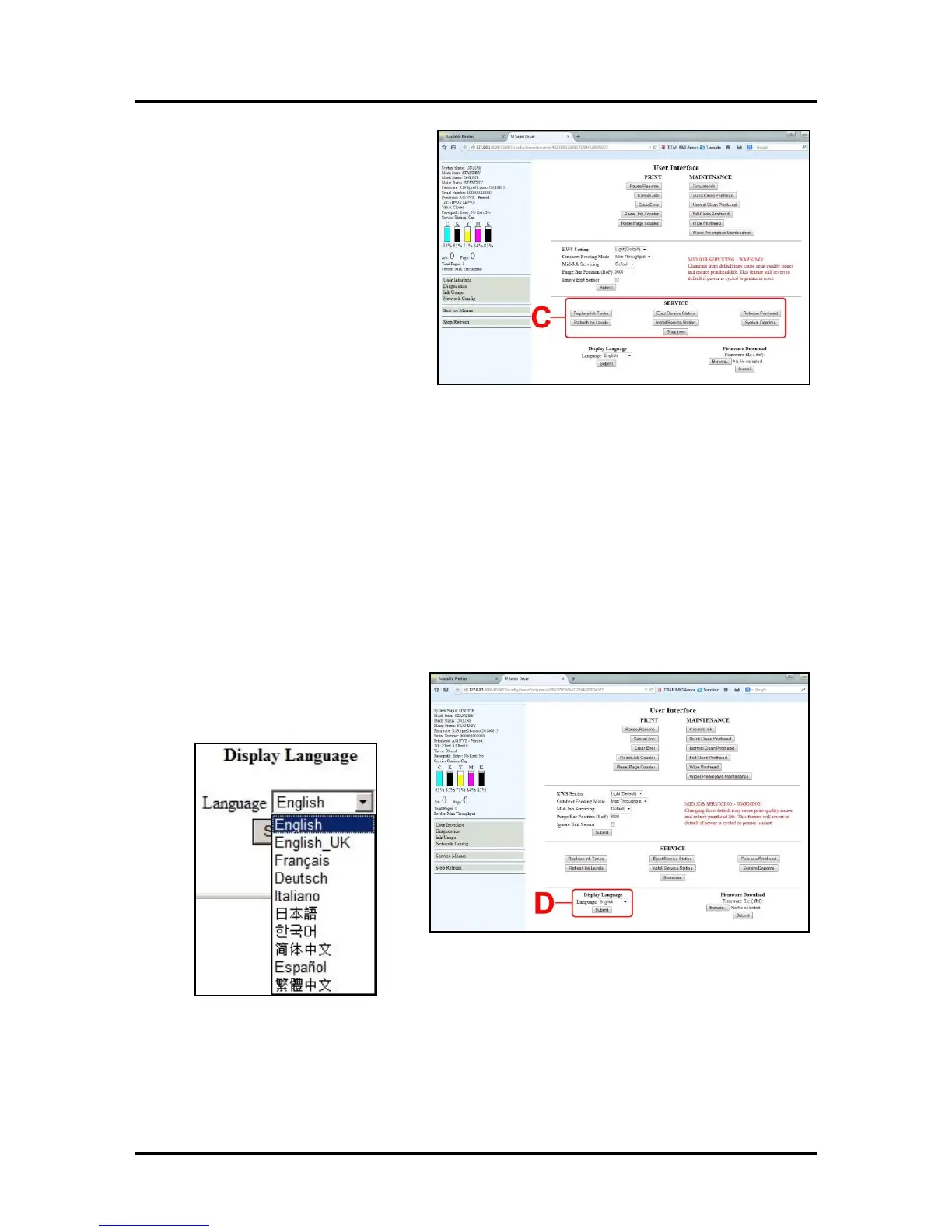
[C] SERVICE buttons control functions
that require the machine to be out of service
for extended periods of time while they are
being performed.
Replace Ink Tanks – Disconnects Printer
communication with Ink Tank Sensor.
Allows safe removal of Ink Tanks for
replacement.
Refresh Ink Levels – Updates or confirms
the ink levels shown at the left of the
screen.
Eject Service Station – Releases the
Service Station for removal for cleaning,
repair or replacement.
Install Service Station – Pulls the Service Station back into place after cleaning, repair or replacement.
System Deprime – Pumps the ink back into
the Ink Tanks prior to replacing the Printhead Cartridge or transporting the Printer.
Release Printhead – Pumps ink back into the Ink Tanks and opens the Printhead Latch to remove or
install the Printhead Cartridge. NOTE: This function can also be performed by pressing the
Printhead Release button on the Print Engine (Control Panel Side).
Shutdown – Turns the Printer OFF. For best system performance, it is recommended to keep the Print
Engine powered-up (ON/OFF light illuminated) at all times. If you do turn the Printer off, first power-
down the Print Engine using the “Shutdown” button in the Toolbox or the ON/OFF button on the Control
Panel. Wait until all of the Control Panel buttons go out before turning off the Main Power Switch.
[D] Display Language – Selects the
language the EWS (Toolbox) will display.
Click “Submit” after selecting language.



 To Next Page