Chap. I - Gas Analyser
Gas-manual-en.docx — 30 —
23. ERROR ALERTS BY THE ANALYSER
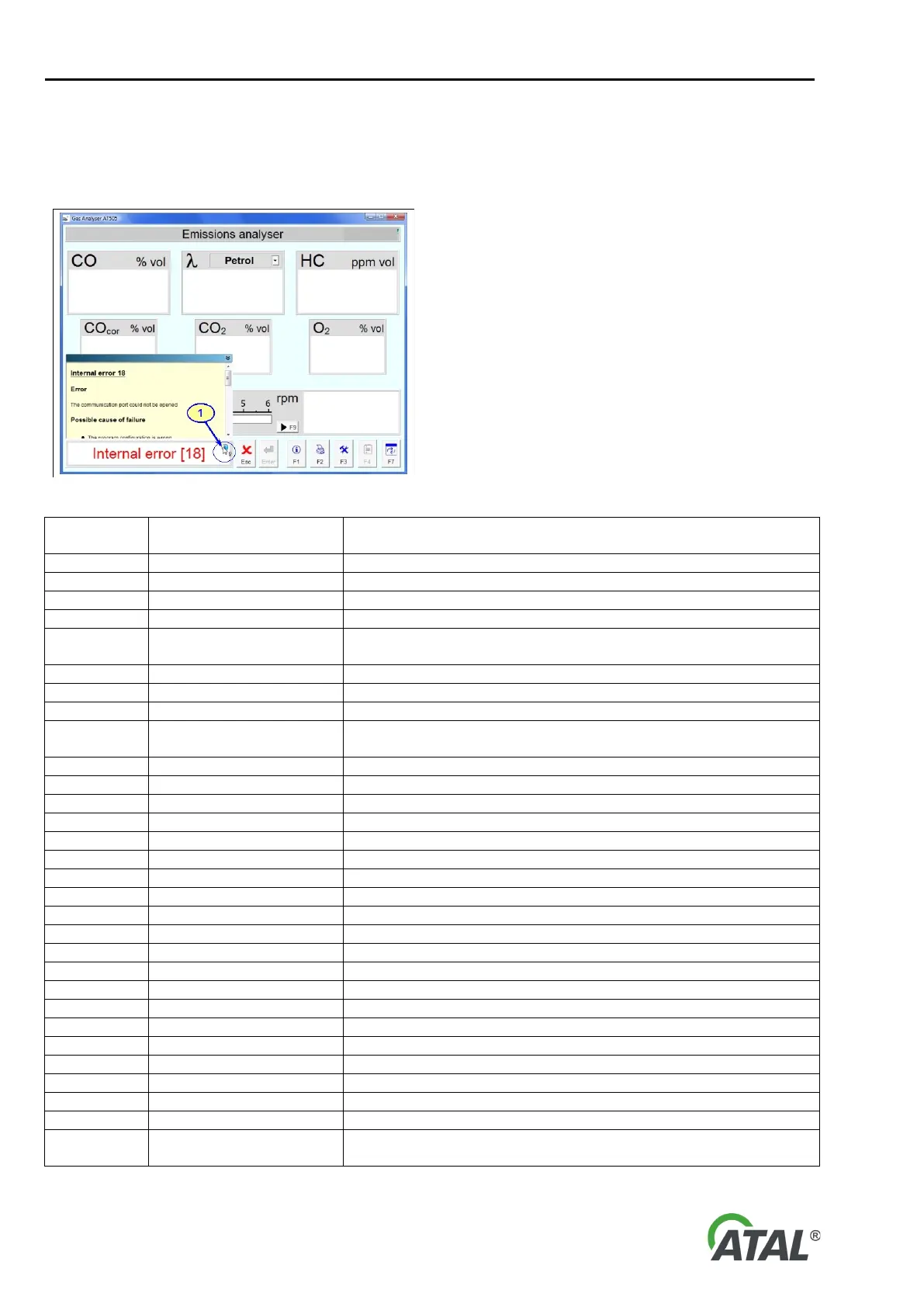
All errors and other information are displayed on the PC screen. Test data can be printed out with the printer. On
the gas analyser there is a status LED.
If an icon (see pos. 1) is displayed in the information
box, click it to display a panel with further
information.
Clicking again removes it.
Fig. 54 – Example of an error message
Fault description Measures to be taken
See the repair instructions below
See the repair instructions below
See the repair instructions below
See the repair instructions below
Communication could not
be opened
Check the communications configuration and connection of the
analyser communication and power supply cables
See the repair instructions below
See the repair instructions below
See the repair instructions below
Communication fault
Check the communications configuration and connection of the
analyser communication and power supply cables
See the repair instructions below
See the repair instructions below
See the repair instructions below
See the repair instructions below
See the repair instructions below
See the repair instructions below
See the repair instructions below
See the repair instructions below
See the repair instructions below
See the repair instructions below
See the repair instructions below
See the repair instructions below
See the repair instructions below
Check for blockages at the gas inlet
Check for blockages at the gas outlet
Check the installation, connection and settings of the printer
See the repair instructions below
Check leaks in the filters, pipes, pump, etc.
Check the sensor and replace if faulty
Car battery not connected
Check the speed sensor is connected correctly
Temperature sensor not
connected
Check the temperature sensor connection


 To Next Page