Chap. I - Gas Analyser
Gas-manual-en.docx — 7 —
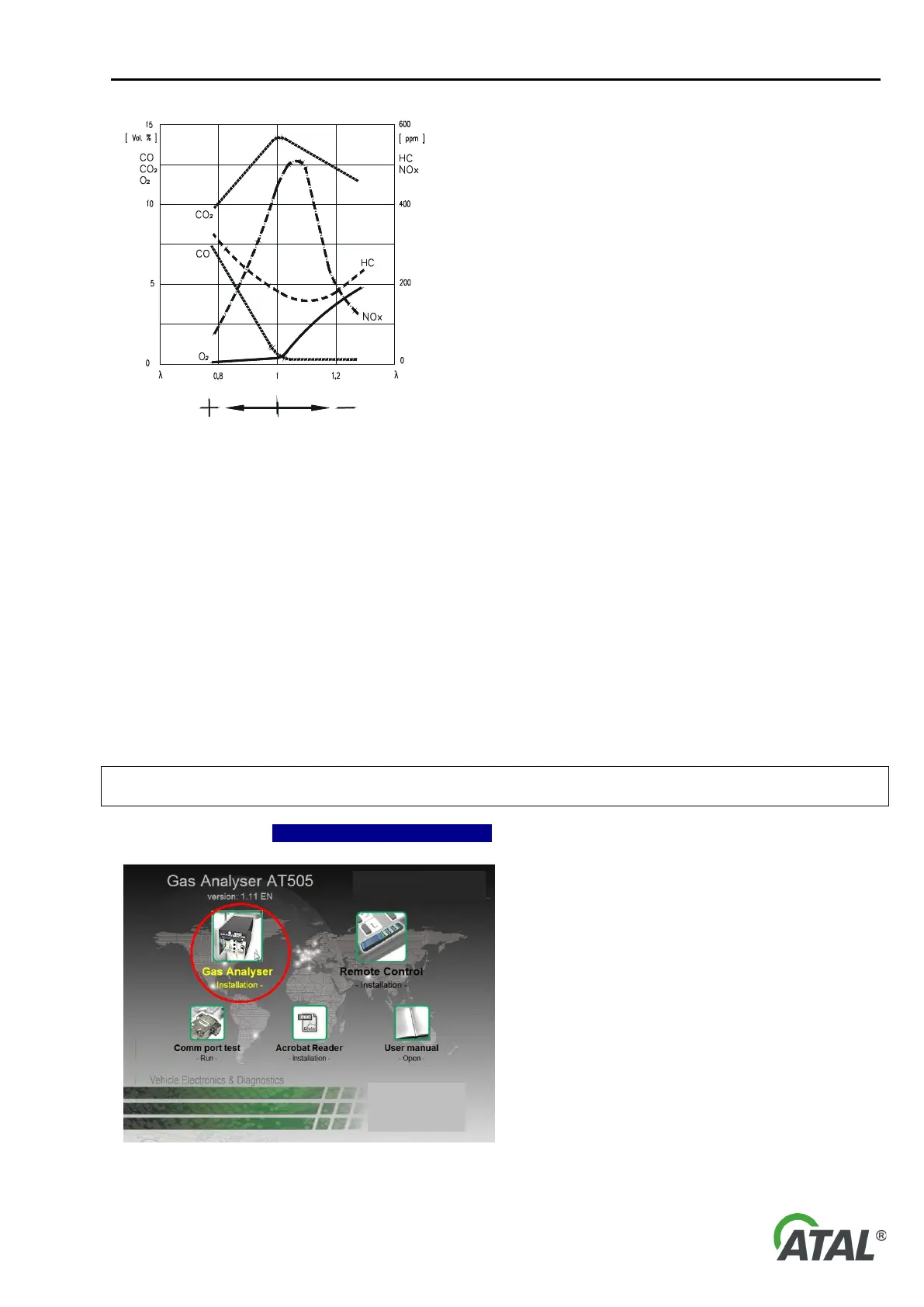
Fig. 4 – Diagram of dependency of concentrations of individual gas compounds in exhaust gases
(+ rich mixture, - weak mixture)
7. SOFTWARE INSTALLATION
7.1 DESCRIPTION OF INSTALLATION CD
The included CD contains all the necessary software for the use of Gas Analyser system.
Insert the CD in your CD-ROM drive. If the CD does not run automatically, run the autorun.exe program which
you will find on the CD.
7.2 INSTALLATION AND UNINSTALLATION (REMOVAL) OF THE GAS ANALYSER PROGRAM
7.2.1 FIRST INSTALLATION
If you install the program on a computer with Windows 2000 / XP / Vista operation system, log in as system
administrator.
Click on the menu item Gas Analyser – Installation – (see Fig. 5).
Note 1:
If the CD does not run automatically, run the
autorun.exe program which you will find in the root
directory on the CD.
The Gas Analyser program installation is intuitive
–
you should follow the Installation Wizard
displayed on the PC screen.
Note 2:
The default language of the Wizard is English
but it can correspond to your language version
of Windows.
Fig. 5 – Menu for Gas Analyser installation (the picture of version 1.11 is for illustration, your version may be different.)


 To Next Page