Chap. III - Remote control
Gas-manual-en.docx — 41 —
Note 1:
If the CD does not run automatically, run the
autorun.exe program which you will find in the
root directory on the CD.
The installation of the RC program is intuitive, using
the Installation Wizard displayed on the PC display.
Note 2:
The default language of the Wizard is English
but it can correspond to your language version
of Windows.
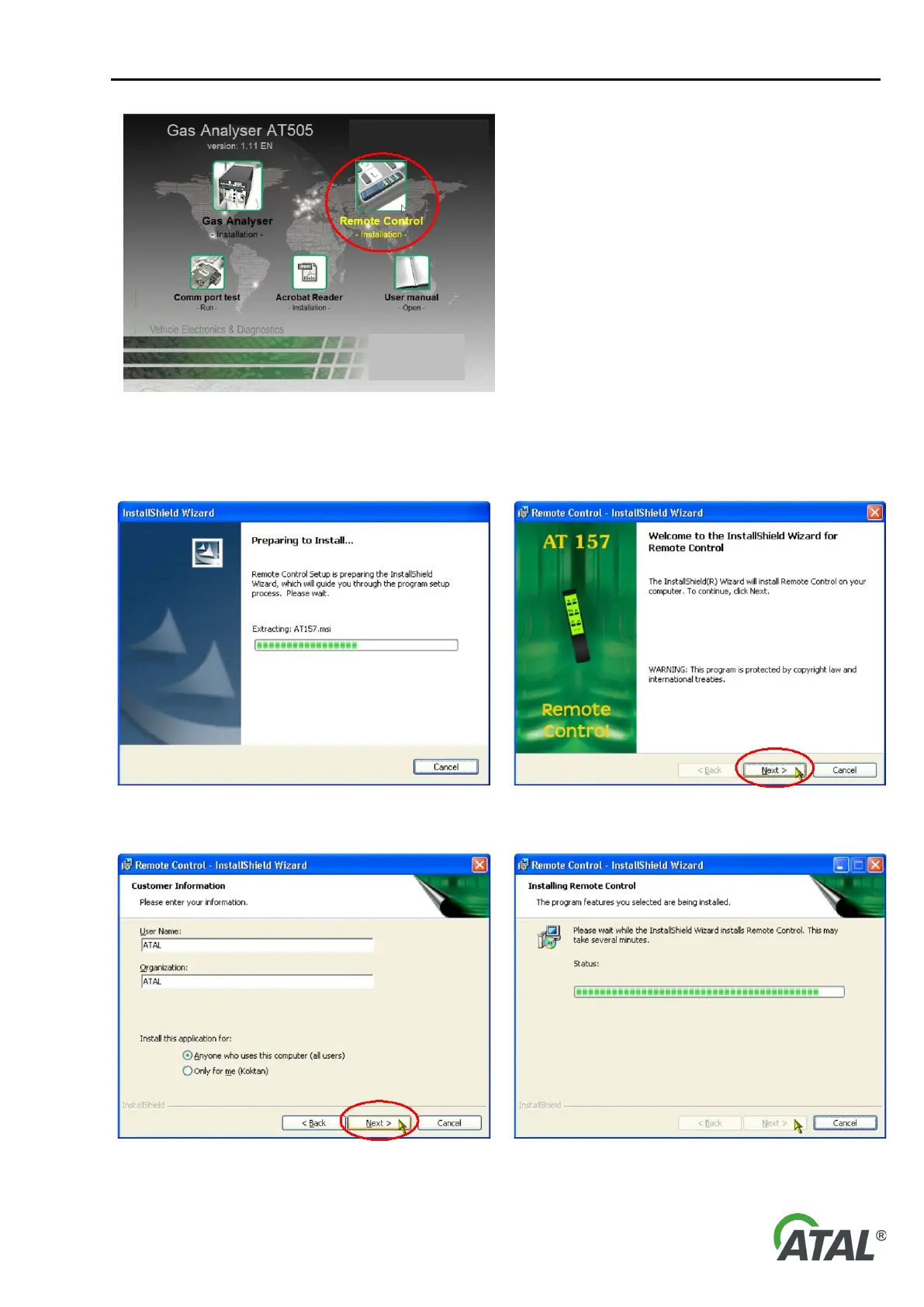
Fig. 73 – Selection for remote control installation (your version may be different)
The following series of figures comes from the Installation Wizard for Windows XP operation system. The wizard
for Windows Vista is similar:
74 – Installation can be interrupted at any time by clicking on
75 – Proceed with the installation by clicking “Next”


 To Next Page