EasyManua.ls Logo

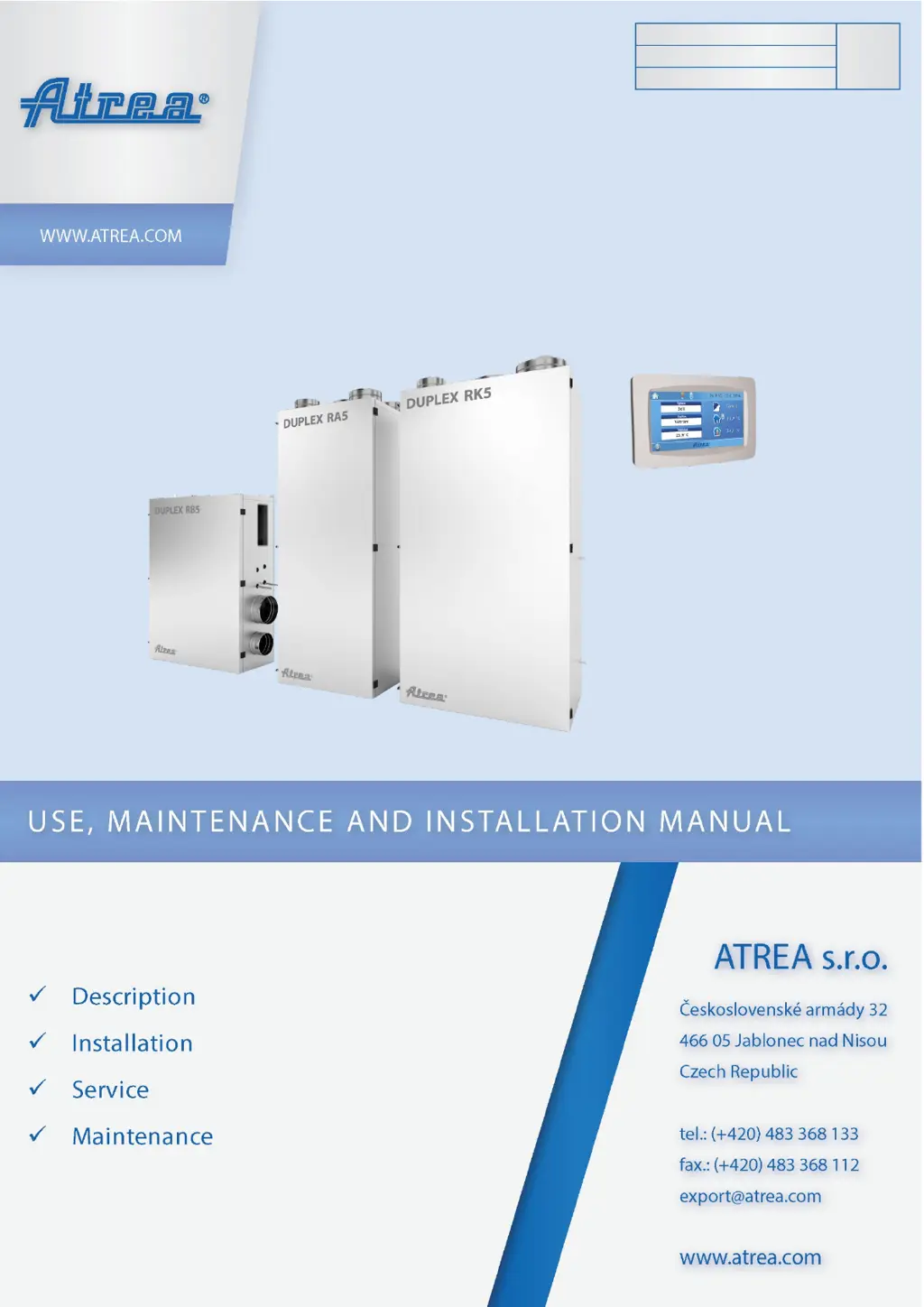
ATREA DUPLEX RA5 - User Manual

ATREA DUPLEX RA5
48 pages
Print Icon
To Next Page IconTo Next Page
Loading...
1
EN
Version: 07
Issue: 2021_09
Code: R29_V07_2021_09
DUPLEX RA5, RB5, RK5

Table of Contents

Questions and Answers

Summary

1. General Information and Glossary

1.1 Sections of the Manual

Lists the main sections of the manual for easy navigation.

1.3 Introduction to DUPLEX R5 Units

1.4 Description of the Unit

1.5 Abbreviations and Marking

1.6 Important Information and Safety

1.7 Intended Scope of Application

2. Supply, Storage, and Transportation

2.1 Storage and Transportation

Outlines proper procedures for storing and transporting the unit to prevent damage.

2.2 Scope of Supply

Lists the standard components and accessories included with the DUPLEX R5 unit.

2.3 Mandatory Accessories

2.4 Optional Accessories

2.41 Integrated Heating or Cooling Coils

Details optional integrated coils for heating and cooling supply air.

2.42 Other Accessories

Lists other optional accessories like controllers and dampers.

2.43 Selecting a Suitable Air Conditioner

Guidance on choosing compatible air conditioners for DUPLEX R5 units.

3. Description and Technical Data

3.1 Technical Parameters

Lists key technical specifications for DUPLEX RA5, RB5, and RK5 units.

3.2 Description of Main Components

3.21 RA5 Unit Components

Illustrates and describes the main components of the DUPLEX RA5 model.

3.22 RK5 Unit Components

3.23 RB5 Unit Components

3.3 RA5 and RK5 Configuration Options

3.4 RB5 Optional Configurations

3.5 Air Filter Description

4. Unit Assembly and Installation

4.1 Installation of R5 Units

Provides detailed instructions for installing the DUPLEX R5 units on site.

4.2 Fitting a Reducer in RB5 Units

4.3 Changing Recirculated Air Fan Outlet Position (RB5)

4.4 Connecting the Condensate Drain

4.41 General Condensate Drain Arrangement

Explains the standard setup and requirements for condensate drains.

4.42 Condensate Drain Line Connection

4.5 Wiring and Cable Entry Point

4.6-4.9 Optional Coil and Heater Connections

4.10 Installing the Zone Damper

4.11 Installing Controllers

4.111 CP Touch Controller Installation

5. Control System and Wiring

5.1 RD5 Control System with CP Touch

Explains the RD5 control system and its integration with the CP Touch controller.

5.11 Connecting the Controller to the Unit

Guides on wiring the controller to the unit for proper operation.

5.12 Starting the Controller Display

5.13 Controller Interface Symbols

5.14-5.18 Control Screen Elements

5.19 Unit Operating Modes

5.110 List of Operating Modes

Provides a list of available operating modes and their applications.

5.111-5.116 Controller Settings Overview

5.111 Temperature and Zone Control

Sets and views temperature demand and ventilation zones.

5.113-5.115 User, Parameters, and Control Modes

Adjusts user settings, parameters, and selects control modes.

5.116 HS;NHS Switching

Sets heating/non-heating seasons and automatic switching.

5.117-5.124 Seasonal and Hysteresis Settings

5.117 HS;NHS Temperature & Current Season

Sets auto season switching temp and indicates current season.

5.119-5.121 Input Blocking and Control Settings

Manages input blocking based on season and control settings.

5.122-5.124 Hysteresis and Holiday Settings

Configures hysteresis for heating/cooling and bank holidays.

5.125-5.126 Holiday and Party Modes

5.127 Setting the Weekly Program

5.128 Copying Settings Between Days

5.129-5.132 Network, Text, Display, and Time Settings

5.129 Network Configuration

Configures network parameters like IP address and DHCP.

5.130 Text and Display Settings

Adjusts unit texts and display parameters like backlight.

5.132 Time Zone Setting

Sets the time zone according to the unit's geographical location.

5.133-5.136 Time, SW Info, Filter, and Alarms

5.133 Daylight Saving Time

Option to switch automatically between daylight saving and standard time.

5.134 SW Information & 5.135 Filter Indication

Displays SW version and filter replacement notifications.

5.136 Table of Alarms and Notifications

Lists messages for irregular or unexpected events in the AHU system.

5.137-5.138 Other Control Functions

5.2 Web Browser Control

5.3 Unit Commissioning

5.31 Mains Power Connection

Details mains power connection procedures by qualified personnel.

5.32 Protection and Power Supply

Specifies required protection and mains power supply connection.

5.33 Sensor Connection and Installation

Procedures for connecting and installing unit sensors.

5.4 Warranty Information

6. Maintenance and Service

6.1 General Maintenance and Service

Overview of general maintenance tasks, safety, and servicing.

6.2 Air Filter Replacement

6.21 ODA Pre-filter Cleaning

Procedure for cleaning and replacing ODA pre-filters made of expanded metal.

6.21 ODA;ETA Fabric Filter Maintenance

Procedure for cleaning and replacing ODA and ETA fabric filters.

6.21 RCA Main Fabric Filter Replacement

Filter Cloth G4 Guide

Filter Cloth G7 Guide

6.3 Heat Exchanger Cleaning

6.31 RB5 Heat Exchanger Removal

Steps to slide out the heat recovery exchanger from RB5 units.

6.32 RA5;RK5 Heat Exchanger Removal

Steps to slide out the heat recovery exchanger from RA5/RK5 units.

6.4 Controller Cleaning

6.5 Minor Unit Maintenance

6.6 Spare Parts and Repairs

6.7 Breakdowns and Fire Safety

7. Faults and Troubleshooting

7.1 Troubleshooting Guide

Lists common faults, their possible causes, and troubleshooting steps.

8. Appendices

8.1 Product Data Sheet

Presents the technical data sheet with specifications for DUPLEX units.

8.2 RD5 Internal Wiring Diagram

8.3 RD5 Optional Accessory Wiring

ATREA DUPLEX RA5 Specifications

General IconGeneral
BrandATREA
ModelDUPLEX RA5
CategoryFan
LanguageEnglish

Related product manuals