20
Press here
CP Touch controller
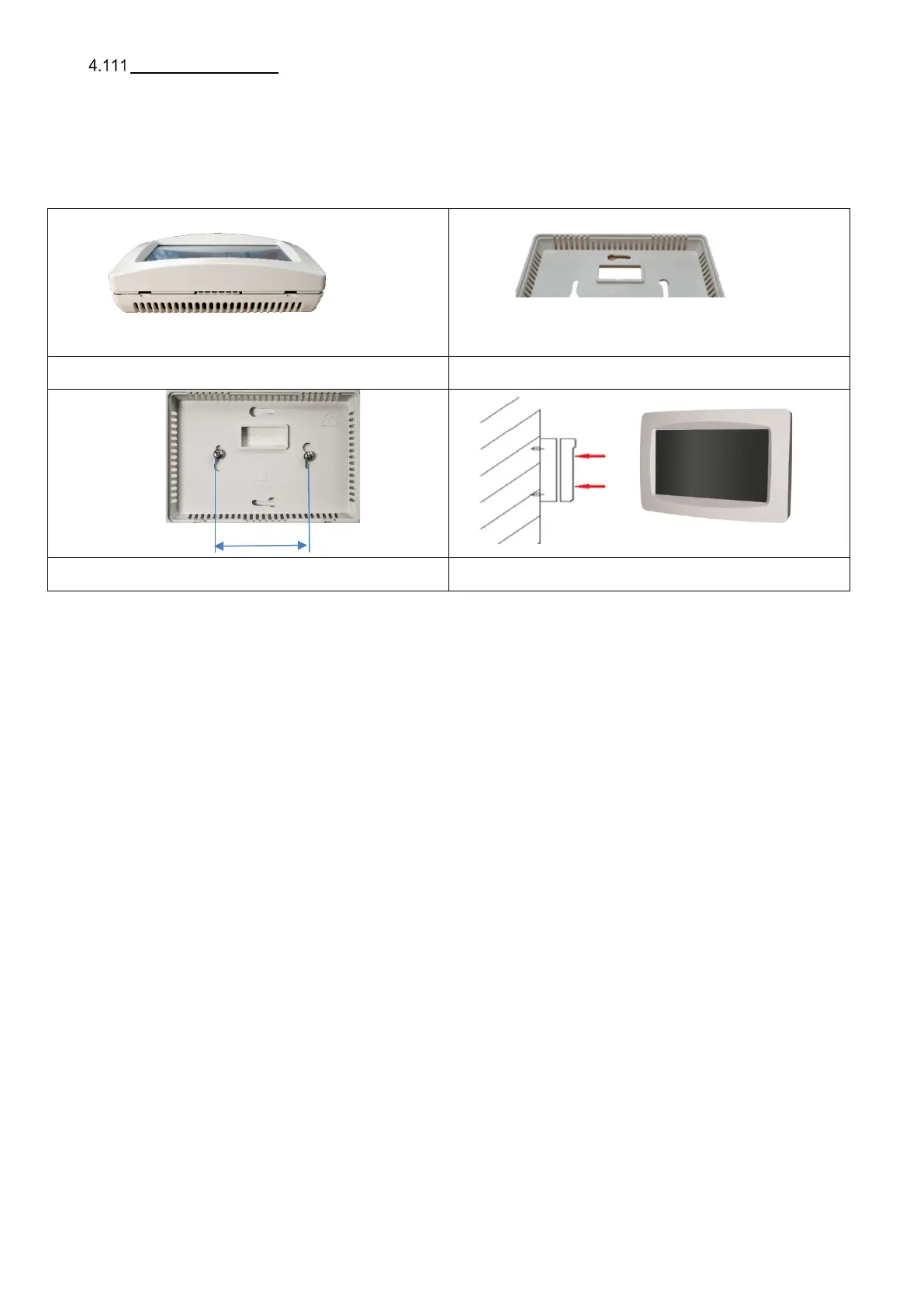
The CP Touch controller is used for comprehensive control and programming the unit with RD5-type control systems, a standard
feature of all DUPLEX R5 units. It is supplied for wall mounting. It can be mounted on a standard electrical junction box with
a hole spacing of 68 mm. The controller should be installed on the wall at a height of 1.3 to 1.5 m in a place that is easily
accessible, well-lit and dry, away from heaters or radiant surfaces – it contains an internal thermostat. For connection use
a shielded connecting cable (SYKFY 2×2×0.5). When the controller needs to be further away from the ventilation unit, the cable
must be replaced / extended (up to 25 metres). The controller is installed by a specialist electrical engineer.
The controller is not a mandatory accessory.
Step 1: Before installation dismantle the controller and
remove the front panel from the rear part.
Step 2: Hold the rear part to the appropriate place on the wall
and attach it using screws.
Step 3: Click the front panel with display on to the rear part
mounted on the wall.
Step 4: The controller mounted on the wall.
The box can be pressed together in one
direction only


 To Next Page