19
• In the event of fire, any rescue work may only be conducted while using personal protection equipment (safety gloves, eye
protection, a breathing apparatus or mask with filter against organic vapours)
• If necessary, call the numbers shown below:
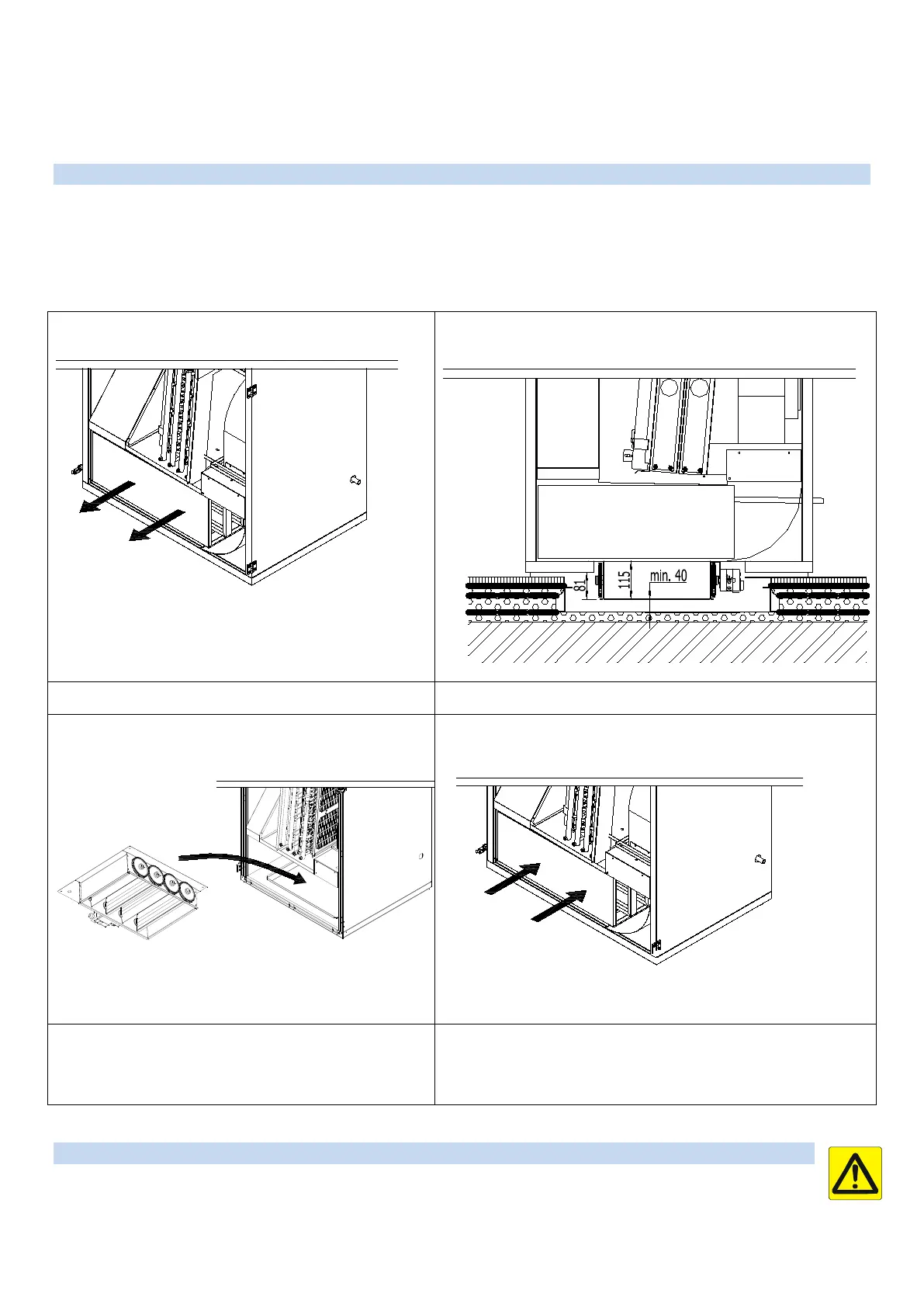
4.10 Installing the zone damper in the bottom outlet in RA5 and RK5 units
Shut-off dampers for air distribution plenum boxes under RA5 and RK5 units are an optional accessory. They are used to fully close
/ close of supply air to the plenum box under the unit (so-called zoning) as directed by the integrated control system. The set
includes a louvre damper with installation frame, fixing bolts, an actuator and cabling. For installation follow the instructions below.
The damper can only be used in combination with air distribution plenum boxes R111011 (i.e. 628×476) and R111610 (i.e.
832×476).
1. Slide out the sound attenuator from the bottom plenum.
2. The minimum thickness of insulation of 200×50 mm floor channel
must be 70 mm.
3. Slide the shut-off damper into the opening at the bottom
and secure it using the 4 bolts in the holes provided in
the unit’s casing and connect the actuator cables to the
plastic junction box underneath the recirculated air fan
motor (the box is part of the unit).
4. Slide the bottom outlet sound attenuator back in and start the unit.
4.11 Installing controllers
Note: Before installing or removing a controller, disconnect your DUPLEX R5 ventilation unit from the power supply.
Handling a live controller could lead to electrocuting or cause damage to the controller. This applies to all controller types.
Each of the controllers is compatible only with the control system specified. Using them with different control system types may lead
to damage to the unit.


 To Next Page