23
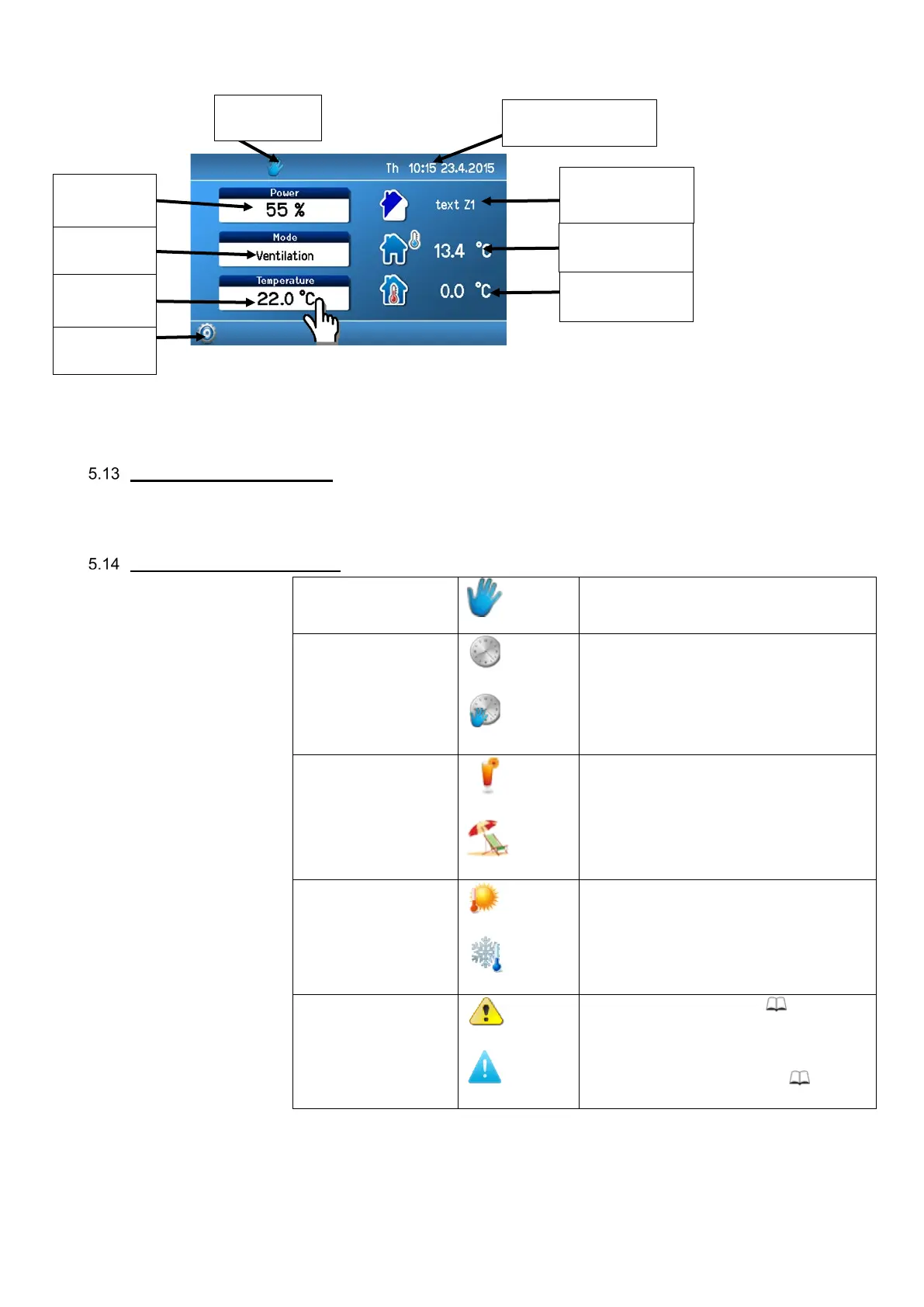
Main screen:
To adjust parameters on the main screen, click on a parameter.
Symbols and their meaning
Required parameter setting mode symbols; one of the symbols is always displayed.
Symbols on the main screen
Manual control of the unit
Unit control according to a weekly program
Temporary manual change of the weekly
program
Party/Holiday mode active
Bank holiday mode active
Symbol indicates cooling
Active alarm symbol (yellow) 8
Active notification symbol (blue) 8
setting
temperature
user text
temperature


 To Next Page