27
Note
• If outside temperature is higher than Temperature HS/NHS, the Non-heating season option is selected automatically.
• If outside temperature is lower than Temperature HS/NHS and at the same time room temperature is higher than the required
temperature by more than 5°C, the NHS remains active until outside temperature does not drop below 0°C.
• If outside temperature is lower than 0°C, the HS is always set automatically.
HS/NHS temperature
An outside air temperature level for automatic switching between the HS and NHS.
Current season
Indication of a season currently selected – HS or NHS. This parameter is not for setting, only for information.
Control settings
Settings in this chapter describe the conditions of ventilation operation by the AHU.
IN1 input blocking (No/HS /NHS)
The effect of input IN1 on the ventilation unit’s operation may be limited according to the season currently selected at the time.
“No“ – The IN1 input is always effective.
“NHS“ – The effect of input IN1 on the unit’s operation is blocked during the Non-heating season.
“HS“ – The effect of the IN1 input on the unit’s operation is blocked during the Heating season.
IN2 input blocking (No/HS /NHS)
The effect of analogue input IN2 on the ventilation unit’s operation may be limited according to the season currently selected at the
time.
“No“ – The IN2 input is always effective.
“NHS“ – The effect of input IN2 on the unit’s operation is blocked during the Non-heating season.
“HS“ – The effect of the IN2 input on the unit’s operation is blocked during the Heating season.
Heating hysteresis
To set a temperature difference compared to the temperature required to start heating. The setting range is between 0.1 °C and
5 °C (0.1°C steps).
Cooling hysteresis
To set a temperature difference compared to the temperature required to start cooling. The setting range is between 0.1 °C and
5 °C (0.1°C steps).
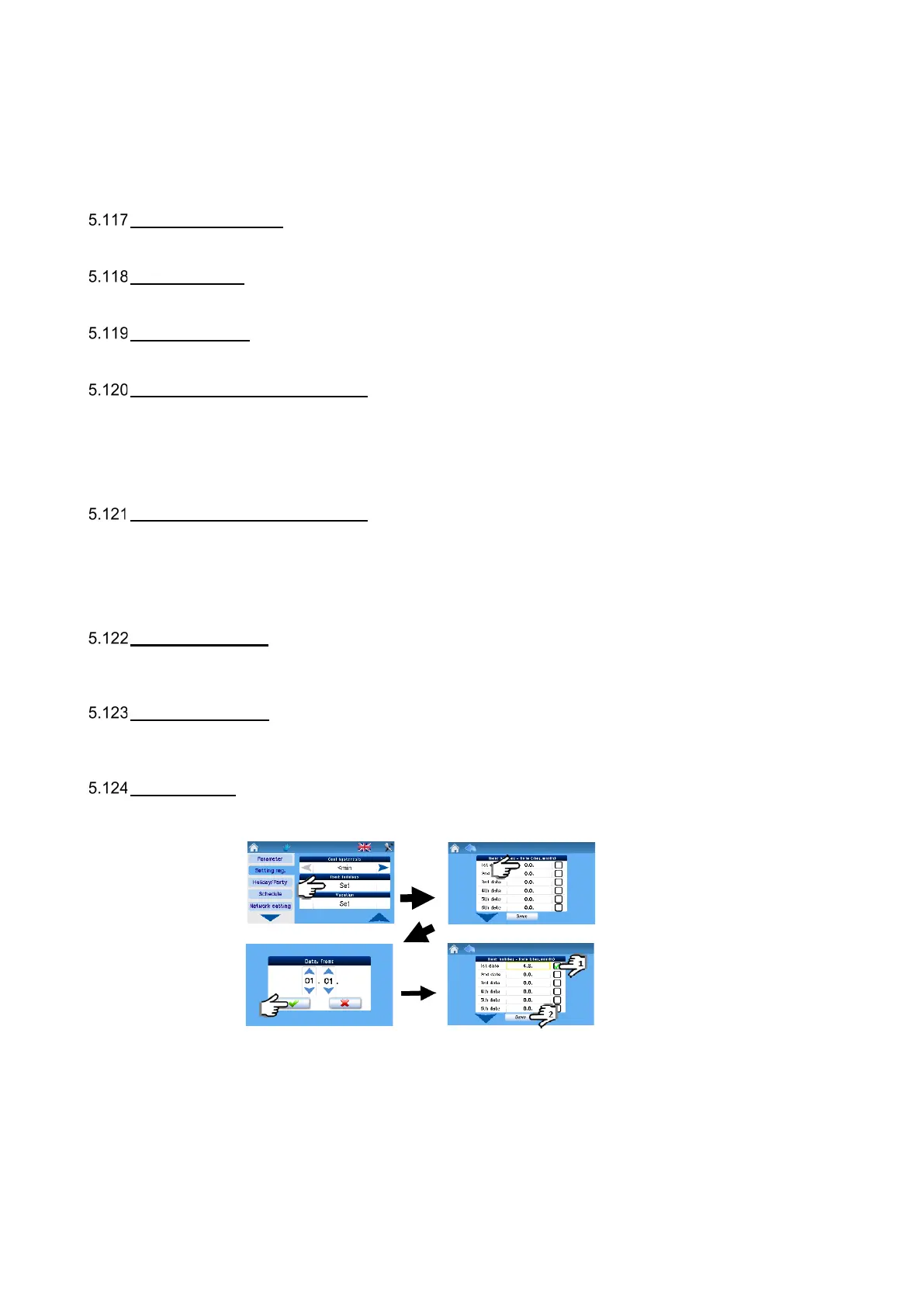
Bank holidays
Settings as per user requirements; up to sixteen different dates can be set.
Bank holiday setting steps:
Note: The AHU unit is controlled according to bank holiday settings when:
- The unit is in weekly program control mode
- There is a bank or school holiday on the day current at the time
- The bank holiday (school holiday) date is checked in the holiday settings


 To Next Page