24
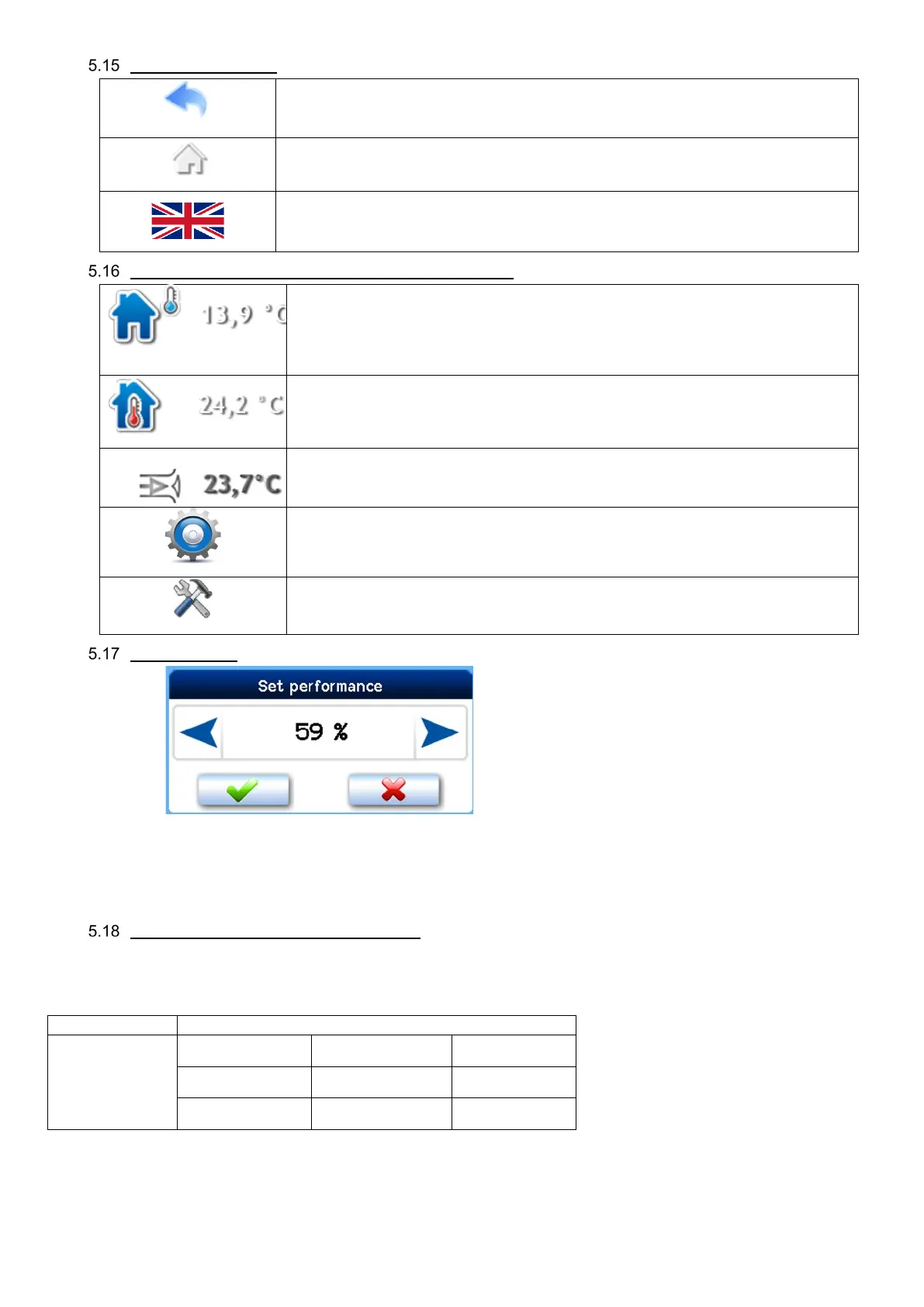
Navigation symbols
Clicking returns the screen one level back
Clicking returns the screen to the main screen
Current language icon; clicking on the flag shows the page with language settings
Symbols permanently displayed on the main screen
Next to this symbol, outside air temperature T-ODA is shown
If extraction / room temperature control is used, interior temperature T-IDA is shown
(room or extraction air temperature)
If supply air temperature control is used, supply air temperature T-SUP is shown
User interface access icon
Service settings accessible after entering a password; any data in the service settings
may be edited only by an authorized service technician.
“Power” block
It shows the unit’s current power level in % or m
3
/h according to the configuration of the unit. The current power level value
may not correspond to the value set manually or in the weekly program. If that is the case, the power level required is generated by
a closed input or a connected sensor such as that of CO
2
concentration.
Power settings in recirculated air mode
Within the combined operation mode option it is possible to set separate MIN / NORM / MAX power levels separately for ventilation
and recirculation. This means that there are a total of 9 power level combinations to set according to the table below. The sequence
of display on the controller is always as follows: Recirculated air circuit power / Ventilation circuit power.
Ventilation circuit power
circuit power


 To Next Page