77
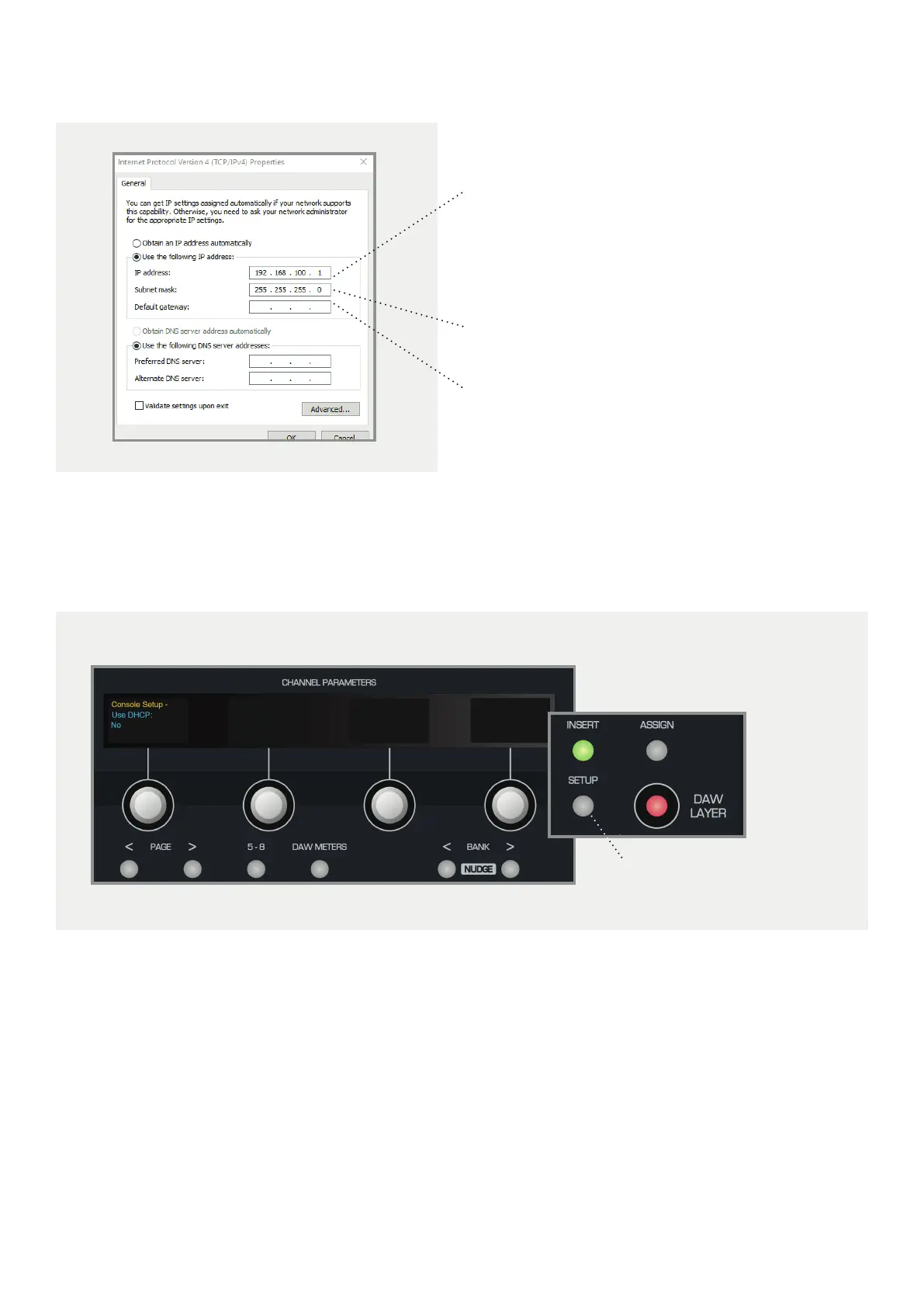
Example:
Choose a unique IP address by changing ‘X’ to a
number between 1-254, the number must be dierent
on the DLC module and the computer:
192 . 168 . 100 . X
Set the Subnet Mask to: 255 . 255 . 255 . 0
We recommend leaving the Default Gateway
settings blank.
On the DLC Module, press the Setup Button. The OLED displays will show the first page of the console setup.
Using the Page Keys underneath the first encoder, page to the right and ensure that Use DHCP is set to NO.
Setup Button



 To Next Page