15.
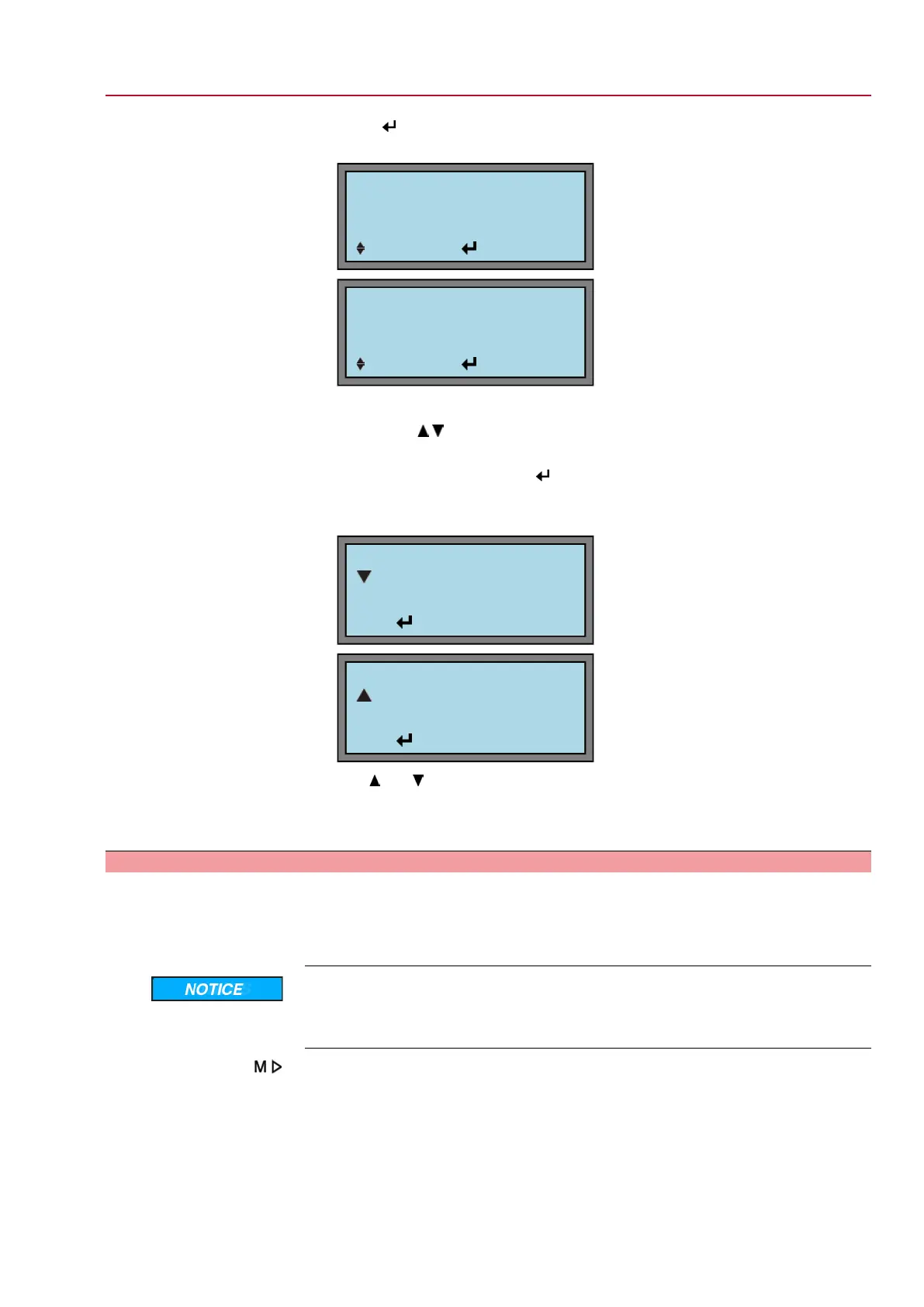
Press again to enter the edit mode.
➥
Display indicates:
EDIT M1110
OPEN POSITION
LIMIT
:EDIT :OK C:ESC
EDIT M1111
CLOSED POSITION
LIMIT
:EDIT :OK C:ESC
16. Set new value:
→
Press .
17. Accept value or cancel?
→
Accept value: Press .
→
Cancel process without accepting the value: Press C .
➥
Display indicates:
EDIT M1110
OPEN POSITION
LIMIT
:EDIT C:ESC
AENDERN M1111
CLOSED POSITION
LIMIT
:EDIT C:ESC
Use and to select between OPEN POSITION and CLOSED POSITION.
18. Return to status display:
→
Press C several times until S0 is displayed.
9.5 Torque switching: check/set
Once the set torque is reached, the torque switches will be tripped (overload protection
of the valve). .
Information The torque switches may also trip during manual operation.
Valve damage due to excessive tripping torque limit setting!
→
The tripping torque must suit the valve.
→
Only change the setting with the consent of the valve manufacturer.
Via the menu to parameter:
MAIN MENU (M0)
SETTINGS (M1)
TORQUE (M12)
VIEW (M120)
EDIT (M121)
OPENING (M12_0)
CLOSING (M12_1)
43
SG 05.1 – SG 12.1/SGR 05.1 – SGR 12.1 Control unit: electronic (MWG)
AC 01.1 Non-Intrusive Modbus RTU Commissioning (basic settings)


 To Next Page
 Loading...