
EasyManua.ls Logo

Automatic Systems BL40 - User Manual

Automatic Systems BL40
58 pages
Print Icon
To Next Page IconTo Next Page
Loading...
Technical Manual NAM-BL4x-MT-EN-C
The information in this document is the property of Automatic Systems and is confidential. The consignee withholds from using it for anything other than the use of the products or the execution of the
project to which they belong and withholds from communicating it to third parties without prior written agreement from Automatic Systems. Document subject to change without prior notice.
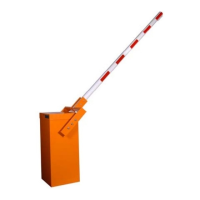
BL 4x
Technical manual
BL40
BL41
BL4
3
BL46

Questions and Answers

  • P
    Patrick JohnsonAug 3, 2025
    What to do if Automatic Systems BL40 Automobile Electronics shows 'Unlock BL4x Er'?
    • P
      Peggy GomezAug 3, 2025
      If the 'Unlock BL4x Er' message appears, it means the inductive sensor hasn't detected the release of the lock within 3 seconds after the open or close request. Check if the locking pin is pressing on the locking clips, or if the sensor itself is defective.
  • A
    Ann RogersAug 10, 2025
    Why am I getting an 'Analog. Fault' error on my Automatic Systems BL40?
    • K
      kennethbarreraAug 10, 2025
      An 'Analog. Fault' error may result from defective wiring, incorrect sensor positioning in front of its cam, or a defective sensor.
  • K
    Kristin HerreraAug 18, 2025
    What causes 'Stop Cmd Hold' on Automatic Systems BL40?
    • N
      Nathan MartinezAug 18, 2025
      Check why the stop command is being maintained on the control board connector block and check whether the Stop Cmd parameter is programmed correctly.
  • D
    Diana EvansAug 26, 2025
    How to redefine close retries on Automatic Systems Automobile Electronics?
    • M
      Matthew CameronAug 26, 2025
      Refer to the TIMING menu to redefine the allotted number of trials to close.

Summary

Safety Warnings

General Safety Instructions

Key safety directives for installation, operation, and servicing of the barrier.

AS1320 Control Board

Menu Navigation and Parameter Settings

Guide to navigating menus and adjusting control board parameters for barrier operation.

Error Messages and Status Codes

Explanation of various error messages and status indicators for troubleshooting.

Software Updates and Parameter Management

Procedures for updating software and managing default parameter settings.

Installation

Electrical Connections and Wiring

Essential guidelines and warnings for making electrical connections to the barrier system.

Adjustments

Variable Speed Controller Settings

Configuration of parameters for the variable speed controller to optimize motor performance.

Balancing Spring Adjustments

Procedure for adjusting the balancing springs to ensure proper arm movement and balance.

Position Sensor Calibration

How to calibrate inductive sensors for accurate stopping of arm movement.

Use

Troubleshooting Common Issues

Guidance on diagnosing and resolving common symptoms and causes of barrier malfunction.

Automatic Systems BL40 Specifications

General IconGeneral
BrandAutomatic Systems
ModelBL40
CategoryAutomobile Electronics
LanguageEnglish