84
COMPACT VOICE ALARM SYSTEM
SERVICE MANUAL
12. Configuration Software
12.1 Welcome screen
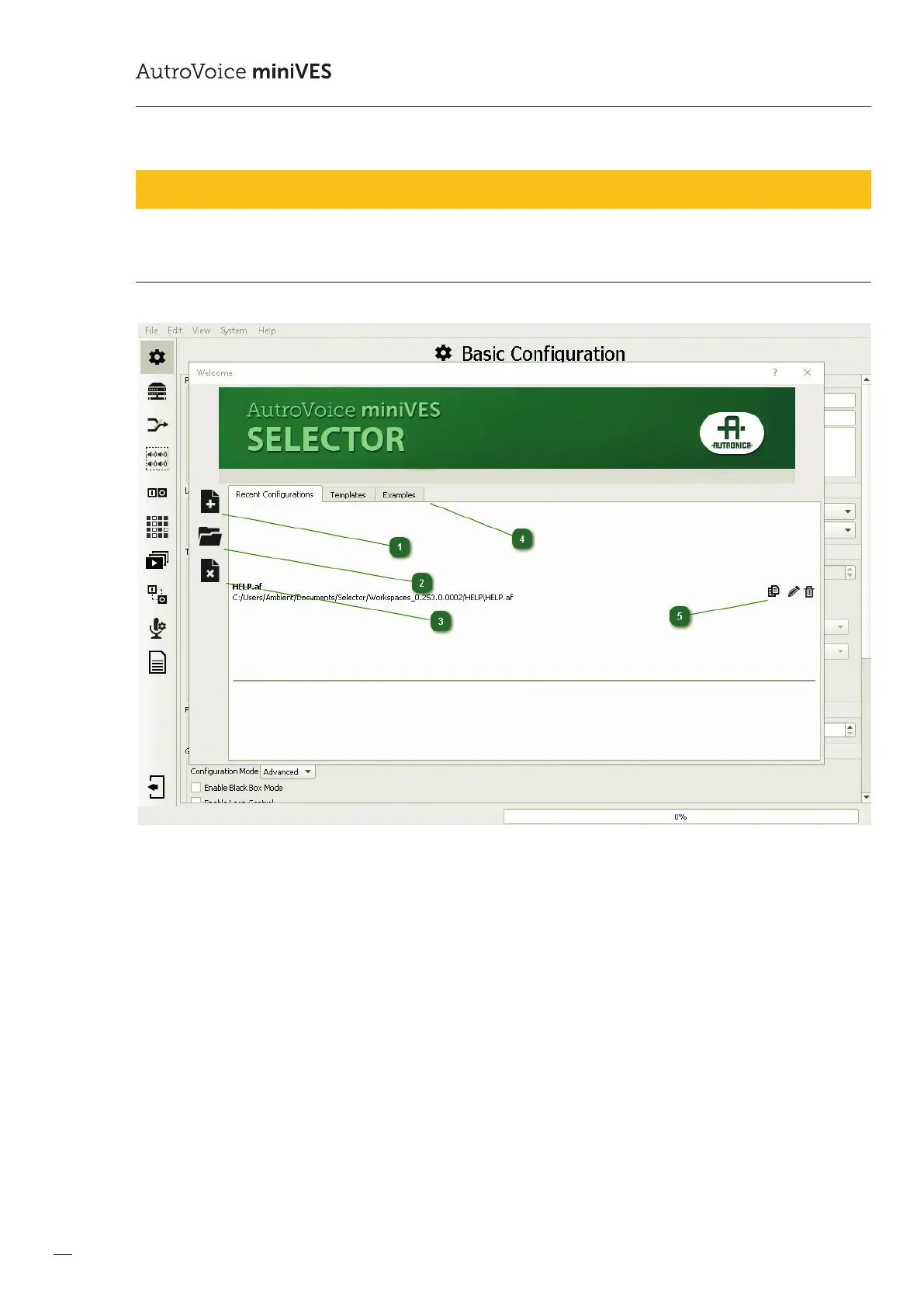
1
New conguration le localization
In order to start a project a dedicated folder for the conguration le needs to be created.
Caution: Do not select and existing folder with data, as these will be deleted!
2
Selection of conguration le from a chosen location
3
Creating a new project without saving
4
Recent and template conguration le window
5
Project cloning, changing and deleting project name



 To Next Page
 Loading...