113
12.6.3 Timers
This is a function used to create elements activating given actions in the AutroVoice miniVES system. In order to create a timer,
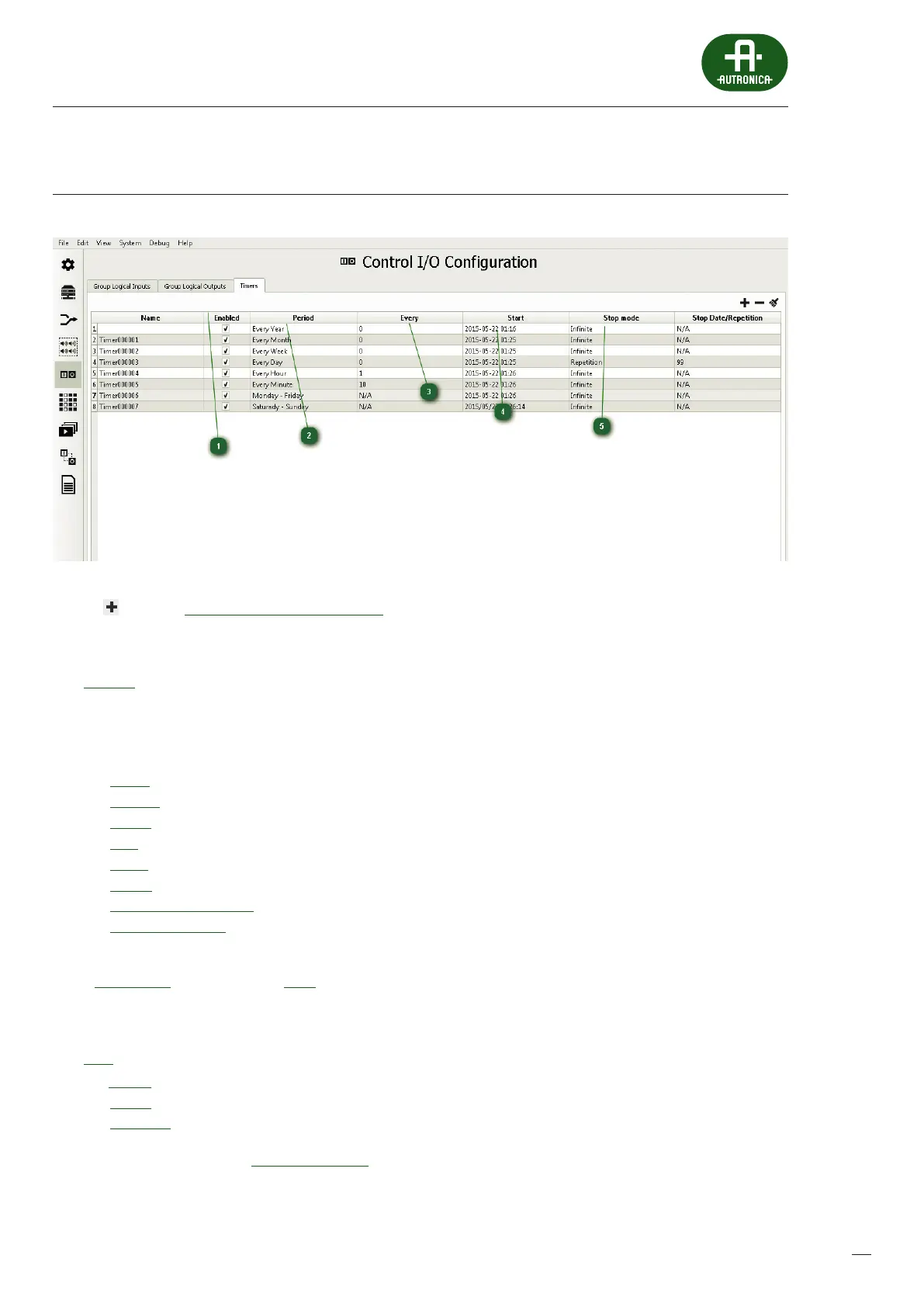
click the icon in the Control I/O Conguration – Timers tab. In this way a timer is created with the generic name Timer00000x;
the name is editable by moving the mouse cursor over it and pressing the left mouse button. Each timer has the
following set of parameters:
1
Enabled (check box) – Timer activity window. It is used to deactivate the timer if we do not want a given event, whichis
triggered by the timer, to be executed, and we do not want to remove the event from the system, then to do this we
deactivate a selected timer.
2
Period – activation period:
annual
monthly
weekly
daily
hourly
minute
(Monday through Friday)
(Saturday & Sunday)
3
Every – the time interval number between the activations depending which parameter is selected from the Period window.
If Every Minute is selected and the Every parameter is set to 15, this means activation of the timer every 15 minutes.
4
Start – denes the exact date and time of the rst activation of the timer.
5
Stop – denes ending the operation of the timer, the available options being:
To date – the date and time to end activation
Innite – activation without dening the end
Repetition – the exact specication of the number of repetitions
A dened timer is available in the Event Conguration tab, in the Input column, and all system functions can be assigned to it,
asto zone microphone or logical input buttons.



 To Next Page
 Loading...