100
COMPACT VOICE ALARM SYSTEM
SERVICE MANUAL
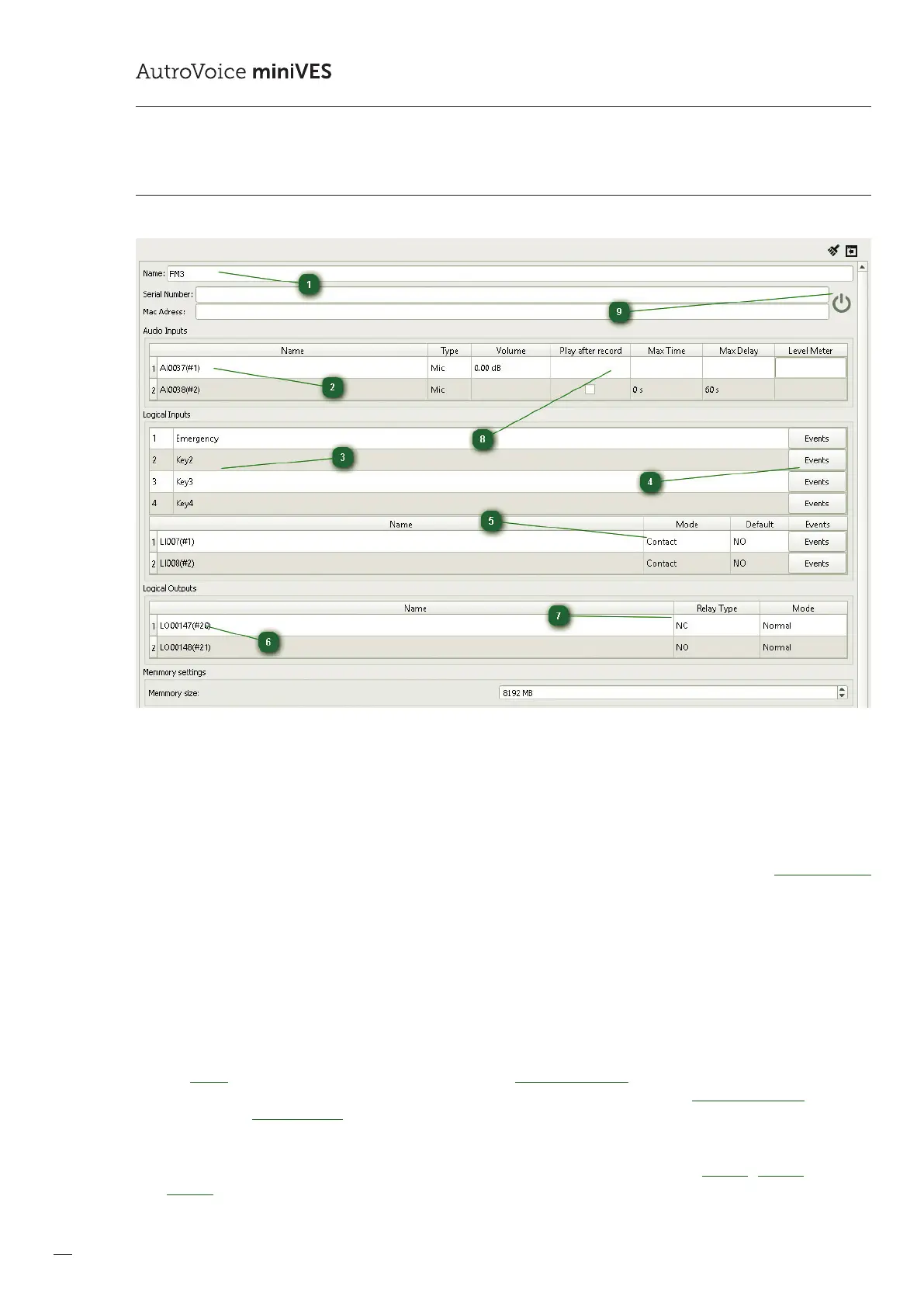
12.3.7 DFMS
1
Name
The name eld enables assignment of an individual name to the reman microphone, other than the generic name
assigned by the congurator.
2
Audio Inputs
The Audio Inputs eld contains all available audio inputs on the DFMS microphone. Item 1 is the microphone used only in
the Alarm mode – as the standard setting, the input at Item 1 always has the highest priority of 0 (see the Priority Manager
tab – the reman microphone may have priorities assigned from the range 0-99). Item 2 is the same physical microphone as
in Item No 1, however with a General-type priority (200-299). The Item 2 microphone is used to transmit ordinary messages
in the AutroVoice miniVES system, e.g. Public Address. Double-clicking the name of the audio input enables to change the
generic name assigned by the congurator.
3
Logical Inputs
The Logical Inputs tab contains all available buttons as well as logical inputs on the reman microphone. A double click on
the name of a button / logical input enables to change the generic name assigned by the congurator.
4
Events
The Events buttons transfers the programmer directly to the EventConguration tab. This enables to assign any function or
event group to a selected button. A right-click on the name of a button / logical input in the EventConguration tab, as well
as selection of Go to denition, enables to return quickly to the editing menu of the reman microphone.
5
Mode / Default
The logical input editing window enables activation of the input monitoring function – Mode Contact / Monitor. In case the
Monitor option is selected, it is necessary to install two parametrizing resistors at the end of the line, of 4.7 k.



 To Next Page
 Loading...