89
q
Import Workspace
Automatic decompression of a *.afz le and loading the complete conguration of the system.
See FAQ 3: cannot open downloaded system conguration.
w
Quit
Closing the AutroVoice miniVES system conguration software.
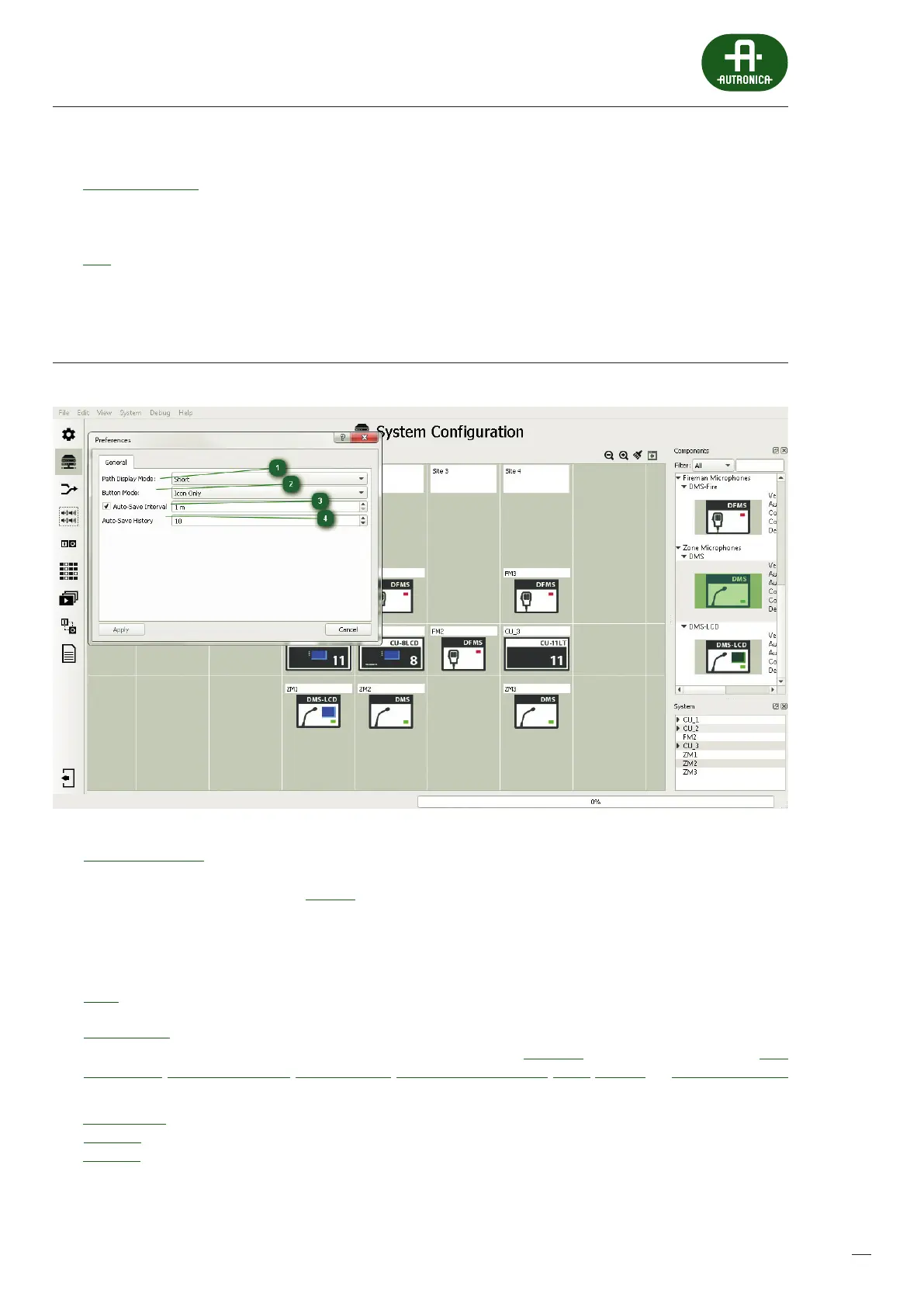
12.3.2 Preferences
1
Path Display Mode:
The AutroVoice miniVES system component name display mode refers to logical input / output cards, control cards,
audioinputs and audio outputs. In the Full Path mode, the name displayed consists of the name of the unit in which a given
element is located, followed by a full stop and the name of the card, where the value in the brackets with # means the number
of the slot in the unit in which a given card is located, and at the end, also preceded by a full stop, the name of thecompo-
nent is displayed. Here is an example of the full name of a control unit audio output – SM1.cCPU-AudIO-4/12(#12).AO1 which
means Audio Output 1 found on Integrated Audio Card 4/12 in Unit SM1.
Short Version – displays the name of a component only
2
Button Mode:
This enables personalization of the view of the conguration software. In the Auto-Hide mode, the main Icons, such as Basic
conguration, System conguration, Priority Manager, Group Zone Conguration, Matrix, Scenario and Event Conguration
have no subtitles and moving the mouse cursor over an icon results in all icon names being displayed:
Text and Icon – icons and names are always visible
Icon only – only icons are always visible
Text only – only names are visible


 To Next Page
 Loading...