22
Model E1070 Indicator Service Manual
AVG
(Averaging of A-D)
Use this item to set the number of display updates/second. Choices are 1, 2,
5 and 10 times/second. 10 is the default value.
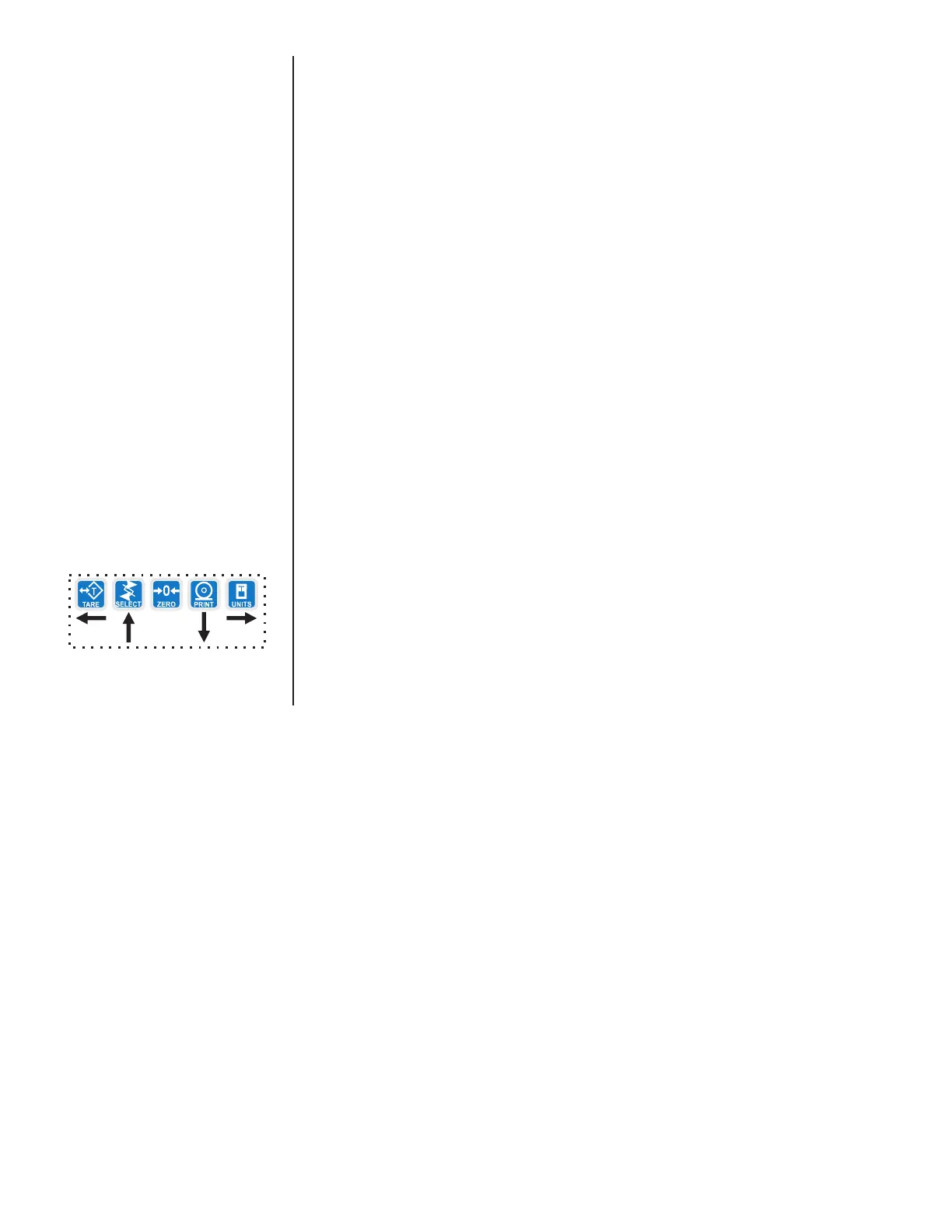
1. From previous step 11, press the UNITS key. . .
UPDATE is displayed.
2. Press the PRINT key. . .
Current update rate is displayed. Choices are 1, 2, 5 and 10 times
per second.
3. Scroll through the choices by using the TARE or UNITS key and press
the ENTER key to accept the displayed choice. .
UPDATE is displayed.
The A-D weight conversion happens 100 times per second in this indicator.
AVG is the number of conversions you want to average for the weight that is
displayed. 20 is the default value.
1. From previous step 3, press the UNITS key. . .
AVG is displayed.
2. Press the PRINT key. . .
The current value is displayed.
3. Press ENTER to accept the current value
OR
Key in a new value, between 0 and 512, and press ENTER to accept it. .
.
BUSY is briefly displayed, then AVG.
UPDATE
(Display Update Rate)



 To Next Page