EN53EN 52
If the following message comes up:
Click on Changement (Change) or simply connect
your smartphone to the 2.4GHz frequency and then
click Continuer (Continue).
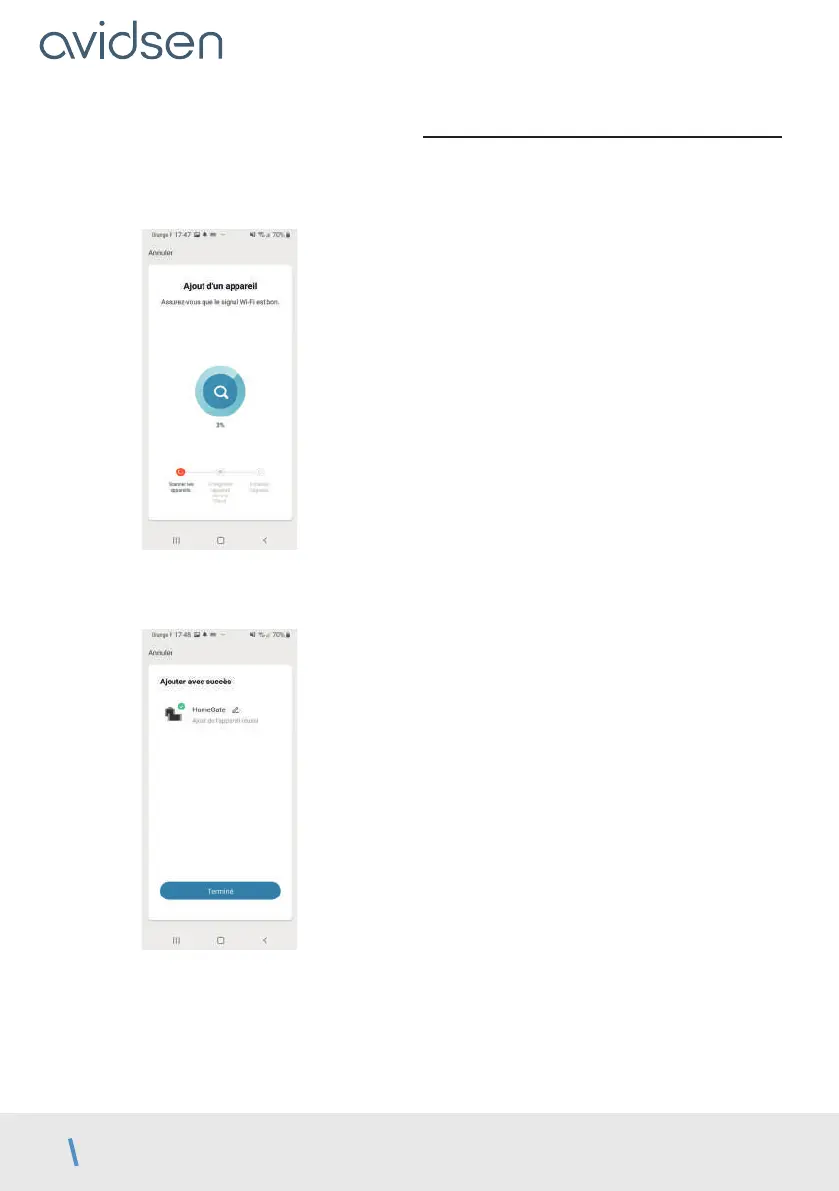
Please wait while the pairing procedure takes place.
This stage can last several minutes.
Your contactor is now operational and will appear in
your app.
You can now control your Avidsen contactor from
your smartphone.
You can rename it by clicking on the small pencil to
the right of the device name (garage by default).
8 - USE VIA THE APPLICATION
Warning: Thanks to the position of the magnets,
the contactor can indicate whether or not your
gate is closed. When the app indicates that the
gate is open, it means that the two magnets are
no longer in contact with each other. This does
not however guarantee that the gate is actually
completely open. In the event of faulty operation
(e.g.: obstacle detection, motor error, etc.), if the
gate remains ajar the contactor cannot be held
responsible.
IMPORTANT: The dry contact signal is the same
whether the opening or closing of the gate is
triggered. The contactor will take into account
the last command given as well as the position of
the magnets to determine the current command
to be displayed in the app.
However, control logics are specific to each
manufacturer and subject to different settings.
Therefore the contactor does not know exactly the
operating status of the gate motor drive when it is
moving, or what the control logic will require the
motor drive to do when a new command is given.
As a result, it is possible that the gate may move in
the opposite direction to what the app is indicating.
(e.g.: automatic closing activated, motor drive
behaviour after a switch to safety mode, “stop”
command while in motion, control by a third party
device, etc.). In any event, wait until the end of the
app’s display to determine the status of the gate
(closed or not closed).
E - USE



 To Next Page