17User Manual
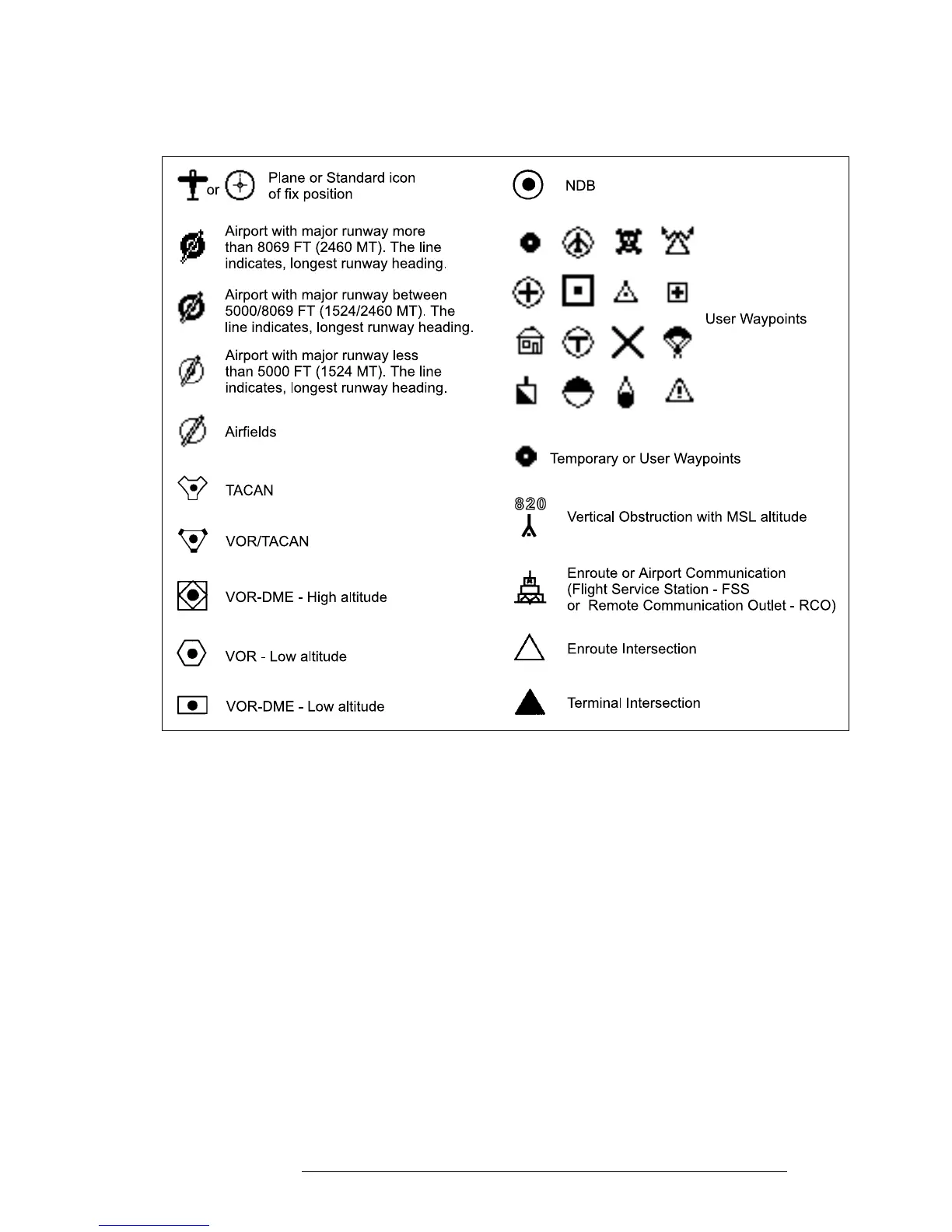
1.3.4 MOVING MAP ICONS
The following icons are displayed on the Moving Map to represent Waypoints,
navigation aids and airports.
Fig. 1.3.4 - Moving Map Icons
1.3.5 COURSE PREDICTOR
Indicates the projected position at the set time interval if the current speed and
heading are kept. This allows the pilot to correct for wind drift, in real time,
right from the moving map.
To select course predictor:
> ‘MENU’ 1 sec. + “SYSTEM SETUP” + ‘ENTER’ + “FIX SETUP” + ‘ENTER’ + “COURSE PREDIC-
TOR” + ‘ENTER’
1.3.6 GOTO
GoTo sets a 1-leg course from the present position to any location or selected
Waypoint.
To activate a GoTo Flight Plan move the cursor to the desired location or



 To Next Page