49User Manual
6.8 NEAREST SEARCH FOR GOTO FLIGHT PLAN ACTIVATION
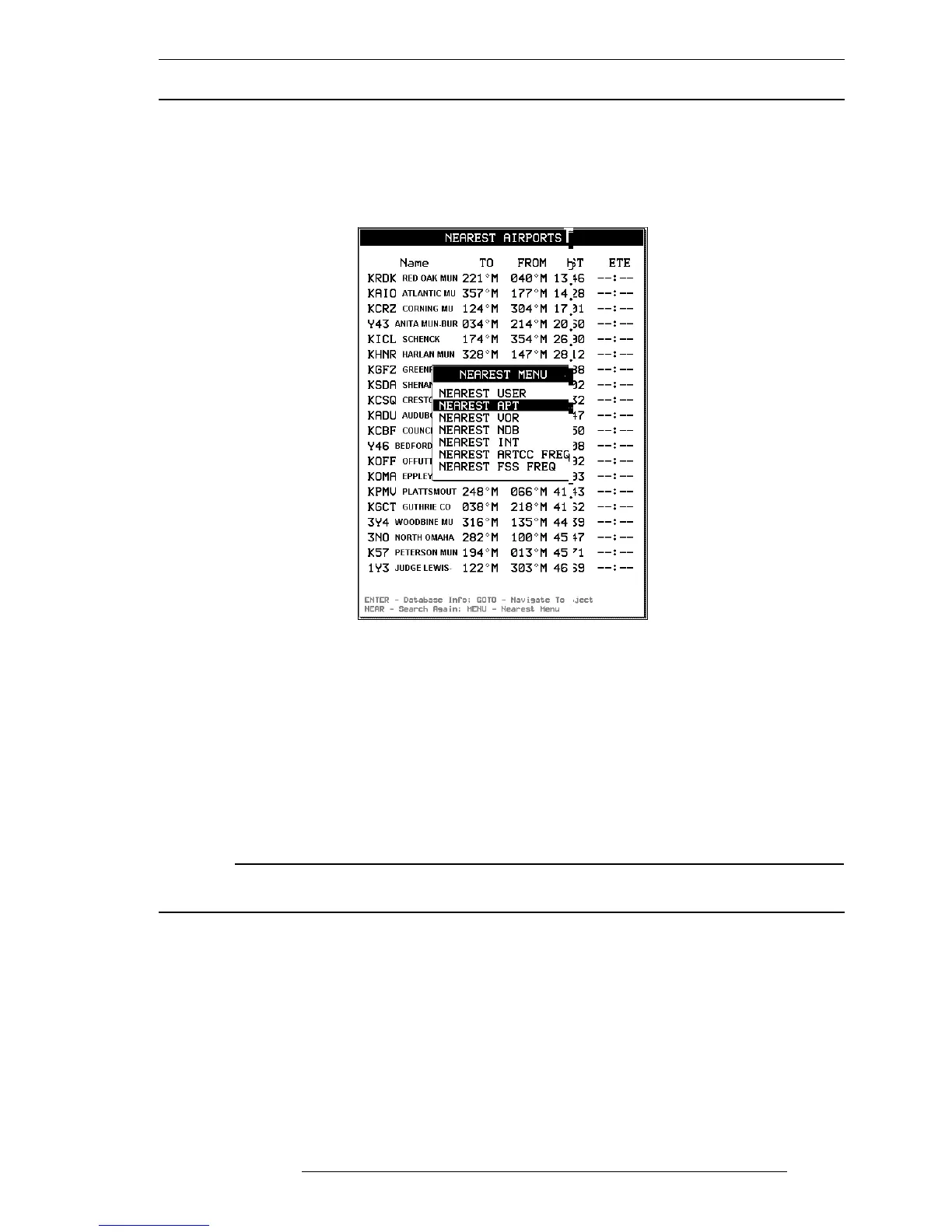
Pressing ‘PAGE’ at any time will provide a list of the 20 Nearest Database
objects. The first page to appear will be the last chosen category of data. To
select another category of data, press ‘MENU’ to display the available catego-
ries.
Fig. 6.2 - Nearest function with Nearest menu opened
The Nearest page will display the identifiers, bearing To and From, Distance
and Estimated Time Enroute (ETE). Using the cursor key select the desired
object and press ‘GOTO’ to activate a Route to this item.
To obtain additional details regarding the object, press ‘ENTER’ and the Data-
base page will appear.
To locate the object on the Moving Map without creating a “GoTo” Flight
Plan, press and hold ‘GOTO’ for 2 seconds.
NOTE
The Nearest list displayed is based on your current GPS position. If no GPS position is available,
the list is based on the current cursor position.



 To Next Page