79User Manual
14 The System Set-up Menu
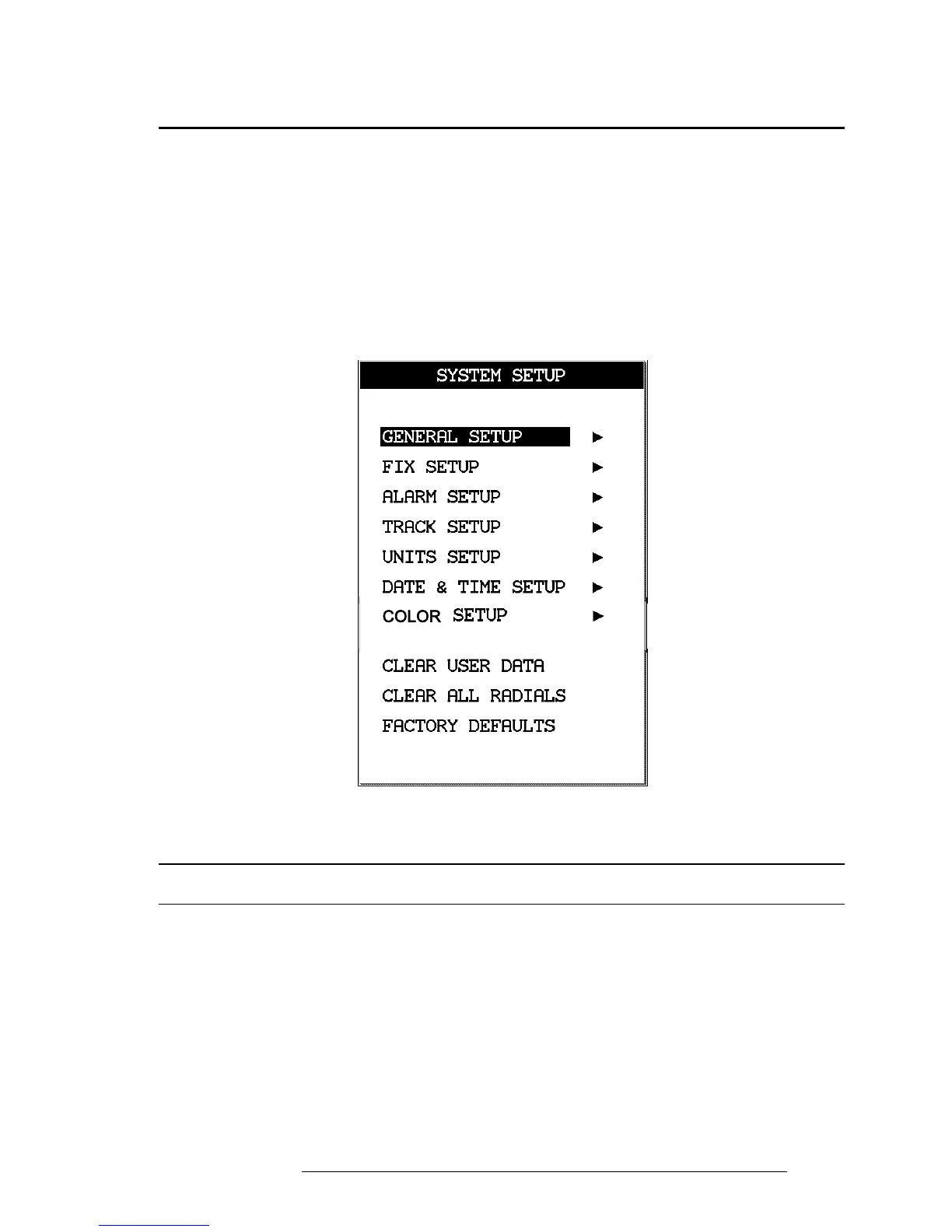
The System Setup Menu allows the user to change how the EKP-IV displays
information. System Setup options are arranged in sub-menus. For example,
all options that relate to the Fix functions are in Fix Setup sub-menu and all
options related to time or date are in Date Time Setup.
> ‘MENU’ 1 sec. + “SYSTEM SETUP” + ‘ENTER’
Once you are in the System Setup Menu, use the cursor key to highlight the sub-
menu desired and press ‘ENTER’ to activate or to proceed to the next selection.
Fig. 14 - The System Setup Menu
14.1 GENERAL SET-UP
The General Setup sub-menu controls the EKP-IV settings.
> ‘MENU’ 1 sec.+ “SYSTEM SETUP” + ‘ENTER’ + “GENERAL SETUP” + ‘ENTER’
14.1.1 Beeper
The EKP-IV makes a beep with each key press, warning or alarm message.
> ‘MENU’ 1 sec. + “SYSTEM SETUP” + ‘ENTER’ + “GENERAL SETUP” + ‘ENTER’ + “BEEPER” +
‘ENTER’



 To Next Page