23User Manual
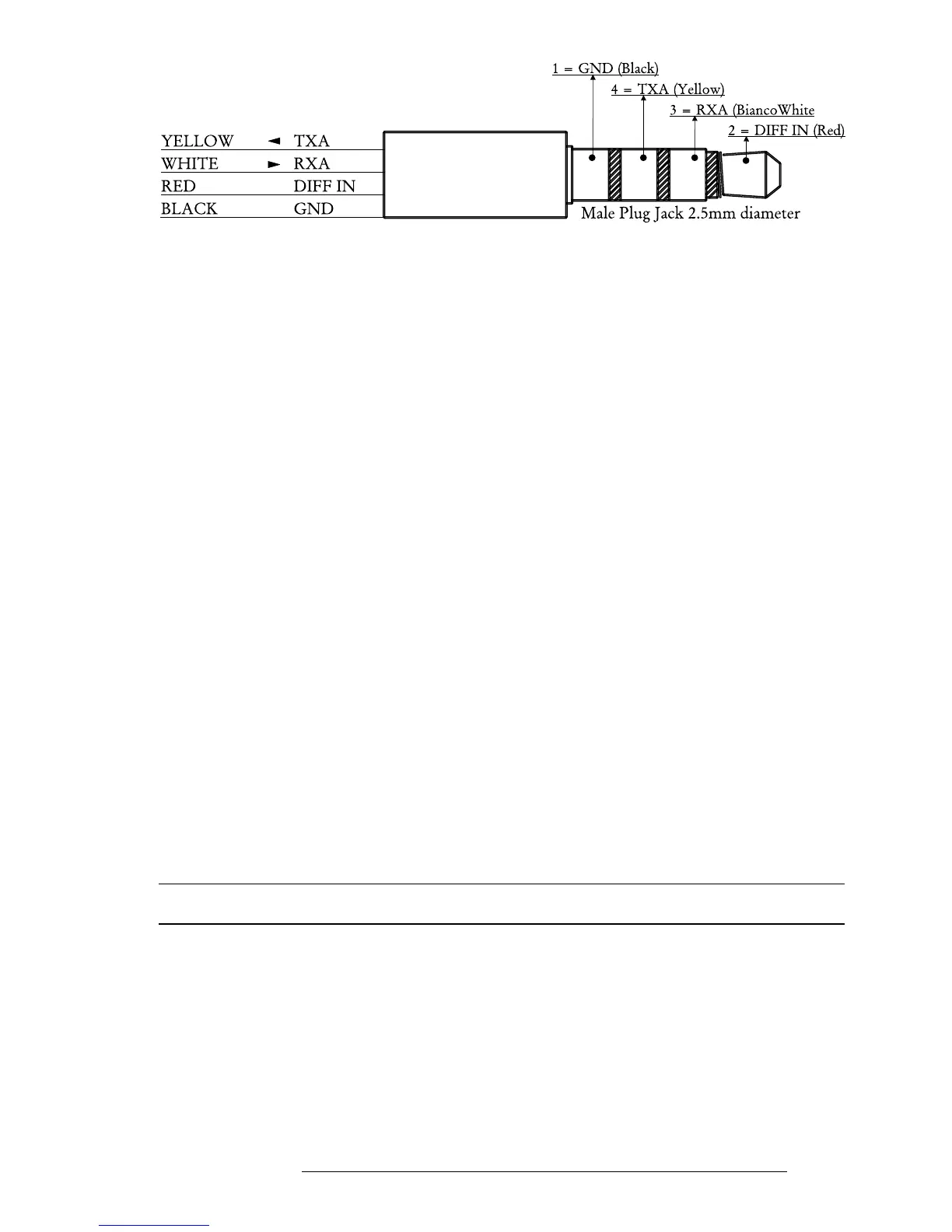
Fig. 2.5.3a - Bi-directional Communicatons
2.5.3.1 Download/Upload Waypoints
The Download Waypoint function allows you to send the current Waypoints
to the serial port using the NMEA0183 $WPL sentence (see Appendix F):
> ‘MENU’ 1 sec. + “COMMUNICATIONS” + ‘ENTER’ + “WAYPOINTS DOWNLOAD” + ‘ENTER’
The Upload Waypoint function allows you to receive Waypoints from the
serial port using the NMEA0183 $WPL sentence (see Appendix F):
> ‘MENU’ 1 sec. + “COMMUNICATIONS” + ‘ENTER’ + “WAYPOINTS UPLOAD” + ‘ENTER’
2.5.3.2 Download/Upload Flight Plan
The Download Flight Plan function allows you to send the current Flight
Plans to the serial port using the NMEA0183 $WPL and $RTE sentences (see
Appendix F):
> ‘MENU’ 1 sec. + “COMMUNICATIONS” + ‘ENTER’ + “FLIGHT PLAN DOWNLOAD” + ‘ENTER’
The Upload Flight Plan function allows you to receive Flight Plans from the
serial port using the NMEA0183 $WPL and $RTE sentences (see Appendix F):
> ‘MENU’ 1 sec. + “COMMUNICATIONS” + ‘ENTER’ + “FLIGHT PLAN UPLOAD” + ‘ENTER’
The received Flight Plan is saved in the current Flight Plan. If the current
Flight Plan contains data the user should be asked to confirm the action (over-
writing the existing Flight Plan) or choose another Flight Plan.
2.5.3.3 Download Track
The Download Track function allows you to send Track data from the serial port
using the C-MAP Proprietary NMEA0183 $PCMPT sentence (see Appendix F):
> ‘MENU’ 1 sec. + “COMMUNICATIONS” + ‘ENTER’ + “TRACK DOWNLOAD” + ‘ENTER’
2.6 SYSTEM SETUP OPTIONS
You may select how the EKP-IV displays primary information (such as how
time is displayed) from the System Setup Menu.
> ‘MENU’ 1 sec. + “SYSTEM SETUP” + ‘ENTER’
Refer to Chapter 14 for information about the System Setup Menu.


 To Next Page
 Loading...
