22
User Manual
> ‘MENU’ 1 sec. + “SYSTEM SETUP” + ‘ENTER’ + “FIX SETUP” + ‘ENTER’ + “FIX SOURCE” +
‘ENTER’
Choose External NMEA0183 and press ‘ENTER’ to confirm.
Fig. 2.5.1 - External Input
2.5.2 NMEA OUTPUTS
The EKP-IV can be connected to external equipment that accepts NMEA0183
data input.
Once attached, the output of NMEA formatted position information can be
enabled in the following manner:
> ‘MENU’ 1 sec. + “COMMUNICATIONS” + ‘ENTER’ + “NMEA OUTPUT” + ‘ENTER’
The default setting is Off. The Output NMEA0183 messages are the following:
APA, APB, BOD, BWC, GGA, GLL, HSC, RMA, RMB, RMC, VTG, WCV,
XTE (see Appendix F for more details on NMEA sentences) BOD, BWC,
GGA, GLL, HSC, RMA, RMB, RMC, VTG, WCV, XTE (see Appendix F for
more details on NMEA sentences).
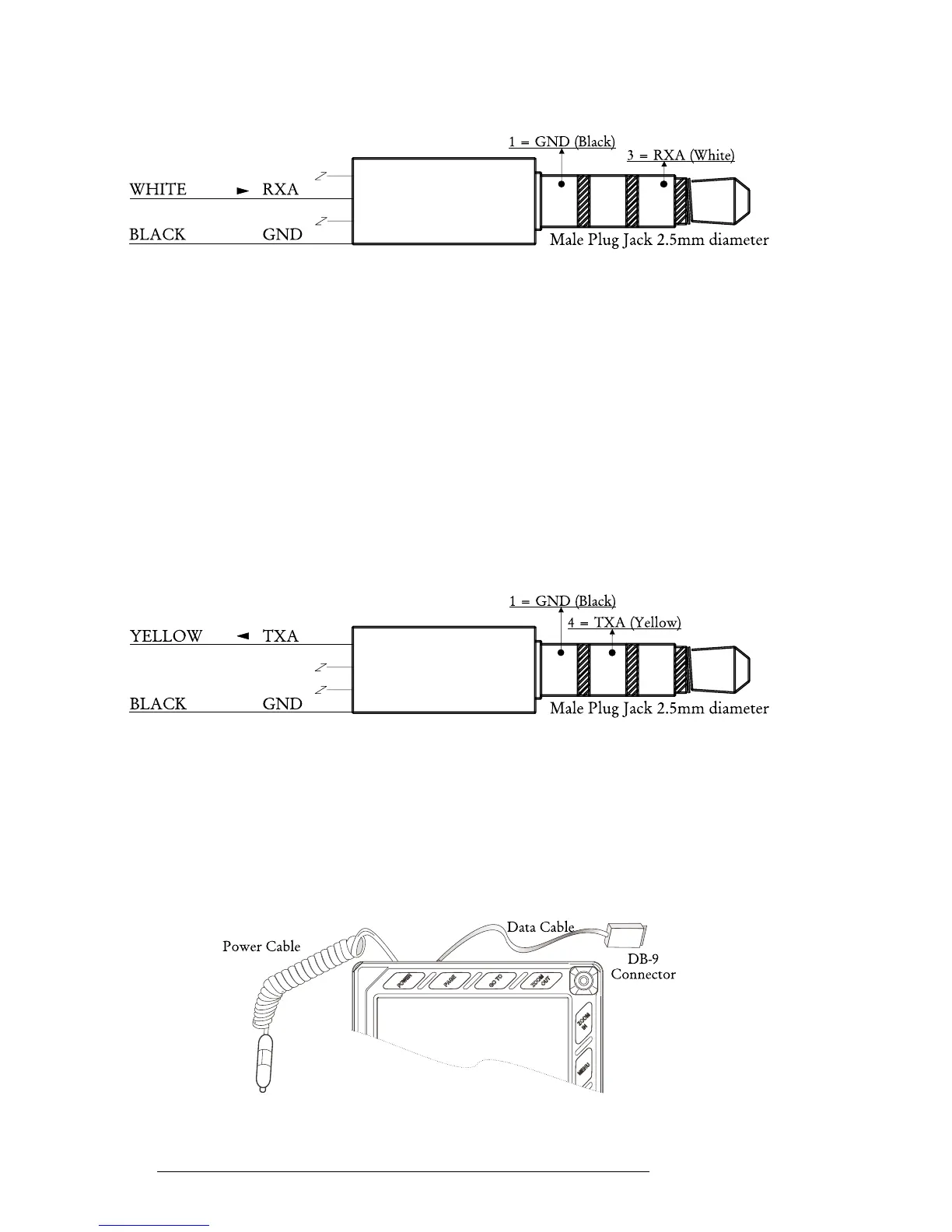
Fig. 2.5.2 - NMEA Connections
2.5.3 DOWN OR UP-LOAD FLIGHT PLANS & TRACKS
The EKP-IV can also send and receive Flight Plans from the C-MAP PC-PLAN-
NER NT
+
software program or another device compatible with it. This requires
an optional power/data cable that can be purchased from your avionics dealer or
C-MAP (see Fig. 2.5.3) for a proper connection to the device (see Fig. 2.5.3a).
Fig. 2.5.3 - Optional Data Cable



 To Next Page