39User Manual
4 Navigation & Location
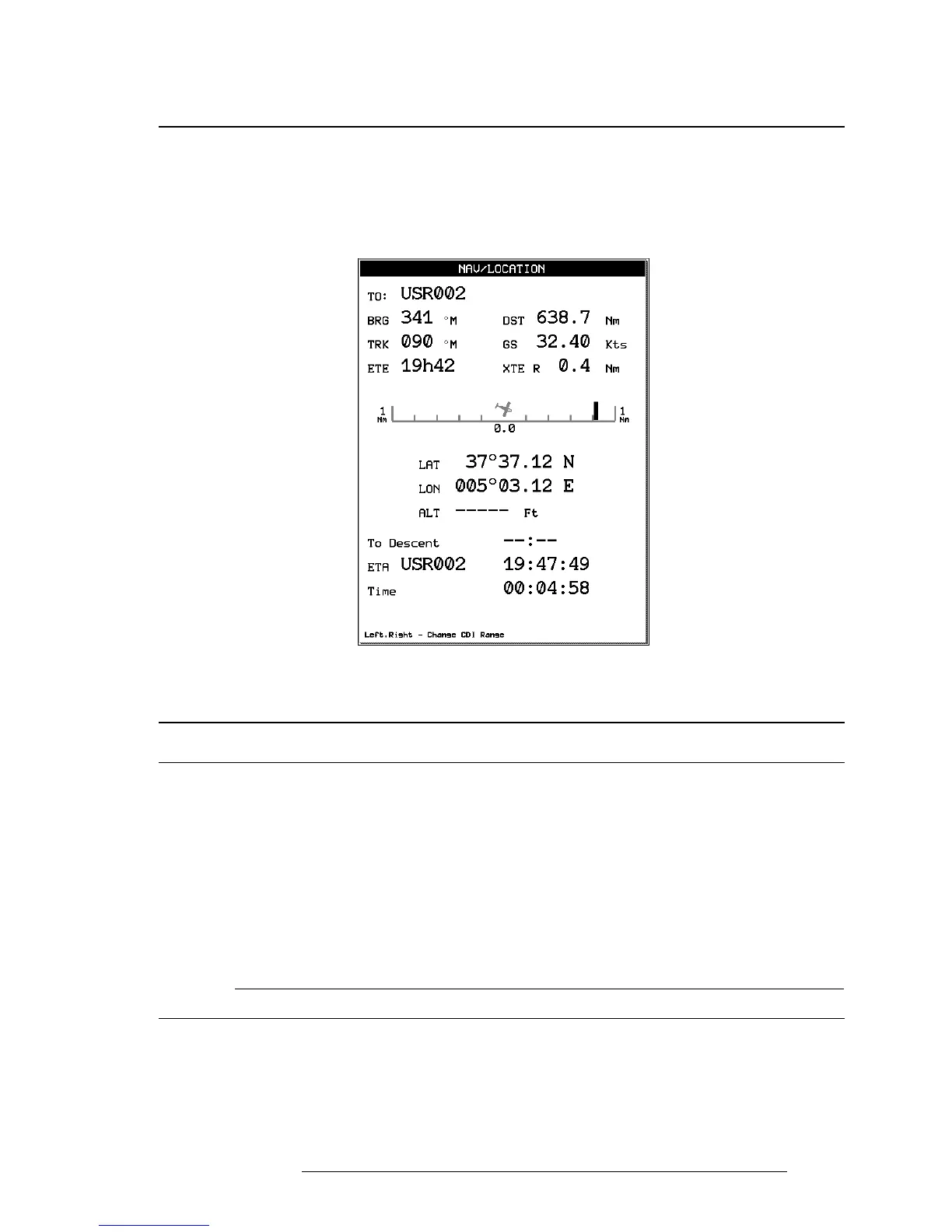
The Navigation and Location screen displays a full page of navigation informa-
tion with location coordinates. To access from the Main Menu:
> ‘MENU’ 1 sec. + “NAV/LOCATION” + ‘ENTER’
Fig. 4 - Nav/Location screen
4.1 NAVIGATION & LOCATION DATA
The Navigation data displayed in this window is based on the current Flight
Plan leg or active Waypoint. If no Flight Plan is active, only Ground Speed and
Track can be displayed.
The CDI is a graphic display of Cross Track Error (XTE). The airplane re-
mains at the center, with the course line needle moving right and left in rela-
tion to the airplane icon. When the line is to the left of the airplane, you are
right off course and must turn left (fly to the line) to close on the course.
NOTE
Distances are measured horizontally.
If the icon rotates 180° and points toward the bottom of the display, you are
moving away from the destination.



 To Next Page