APPENDIX 2 PUSH VIDEO CONFIGURATION
61
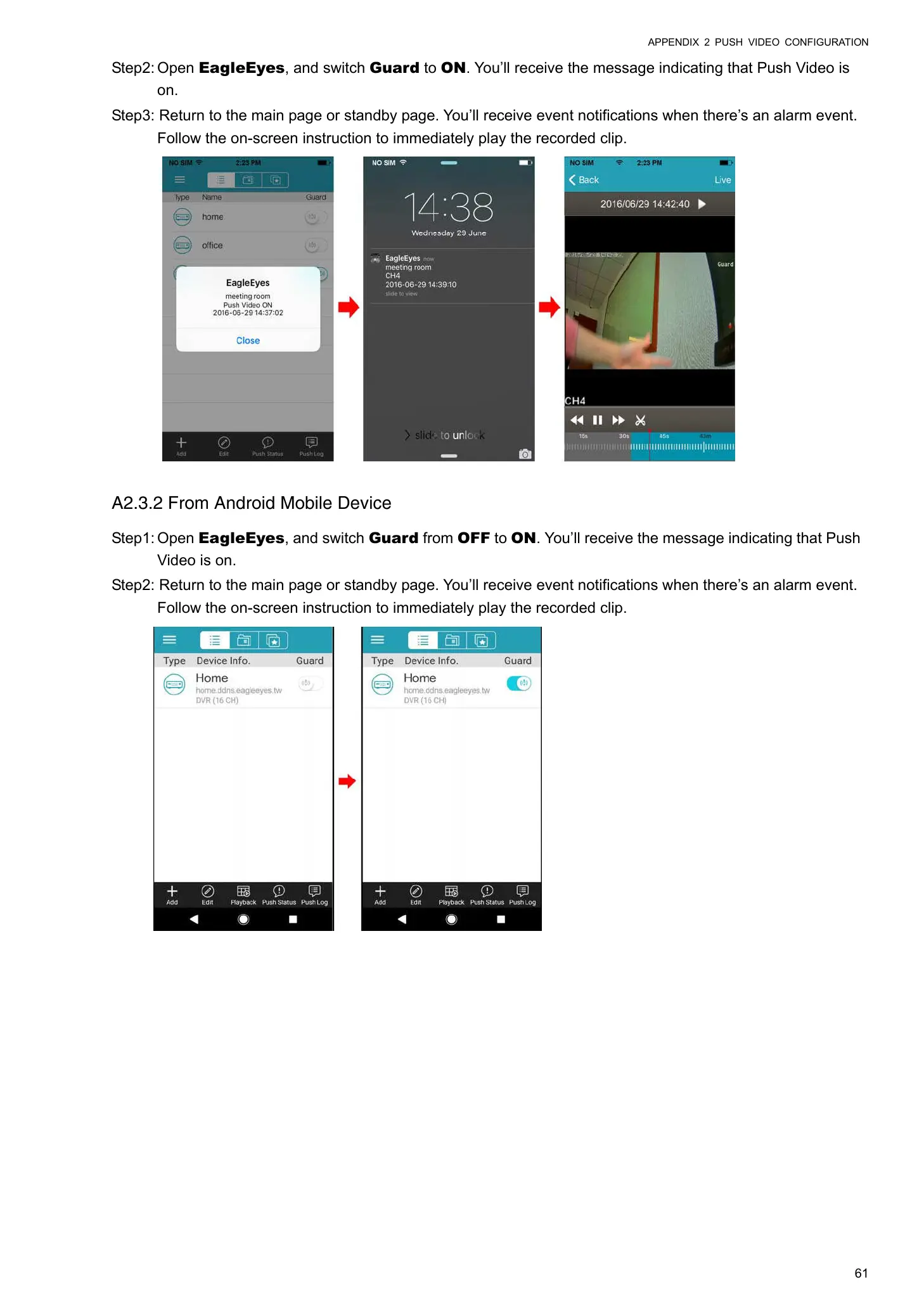
Step2: Open EagleEyes, and switch Guard to ON. You’ll receive the message indicating that Push Video is
on.
Step3: Return to the main page or standby page. You’ll receive event notifications when there’s an alarm event.
Follow the on-screen instruction to immediately play the recorded clip.
A2.3.2 From Android Mobile Device
Step1: Open EagleEyes, and switch Guard from OFF to ON. You’ll receive the message indicating that Push
Video is on.
Step2: Return to the main page or standby page. You’ll receive event notifications when there’s an alarm event.
Follow the on-screen instruction to immediately play the recorded clip.


 To Next Page
 Loading...








