6. ClickShare Web Interface
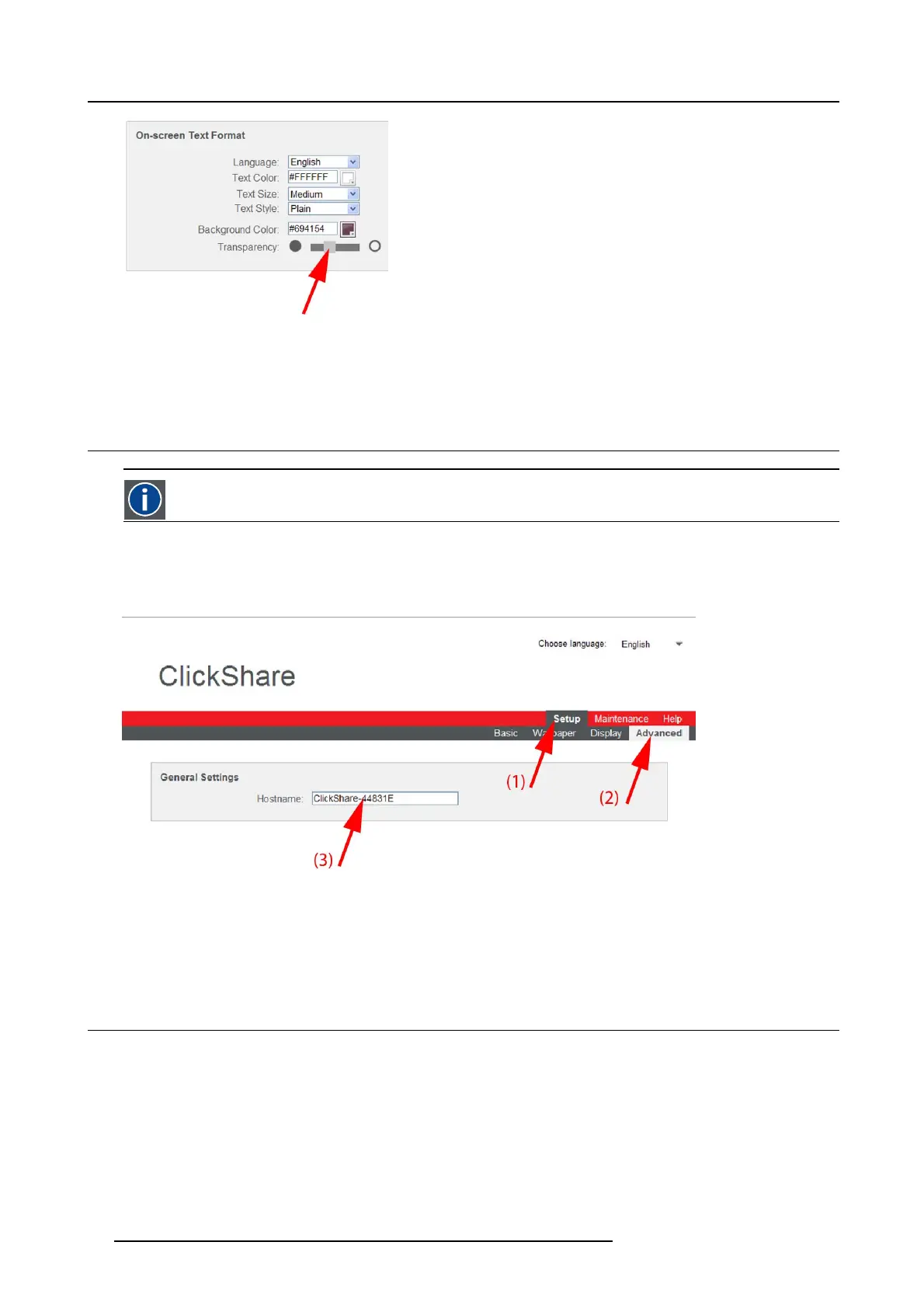
Image 6-15
Transparency
- Slider to the right: more transparency
- Slider to the left: less transparency
6.9 Advanced settings: Hostname
Hostname
Hostnames are human-readable nicknames that co rrespond to the address o
f a device connected to a network.
How to change
1. Log in t o the ClickShare web interface.
2. Click the Setup tab (1) and click Advanced (2).
Image 6-16
Hostname
3. Click in the input field next to Hostname (3)
4. Select the current name and enter a new nam e.
Note: The default hostname is “ClickShare-<serial nu
mber>”.
6.10 Advanced settings: LAN network settings
About LAN network settings
A netw ork connection can be configured through DHCP or by manually entering a fixed IP address.
34
R5900014 CLICKSHARE 16/09/2013















 To Next Page