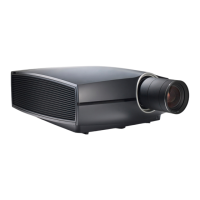
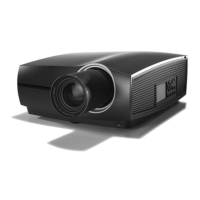
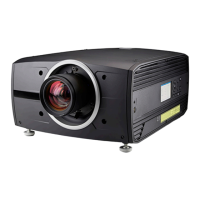
R5906852-01 F80 series6
4.3.3 Going from READY to ON.........................................................................................................................................37
4.3.4 Going from ON to READY.........................................................................................................................................37
4.3.5 Going from READY to ECO standby...................................................................................................................37
4.3.6 Going from ECO to ON ...............................................................................................................................................37
4.3.7 Wake on LAN (WOL)....................................................................................................................................................37
4.4 Status overview ..................................................................................................................................................................................38
4.5 Power off projector............................................................................................................................................................................38
4.6 Increasing the projector life time...............................................................................................................................................39
4.7 Operation in 24/7 Mode .................................................................................................................................................................39
4.8 Using the RCU ....................................................................................................................................................................................39
4.9 Projector Address..............................................................................................................................................................................41
4.9.1 Controlling the projector .............................................................................................................................................41
4.10 Quick setup via Direct access ....................................................................................................................................................42
5 Graphic User Interface (GUI)...................................................................................................................................................45
5.1 Overview ................................................................................................................................................................................................46
5.2 Navigation..............................................................................................................................................................................................46
5.3 Test Patterns ........................................................................................................................................................................................47
6 GUI – Source..............................................................................................................................................................................................49
6.1 Displaying a single source............................................................................................................................................................50
6.2 Connector Settings...........................................................................................................................................................................50
7 GUI – Image.................................................................................................................................................................................................53
7.1 Setting image levels manually....................................................................................................................................................54
7.2 Adjusting the sharpness ................................................................................................................................................................56
7.3 Adjusting the gamma correction ...............................................................................................................................................57
7.4 P7 Realcolor.........................................................................................................................................................................................57
7.5 HDR – Perceptual Quantizer (PQ)...........................................................................................................................................60
8 GUI – Installation ..................................................................................................................................................................................61
8.1 Configuring the lens, shift .............................................................................................................................................................62
8.2 Orientation.............................................................................................................................................................................................62
8.3 Warping...................................................................................................................................................................................................63
8.3.1 About warping ..................................................................................................................................................................63
8.3.2 Warping – On/Off............................................................................................................................................................63
8.3.3 Warping – Screen Size................................................................................................................................................64
8.3.4 Warping – 4 corners adjustment ............................................................................................................................65
8.3.5 Warping – Bow .................................................................................................................................................................67
8.3.6 Warping – Warp files.....................................................................................................................................................70
8.3.7 Warping – Latency control in a multi projector setup..................................................................................72
8.4 Blending..................................................................................................................................................................................................73
8.4.1 Blend & Mask....................................................................................................................................................................74
8.4.2 Black level adjustment.................................................................................................................................................77
8.4.3 Black Level Files .............................................................................................................................................................78
8.4.4 Blend Files..........................................................................................................................................................................79
8.5 Laser illumination ..............................................................................................................................................................................80
9 GUI – System Settings....................................................................................................................................................................83
9.1 Communication...................................................................................................................................................................................84
9.1.1 Introduction to a Network connection..................................................................................................................84


 To Next Page
 Loading...