Configuring the Event Adapter for SAP
BEA WebLogic Adapter for SAP User’s Guide 5-23
8. Click Finish.
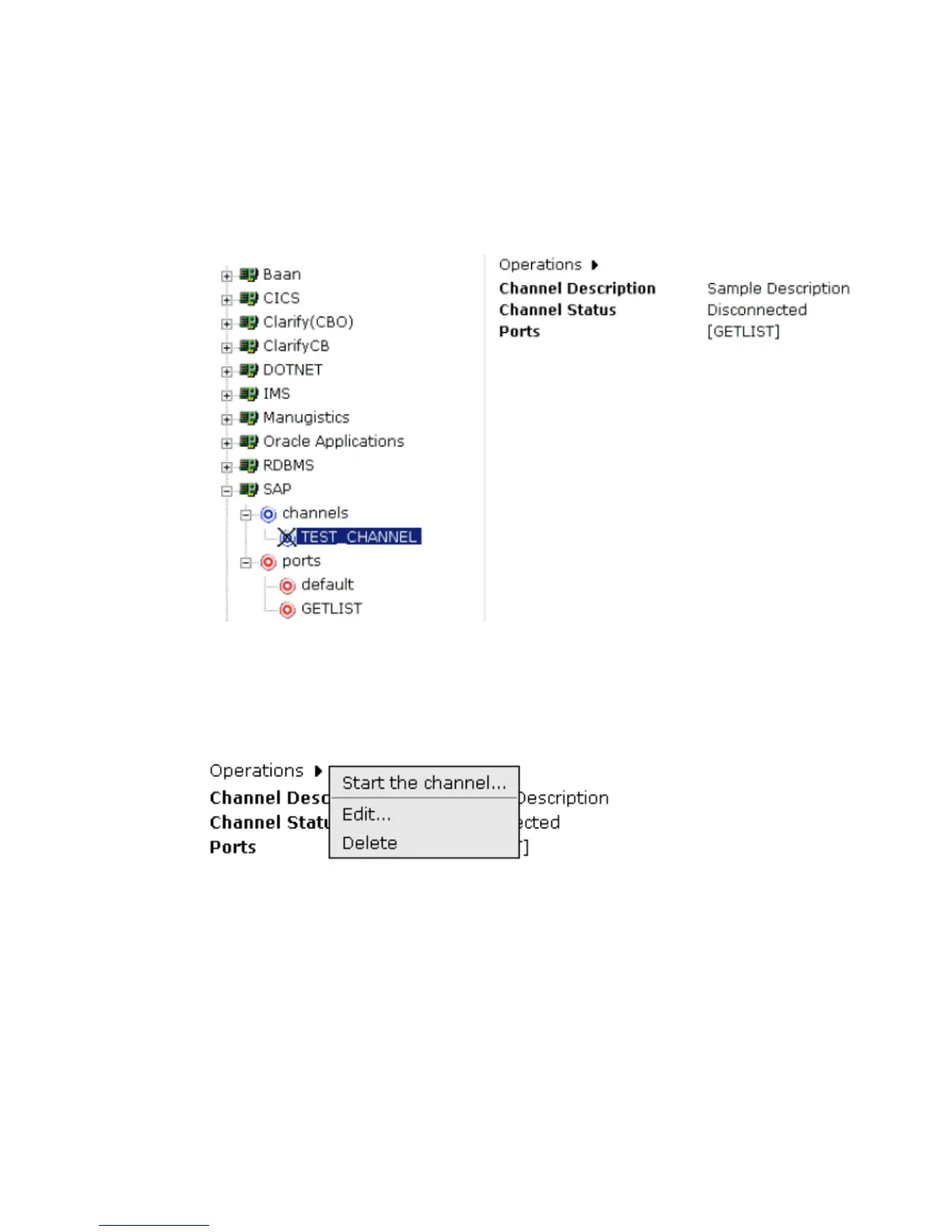
In the left pane, the TEST_CHANNEL is selected and has an ‘X’ over the icon. The
summary pane opens on the right with the channel description, channel status, and
available ports as shown in the following image.
All the information is associated with the channel you created. The ‘X’ over the icon
indicates that the channel is currently disconnected. To activate your event
configuration, you must start the channel using the Operations menu, as shown in the
following image.
9. Move the pointer over Operations and select Start the channel.



 To Next Page