Channel Monitoring
50 ACU6100 DV64440.03 Issue 09 November 2019
3.5 Channel Monitoring
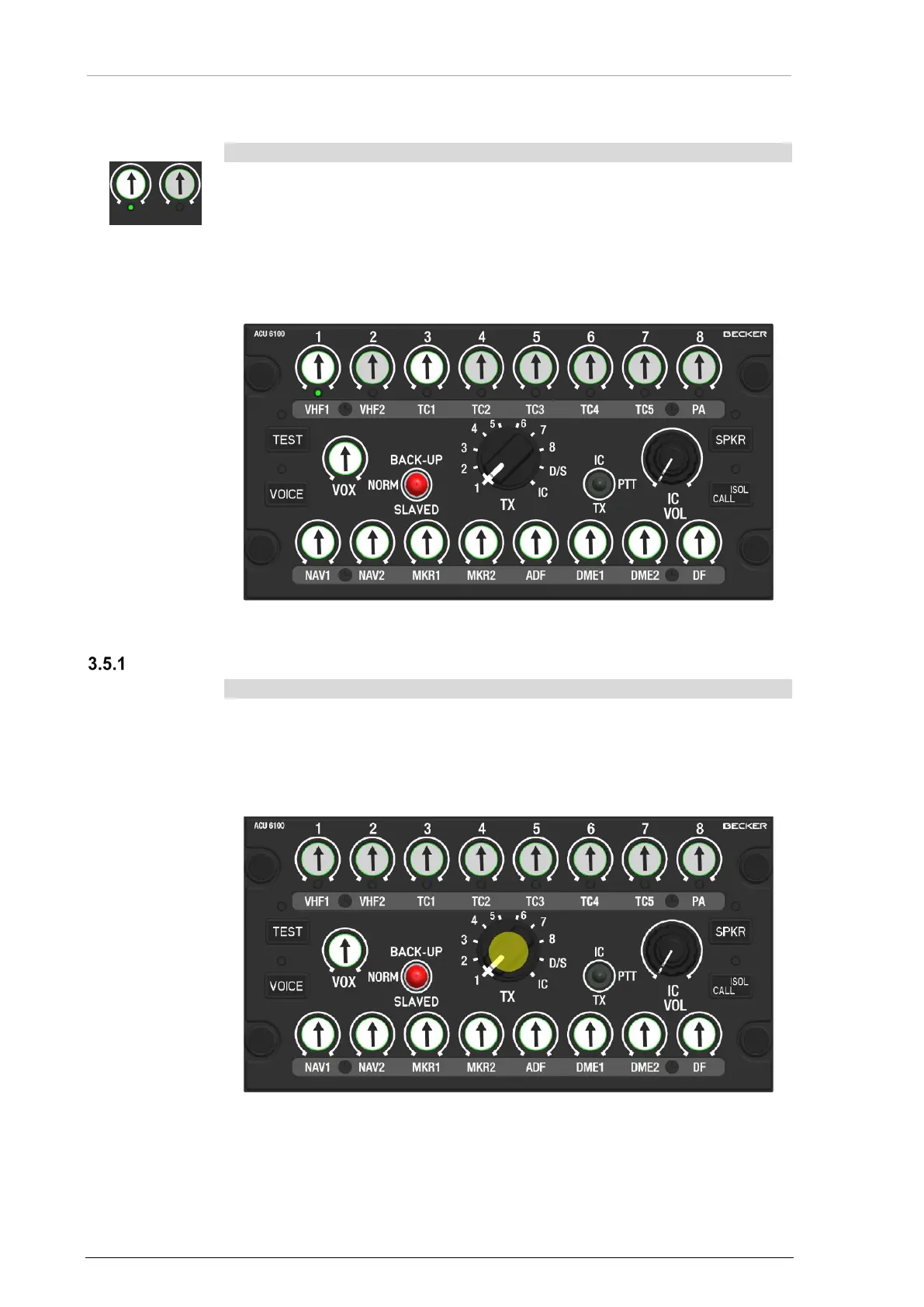
• Push and release the related channel knob (TX1...TX8, RX1...RX8).
o The knob is in the upper position, can be turned, is illuminated.
o The channel is monitored.
• Use the related knob to adjust the volume.
NOTICE:
• More than one channel can be monitored at the same time.
Figure 19: Operation - Channel Monitoring
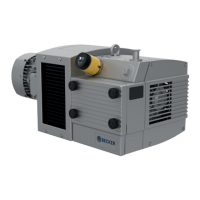
Forced Monitoring
The channels must be enabled for this function in the configuration.
• The reception signal of the radio which is selected for transmission with
the TX selector is monitored, even if the channel is not released for
monitoring (knob is in the lower position).
• Use the related knob to adjust the volume.
Figure 20: Operation - Forced Monitoring for TX1


 To Next Page