Contact Data
DV64440.03 Issue 09 November 2019 ACU6100 63
3.17 ACU6100-X-(XXX5) - Fixed Wing Variant
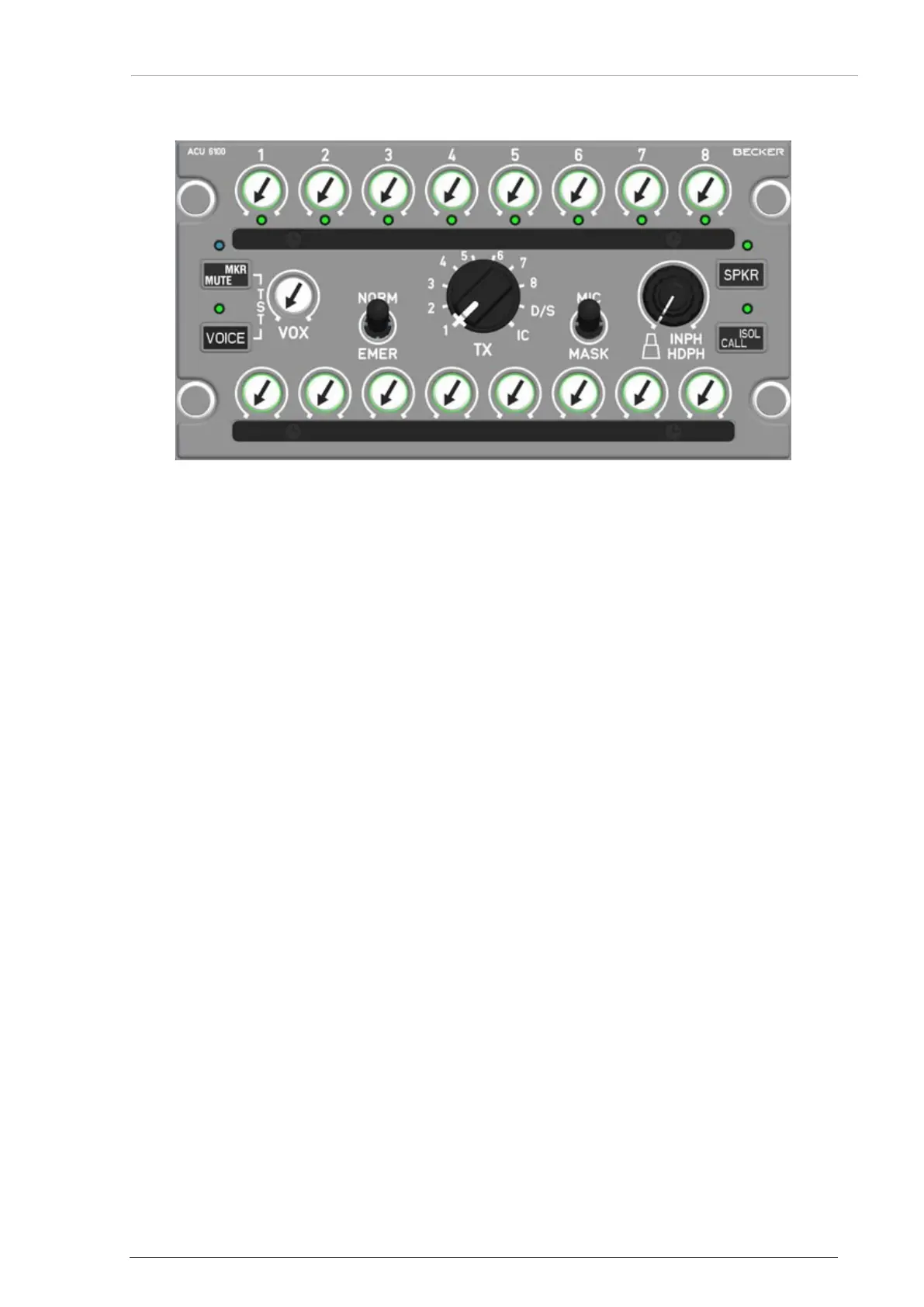
Figure 25: ACU6100-X-(XXX5) - Fixed Wing Variant
This variant has:
• 1x toggle switch (2 locking positions) for "NORM" and "EMER" mode
• 1x toggle switch (2 locking positions) for "MIC" and "MASK" mode.
• 1x Marker/Mute key.
Functions:
• "NORM"/EMER" see "Emergency Operation" page 60.
• Position "MIC": Mike operation with headset or hand mike.
• Position "MASK": Oxygen mike operation. Switch activates an external relay to switch
over between standard mike and oxygen mike operation.
o The speaker function is automatically on. With a short push to the "SPKR" key the
speaker is off.
• "MKR/MUTE": see "Marker Mute" page 59.
• "TEST": With a short push to the "MKR/MUTE" and "VOICE" key at the same time can the
IBIT be started. Details see "Built-In Tests" page 61.
• The operation and function of the control and indication elements are the same as descript
in this chapter.
3.18 Contact Data
In case of additional questions contact your local Becker Avionics dealer or forward your request direct
to Becker Avionics "Customer Service".
In the event of damage or a defect, the entire device must be returned for repair. The repair must be
done by trained Becker Avionics personnel.
For department and addresses, please see contact info page 2.
Any change by the user excludes any liability on our part (excluding the work described in this
manual).


 To Next Page