Transceiver Operation
DV64440.03 Issue 09 November 2019 ACU6100 53
Transmission on TX-Channels
Transmission on TX-Channels
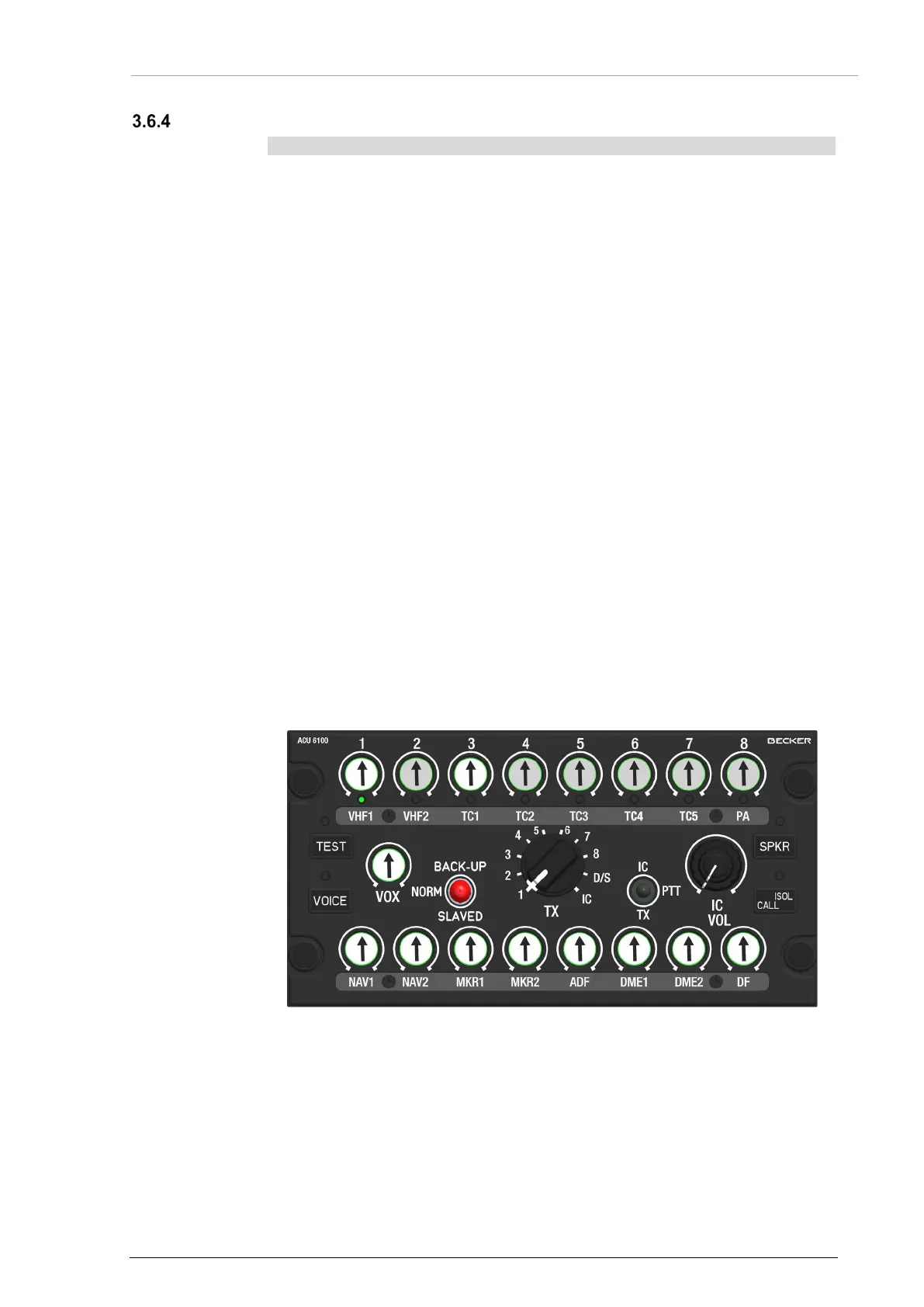
• Push and hold the PTT switch (on panel or external) on TX position to
start the transmission mode.
o The LED of the related channel knob flashes.
• If a TX-channel LED flashes before the transmission has started then the
channel is already taken for transmission (PTT) by another user.
During transmission:
• The related TX-channel LED flashes for all users which have this channel
on the display.
• The related TX-channel LED flashes while a user transmits.
• In dual- or multi TX-mode, all selected TX-channel LEDs flash while the
user transmits.
• During transmission, all received signals, are muted (depends on
configuration*).
• Only warning tones which have been programmed as essential are
audible during transmission (depends on configuration*).
• If a loudspeaker is connected it will be muted to prevent acoustic
feedback to the microphone.
• A sidetone is audible the volume is adjusted in the installation setup.
After PTT release:
• The transceiver turns back to receive mode.
• The related channel LED is on.
• All previously selected signals, intercom and warning tones are
continued.
• If the loudspeaker was muted, it is on again.
*For more information refer to the software manual "CSW6100... "(www.becker-
avionics.com/downloads/ → Intercom).
Figure 23: Operation - Transmission on TX1


 To Next Page