CUBE® CONTROLLER
4-4 Belanger, Inc. * PO BOX 5470 * Northville, MI 48167-5470 * Ph (248) 349-7010 * Fax (248) 380-9681 1MANUL964
Chapter 4 Operator Interface / Standard User Screens
User
User / Jog
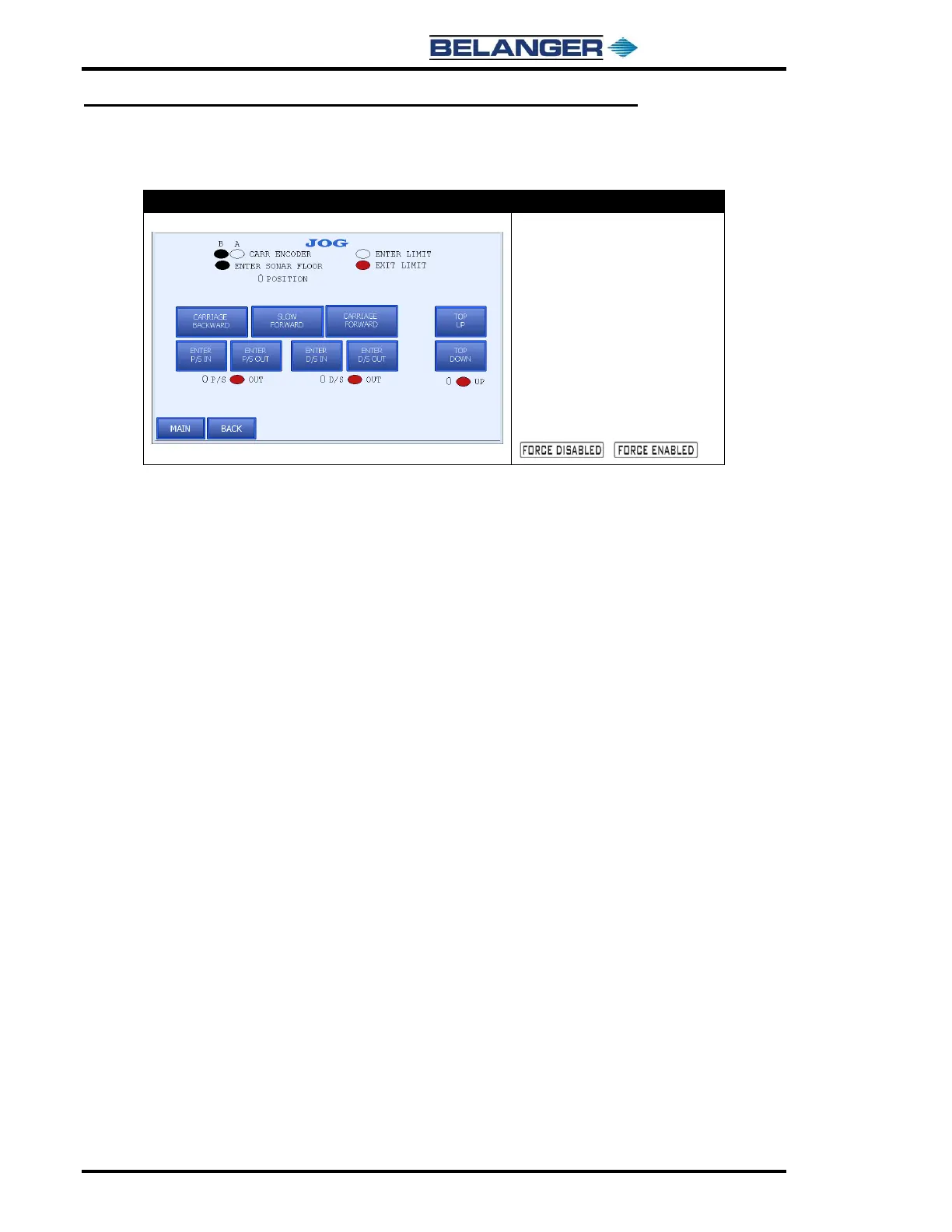
• CARRIAGE BACKWARD: Jogs
carriage towards entrance while
pressed
• CARRIAGE FORWARD: Jogs
carriage towards exit while
pressed
• SLOW FORWARD: Jogs carriage
towards exit slower than Carriage
Forward while pressed
• Pressing the FORCE ENABLED
/FORCE DISABLED toggle
button alternates between the
fields shown below:
/
SLOW FORWARD: has been provided to check proper carriage Encoder operation. Pressing this button first begins
the Carriage moving slowly down the rails causing the gear in the Encoder to turn. This should make the position
display count down. If position is not counting down, first check wiring. A typical fix if pattern is reversed is to swap
Proximity Cables on the Encoder. The Carriage must be jogged away from the exit home position before SLOW
FORWARD can be used.
Pressing and holding the SLOW FORWARD button will cause the display to appear for A and B Phase Encoder on
times. The proximity sensors should be adjusted until these are nearly identical. Typically, approximately 0.500 is
displayed for proper setting when the Proximity Switch gap is set between .040 and .056 inches.



 To Next Page