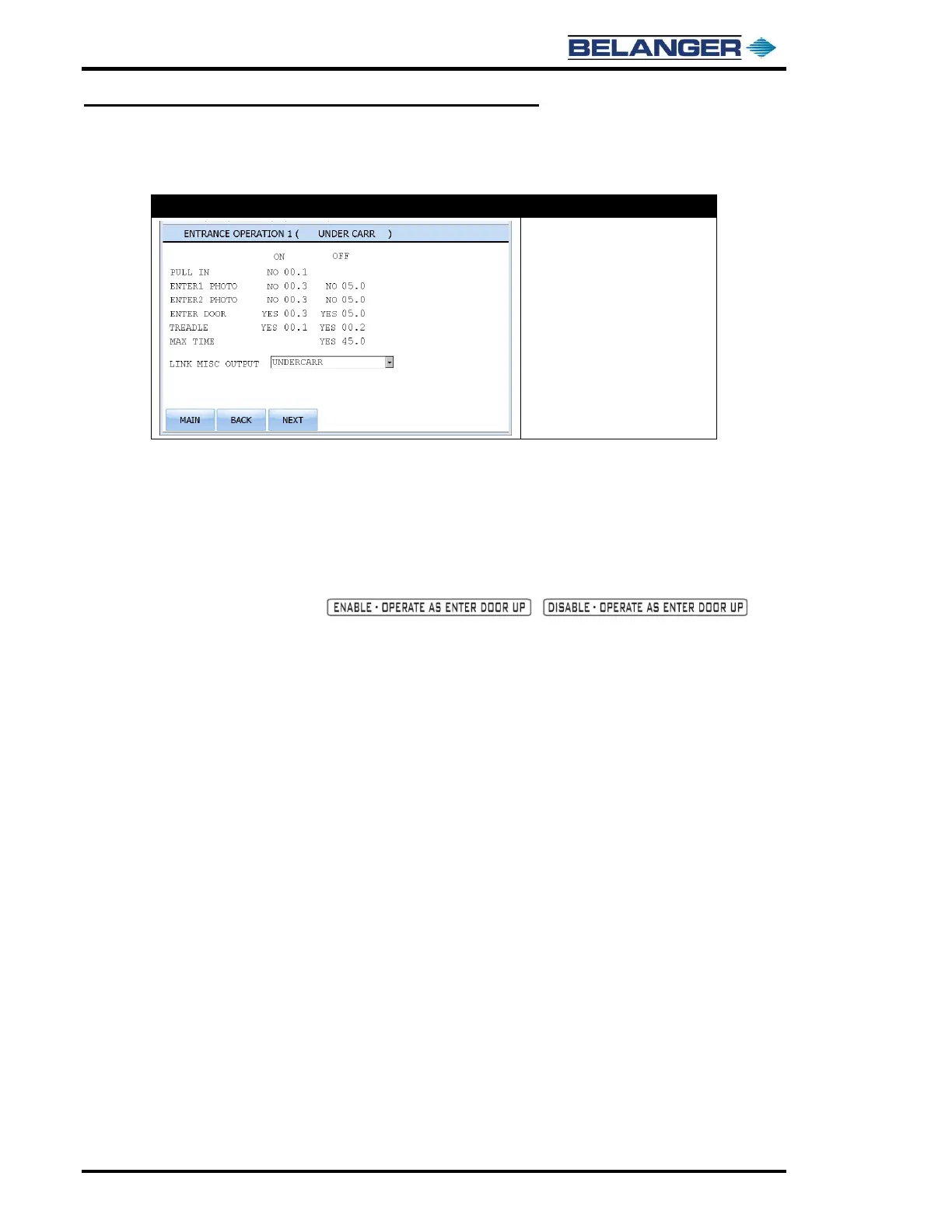
Field to the right of ENTRANCE OPERATION allows changing the name of the function.
ON and OFF Columns: There are two fields under these headings. The left columns are YES/NO toggles and the
right columns display values in seconds. Seconds values may be changed in increments of tenths of a second.
Fields to the right of LINK MISC OUTPUT allows changing the output of this function to any of the Misc Outputs (1
– 8). Named Outputs 1 – 8 may not be used by this function.
Entrance Operation 2 has an additional field that allows it to be configured as an ENTER DOOR UP function. It
toggles back and forth as shown / .
This feature is DOOR UP ONLY and may not be used for DOOR DOWN control. This feature would not be used if
system is equipped with an On-Board Door Control.
This system is equipped with 3 Entrance Functions.
Each of these functions could utilize one, all or any combination of ON conditions. The ON condition that is met
first will turn on the functions output.
Each of these functions could utilize one, all or any combination of OFF conditions. The OFF condition that is met
first will turn off the functions output.
These functions will not operate on the vehicle unless toggled to YES in the PACKAGE SETUP.
When configuring an Entrance Operation, it is a good practice to name the Output first, then name the Function and
finally make sure that the Function is linked to the proper Output.
PULL-IN: Occurs as soon as the Loader has the Package value or cycle just started. The Package is officially
started as soon as Entrance Operation 1 shifts the Package number from the Loader to the wash.
ENTER1 PHOTO, ENTER2 PHOTO, ENTER DOOR: These are all inputs that require a “light-operated” Photo-Eye
(i.e. the input turns off when the vehicle blocks the Photo-Eye beam). The ON condition for these is when the input
turns off. The OFF condition is when the input turns back on.
TREADLE: Both ON and OFF conditions are when the vehicle pulls into wash position.
MAX-TIME: This is an OFF condition only. It’s a maximum time that a function will stay on once it turns on.



 To Next Page