CUBE® CONTROLLER
5-2 Belanger, Inc. * PO BOX 5470 * Northville, MI 48167-5470 * Ph (248) 349-7010 * Fax (248) 380-9681 1MANUL964
Chapter 5 Operator Interface / Programming
Setup
Setup / Package Setup 1-8 / Package 1 Setup Screen
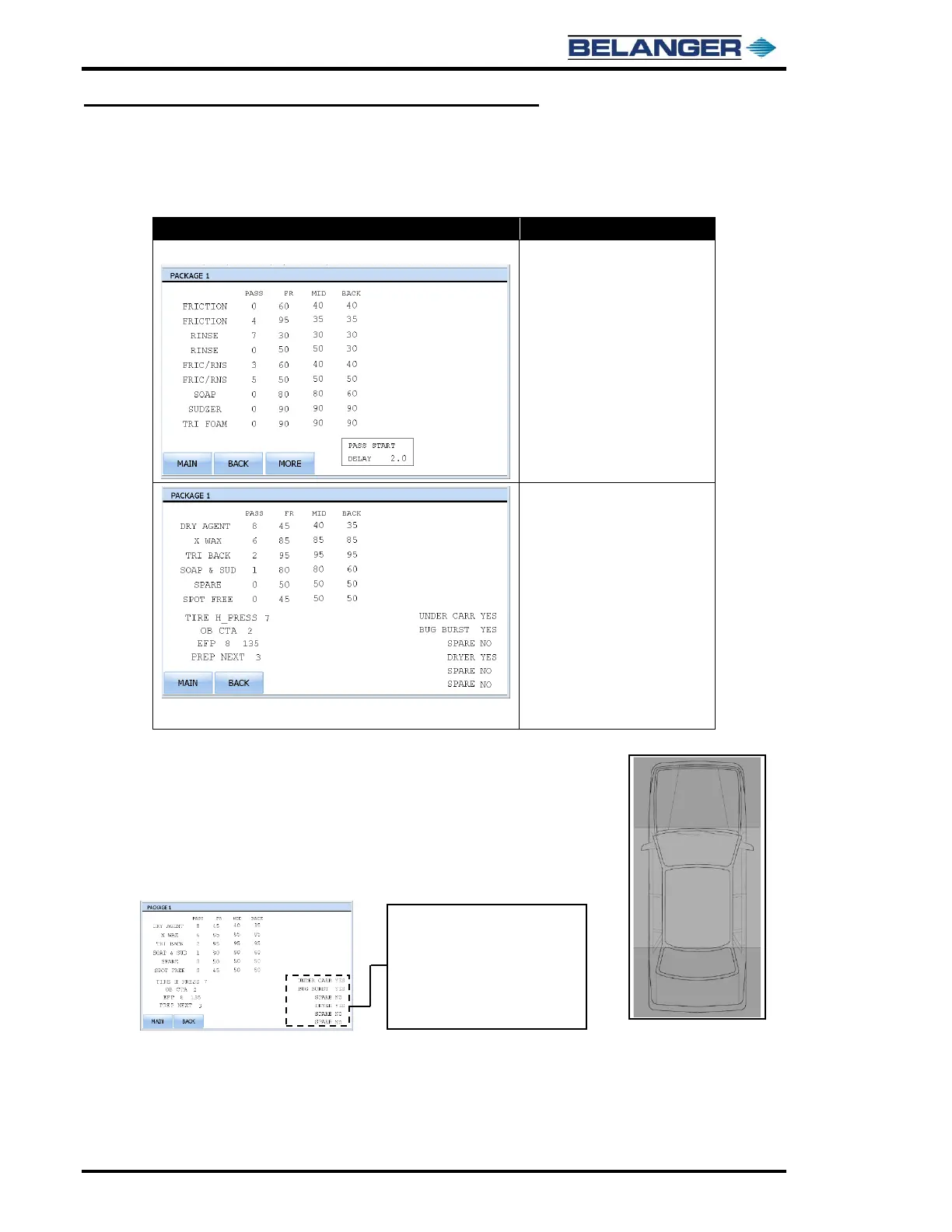
Example of Package 1-8 Setup Screen:
Pressing the MORE button moves to
the screen below
• Left column is the name of the
Application – NOTE: Name of
Application may have been
changed from the above
example
• PASS: The order in which the
passes will be performed on a
vehicle
• FR (Front): The carriage speed
at the front of the vehicle
• MID (Middle): The carriage
speed at the sides of the vehicle
• BACK (Rear): The carriage
speed at the rear of the vehicle
TIRE H PRESS (Tire High-Pressure): The number after indicates the pass that will
receive the High-Pressure on the side of vehicle while slowing at tire and rim areas.
OB CTA (On-Board CTA): The number after indicates the pass that will receive the
On-Board Chemical Tire Application on the tire and rim areas.
EFP (End Function Pulse): See Exit Operation Functions for details.
PREP NEXT: Pass number of front to back friction pass. Properly setting will speed
up package cycle time.
• All these items are re-namable
• The upper 3 are Entrance Operation
1, 2 and 3
• The lower 3 are Exit Operation 1, 2
and 3
• Toggling any to YES will include that
feature (operation) on that package



 To Next Page