CUBE® CONTROLLER
1MANUL964 Belanger, Inc. * PO BOX 5470 * Northville, MI 48167-5470 * Ph (248) 349-7010 * Fax (248) 380-9681 5-9
Chapter 5 Operator Interface / Programming
Setup
Setup / Misc / Sonar
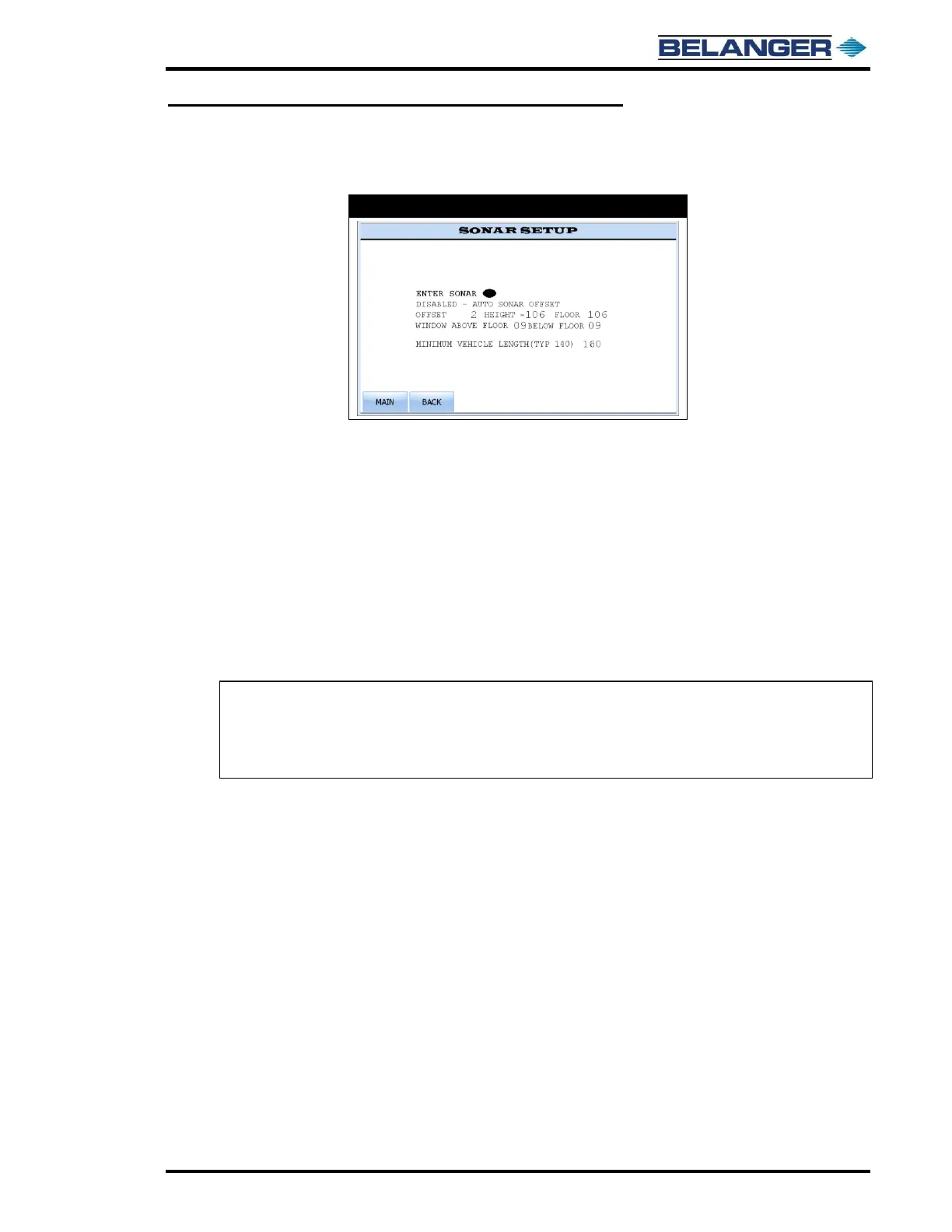
FLOOR DISTANCE: This is the actual distance between the Sonar and the floor at the entrance of the bay. Typical
procedure is to JOG machine to approximately 2 feet from Entrance End Limit and measure the distance to be
inserted. Improper setting may cause the Top Wheel to go into the beds of pick-up trucks.
WINDOW ABOVE FLOOR: This is the number of inches above the FLOOR DISTANCE that will be considered by
the system to be the floor (i.e. On the JOG screen, the SONAR AT FLOOR oval will be filled).
WINDOW BELOW FLOOR: This is the number of inches below the FLOOR DISTANCE that will be considered by
the system to be the floor (i.e. On the JOG screen, the SONAR AT FLOOR oval will be filled).
SONAR OFFSET: FLOOR DISTANCE must be set before editing this field. Here you can calibrate the Sonar Height.
User can adjust height by + or – of what Sonar is reporting. Typical procedure is to measure distance from Sonar
to floor at the entrance of bay. Insert that measured value into the FLOOR DISTANCE field and adjust SONAR
OFFSET until measured height equals FLOOR DISTANCE. Improper setting may cause the Top Wheel to go into
the beds of pick-up trucks.
Note: Sonar measurement is considered at the floor when MEASURED HEIGHT is between the
(FLOOR DISTANCE – WINDOW ABOVE FLOOR) and (FLOOR DISTANCE +
WINDOW BELOW FLOOR). Example: If FLOOR DISTANCE = 106 and WINDOW
ABOVE FLOOR = 9 and WINDOW BELOW FLOOR = 9, any measurement between 97
(106 - 9) and 115 (106 + 9) will be consider Sonar at Floor.



 To Next Page