CUBE® CONTROLLER
1MANUL964 Belanger, Inc. * PO BOX 5470 * Northville, MI 48167-5470 * Ph (248) 349-7010 * Fax (248) 380-9681 4-5
Chapter 4 Operator Interface / Standard User Screens
User
User / Monitor About
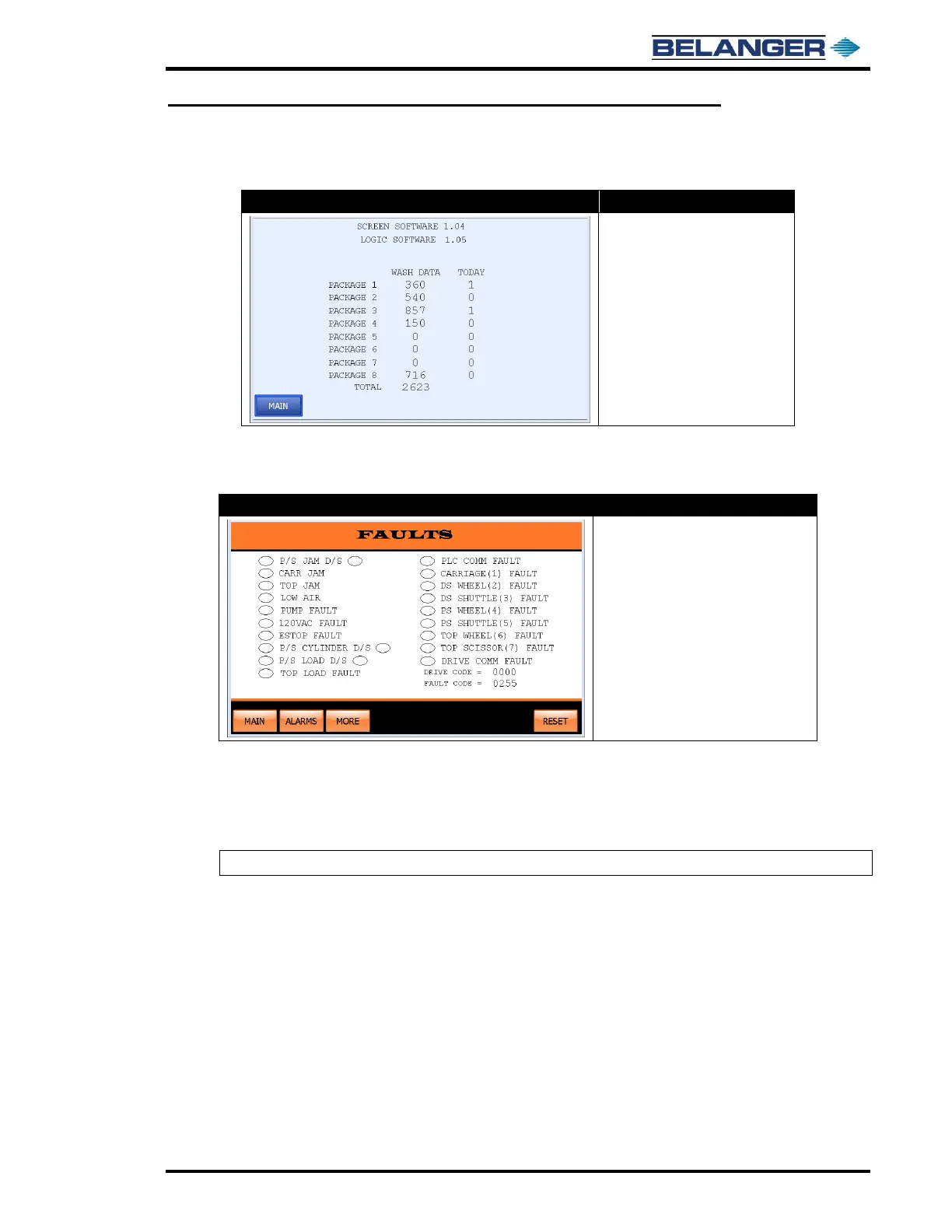
• The number displayed to the
right of SCREEN SOFTWARE
shows the version of software
in your Operator Interface
• The number displayed to the
right of LOGIC SOFTWARE
shows the version of software
in your Controller (PLC)
WASH DATA: has been provided to view what is in the WASH DATA screen without any reset capability.
Faults
• The ovals are ON/OFF indicators
• A filled oval indicates that Fault is
active
• RESET: Resets and Homes
machine
• ALARMS: Move to the Alarm
screen
• MORE: Moves you to the Capture
screen
This screen displays a current Fault status on the system. The oval next to a particular Fault will be filled when that
Fault is active. It also displays a numerical Fault status of the system. This is the 4-digit ERROR CODE that will be
sent to a pager when Fault occurs.
The DRIVE CODE field is covered on the next page.
Note: Fault code 255 is for “System Ok”.



 To Next Page