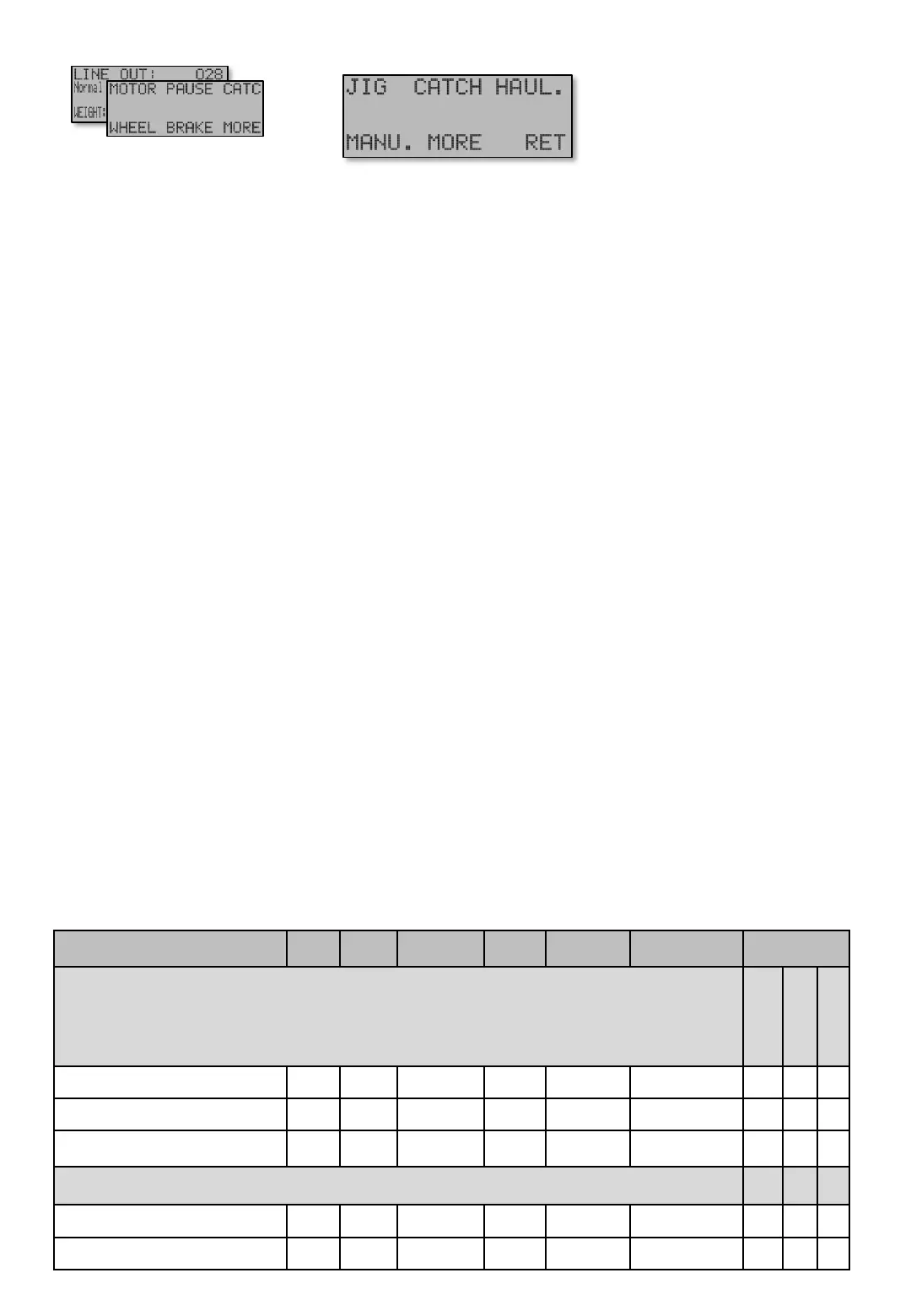
After Catch registration and optional Catch mode (see CATCH [12]) the motor begins with Haul up
mode. Settings found under HAUL.[E13].
Transision to Haul up – Speed [E13 P] is softly made by Soft start to - Hauling up speed [E13].
The soft transition time may also softly add force on wheel if Torque - Hauling up Drag + xxx% [E13
PP] is used. Extra force and speed is to shorten the time to haul up, and time to minimize loss of
catch.
MANU [E14]. The manual speed is the speed that applies when [U]p button is pressed. Soft Start To
Manual Speed [E14] and a Speed at manual [E14 P] decides the acceleration and speed. The force
on wheel is the basic DRAG setting. These settings are also used in Pause mode.
To prevent line tangle the motor stops by a deceleration time for about 0,7 seconds (see MOTOR -
Softstop [E153]). During deceleration time, motor force is reduced from any extra drag (Drag + xxx%)
back to basic DRAG. Since the machine is still in Haul up mode, the motor will start and using the
higher power again if the line is pulled out. However, close to the Zeropoint the speed, acceleration
and force switch time depends on how close the Zeropoint line is. If the line stopps outside Softstop
to 0 – Automatic [E444], which is the point at which the minimum speed begins and the motor uses
Haul up mode settings. But if the line stays above this point, then the Minimum Speed
[E154] settings are used.
[E13] – [E14]
HAUL. [E13] - MANU [E14]
Screens Min Max Factory Step Unit Navigation Menu
MOTOR – HAULING [E13]
Simple
Normal
X X x
”x” =Shows, ” – ” Hidden
Table shows units and value limits. See [E654] for menu detail level setting. Some screens are not visible if simple view, or normal view are Chosen .
Menu MOTOR [E1] reached by
pressing [E]nter button from Main
screen. From this menu all motor
settings are reached.
Navigate [E]
Main screen


 To Next Page