[P]1 Normal fishing
Programming of Normal Fishing…
• Press [P]rog and check that top row shows Fish program. Change with buttons [3] and [6] so
that row 3 shows “Normal fishing".
• Press [P]rog with Fishing depth.
• Use buttons [1] – [4] for change 100 at a time.
• Use buttons [2] – [5] for change 10 at a time.
• Use buttons [3] – [6] for change 1.
• Press [P]rog to Jig length.
• Use buttons [1] – [4] for change 100 at a time.
• Use buttons [2] – [5] for changing 10 at a time.
• Use buttons [3] – [6] for changing 1.
• When done, press [P]rog or [E]nter for Main screen
For availiable Catch detection sensors in this program, see Table 1 on page Machine - 4
The basic program is made up of three main parts…
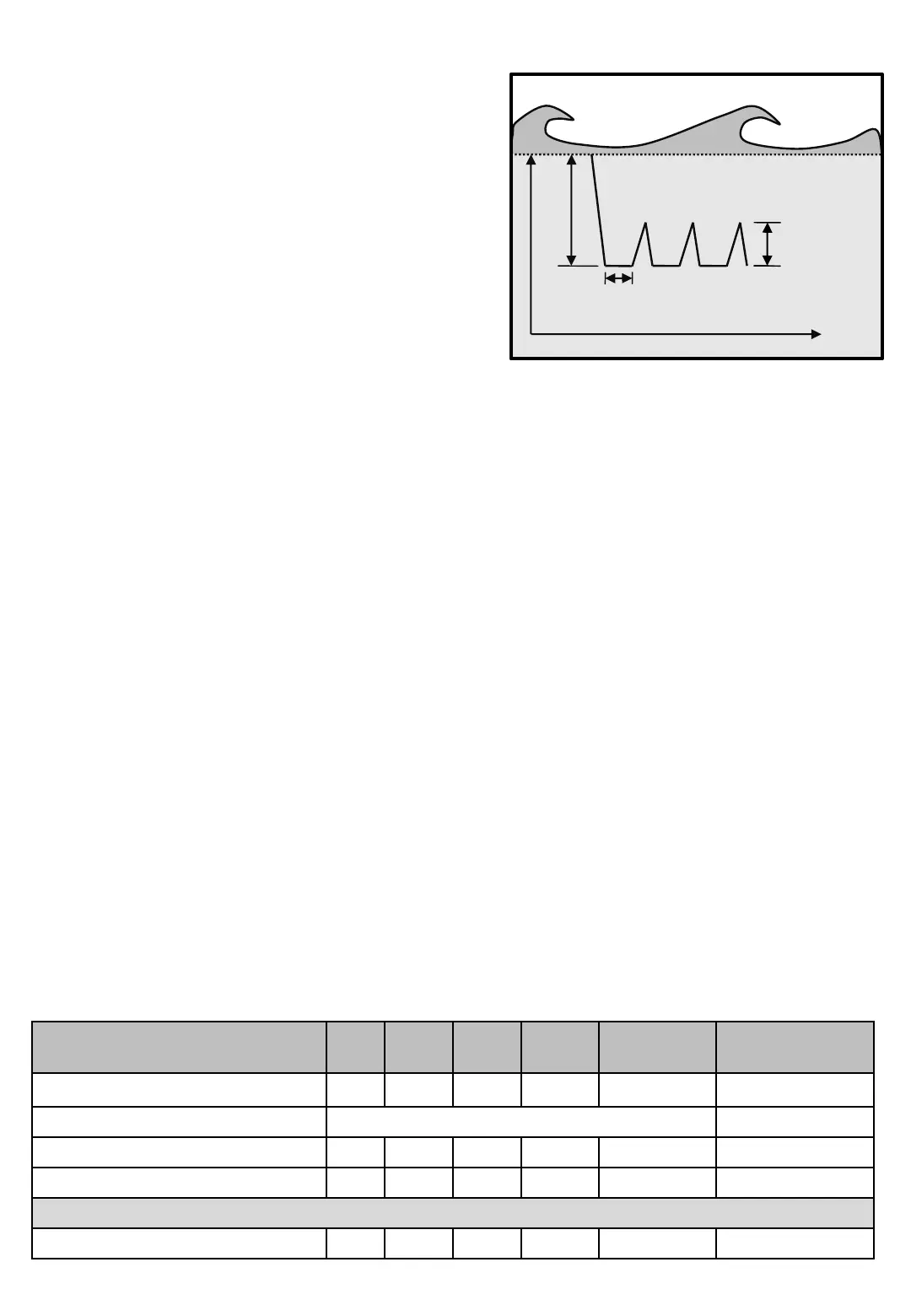
• Fishing depth [P]1[P] is the depth sinker tries to reach
when [A]uto program begins.
• Jig length [P]1[PP] is the length pulled up from
Fishing depth.
• Depth pause [E2P] is the time the machine is
stationary at reached Fishing depth before it begins to
pull up.
Note “Depth pause [E2P]” is available in all Fishing
programs and not adjusted often, so it’s located in menu
[E]nter under PAUSE [E2].
Depth
Depth paus
Jig length
Diagram 1
Normal fishing
Time
[P]1
Pictures Min Max
Screens in Normal Fishing program
The diagram shows theoretically how the sinker is drawing
on an echo sounder image, with the depth of the vertical
axis and the time on the horizontal.


 To Next Page