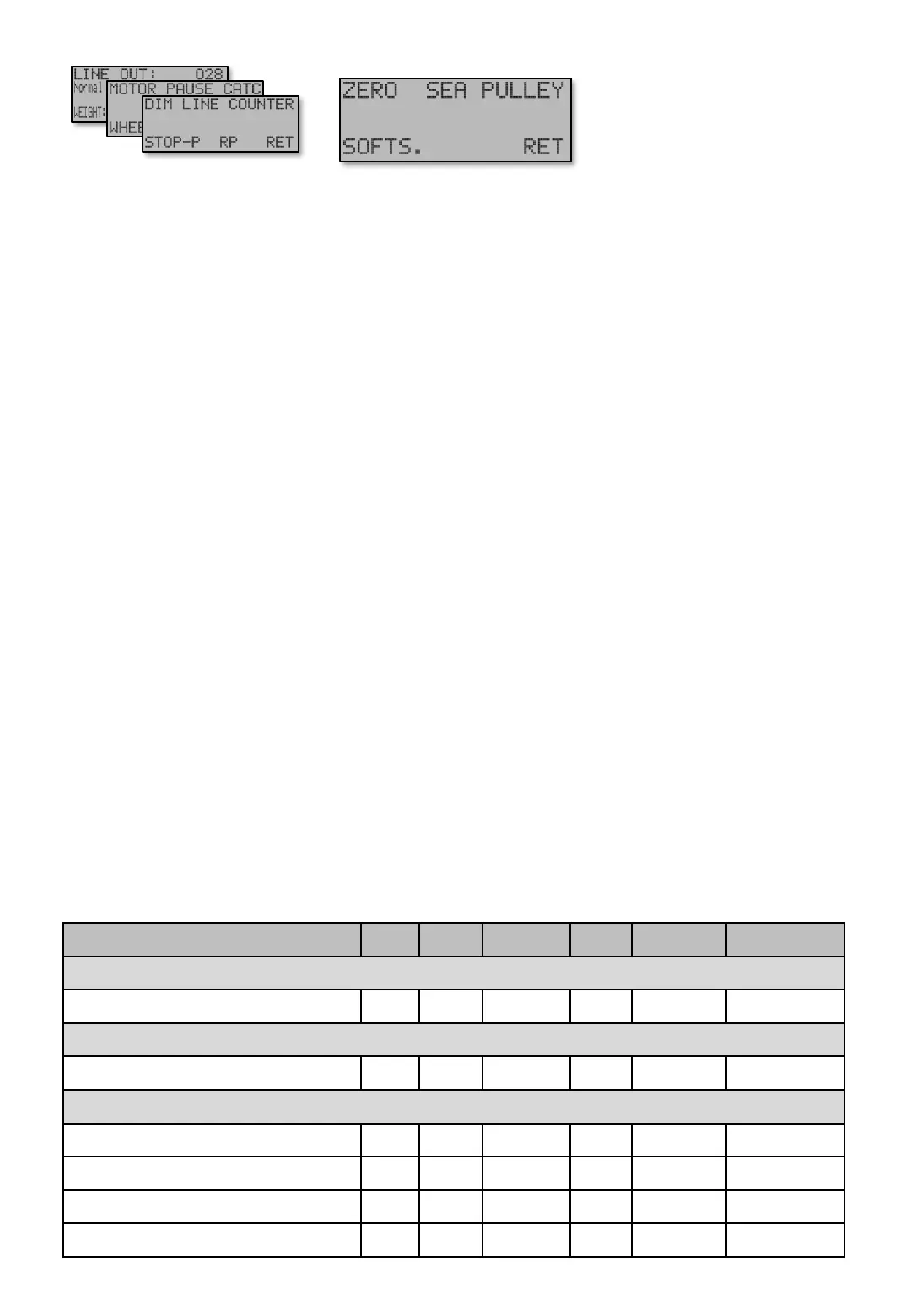
ZERO - Stop At 0 [E441] or (Stop at Zeropoint) This function determines if the motor shall stop when
Zeropoint is reached, which is common. Alternatively to Stop At 0 [E441] is Stop At Pulley [E443] (se
below. Stop At 0 [E441] and Stop at Pulley[E443] can be used individually or cooperate.
Stop At Sea – Time [E442] is the Maximum run time on the motor if the wheel stops, for example at
bottom or when line is at top. This time can be set up to 99.9 seconds, but not removed. As long as the
wheel is turning the time is retrigged.
Stop At Pulley – Time [E443] is exactly as above Stop At Sea – Time [E442]. However this is mentioned
to be used closer to the Zeropoint and is useful if the line is stretched a lot during fishing, making the
calculated Zeropoint different to the real one. A device is then attached to Fishing line corresponding to
the Zeropoint. The device can not pass through the Pulley, which stops the wheel and counting down the
time. When time runs out the motor is stopped. Maximum time will show as “OFF” and turns the Stop At
Pulley feature off.
Stop At Pulley – Above depth [E443 P] decides above which depth Stop at Pulley is active within.
Below this depth, the Stop at Sea takes over.
Stop At Pulley – Restart [E44 3PP] is a timer that restarts the Fishing program after Stop At Pulley has
occurred. Similar to what CATCH – Restart [E3P PPP P] does in Catch mode and it’s same as pressing
[A]uto button. Useful if catch is automatically released from the hooks, and ready for start.
Stop At Pulley – Autoreset [E443PPP] an extra feature when using Stop At Pulley – Restart [E44 3PP].
This will automatically clear the Line out when Stop At Pulley occurs, every time it comes up. As pressing
[Z]ero button.
NULL [E441] - SEA [E442] - PULLEY [E443]
[E441] – [E442] – [E443]
Screen Min Max Factory Step Unit Navigation
WHEEL - STOP.P - NULL [E441]
NULL - Stop at 0 Out IN IN - - [E441]
WHEEL - STOP.P - SEA [E442]
SEA – Time 1,0 99,9 30,0 0,1 Second [E442]
WHEEL - STOP.P - PULLEY [E443]
STOP AT PULLEY - Time Out 99,9 Out 0,1 Second [E443]
STOP AT PULLEY - Above depth 1 50 20 1 M/Fm/Ft [E443P]
STOP AT PULLEY – restart 0,1 60 Out 0,1 Second [E443PP]
STOP AT PULLEY - Auto 0 Out IN Out - - [E443PPP]
Menu [E44]
Table shows units and value limits. See [E654] for menu detail level setting. Some screens are not visible if simple view, or normal view are Chosen .
Navigate [E4]
Main screen


 To Next Page