1 2 3
Softstart
Speed
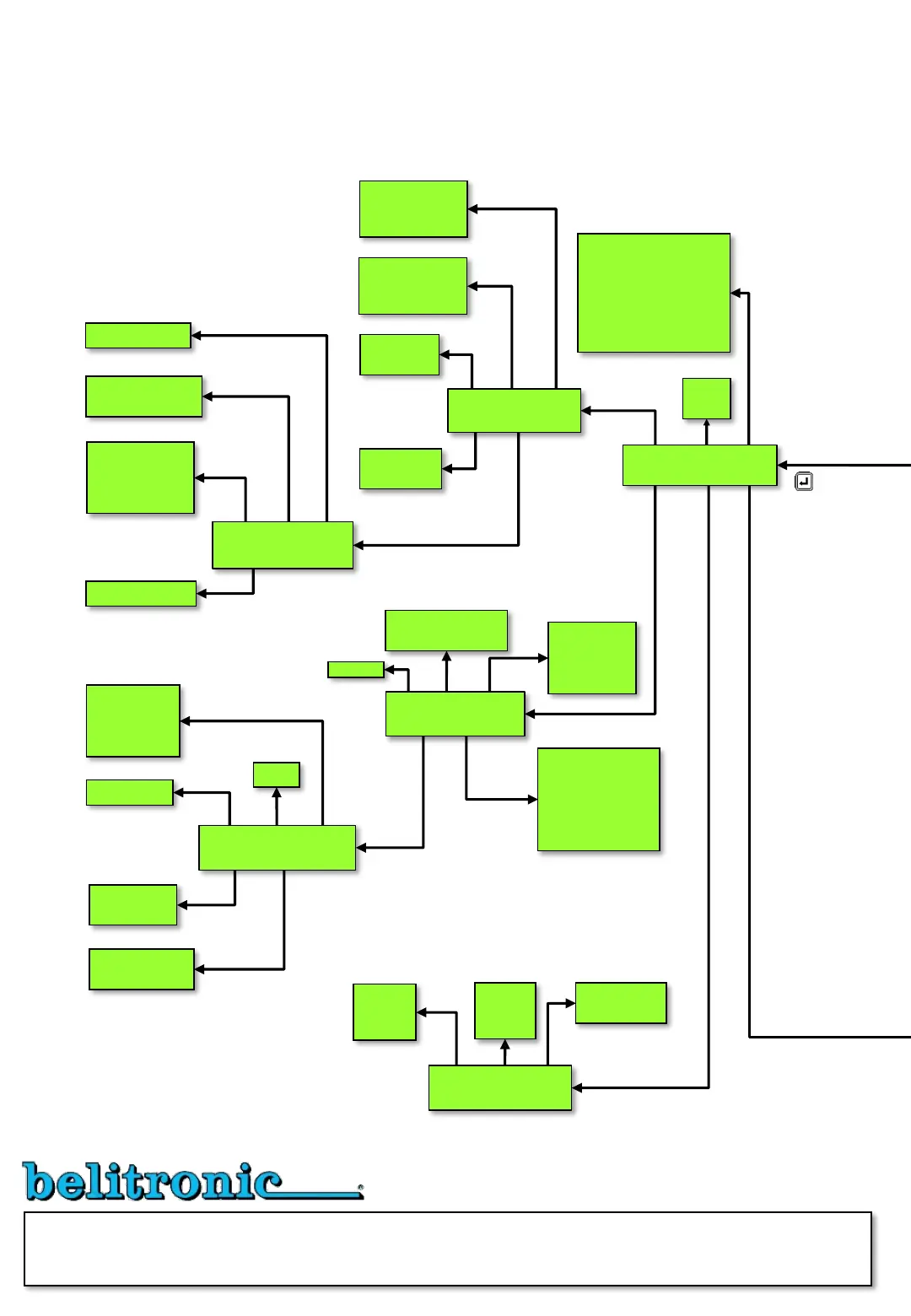
Flowchart showing how to get from one picture to the other. Detailed description of all functions and display texts are found in the manual. From
Main "Line out" use the Enter key to get in and out of the menu system. From the menu, available submenus with the buttons below the display
and P-button, Z-button, Drag, Catch and Brake accessed directly. Related fish program parameters are reached directly with P-button. The
choice “Ret” returns to the previous menu.
MOTOR
PAUSE
CATCH
WHEEL
BREAK MORE
JIG
CATCH
HAUL
MANU MORE RET
L.MESS
TORQ
STOP
MINSPEED RET
DIM LINE
COUNTER
STOP-P RP RET
Time
Speed
Extra torque
Time
Speed
Extra torque
Softstart
Speed
Detect value
Speed
Time
Distance
Torque start
Min torque
Soft stop time
Minimum speed
Auto
Depth
Time up
Time down
Catch – On speed brake
Catch - Wheel pulses
Brightness
Restart
Show catch depth
Width
Diameter
Outer diameter
Unit
Direction
Sensor A B
Magnets
ZERO
SEA
PULLEY
SOFTS. PAUSE RET
Stop at zero
Time
Time
Above depth
Restart
Auto zero
Automatic
Manual
Activation
Wheel laps
Time
Laps
Num. of Pulses
Pulse length
Pulse pause
Pulse strength
SPEED DEPTH
AIR
RET
Power
Time
Speed
Power
Time
Speed
Speed
Above depth
E
E1
E11
E12
E13
E14
E15
E151
E152
E153
E154
E4
E2
E3
E42
E41
E43
E44
E441
E442
E443
E444
E445
E45
E5
E51
E52
E53
Motor
menu
Advanced
Motor menu
Wheel
menu
Menu for
Wheels stop point
Brake
menu
4 5 6
1 2 3
4 5 6
1 2 3
4 6
1 2 3
4 5 6
1 2 3
4 5 6
1 2 3
Fast
push
Chapter E
MENU AND SCREEN FLOWCHART
Program firmware 1.1834


 To Next Page